Category: Data & Analytics

  • What Is Conversion Tracking & How to Check if It’s Working?

    What Is Conversion Tracking & How to Check if It’s Working?

    If you’re Googling conversion tracking, you’re probably trying to answer one very practical question: Are my marketing efforts actually producing results I can measure and trust? That could be sales, leads, enquiries, sign-ups, downloads, or any step that moves someone closer to becoming a customer.

    And if you’ve searched “how to check if conversion tracking is working”, there’s a good chance something feels off—maybe your ad platform shows “Unverified,” GA4 doesn’t show the right events, or your numbers don’t match between tools. This guide walks you through what conversion tracking is, how it works, and how to verify it properly.

    Want confidence that your tags, key events, and ad platform conversions are set up correctly? Book a free conversion tracking audit with our team.

    What is Conversion Tracking?

    Conversion tracking is the process of measuring the actions people take that contribute to a business goal, like buying a product, submitting a form, signing up for a newsletter, or downloading a resource – so you can see what’s working and what needs improving.

    In mobile app marketing, the concept is similar, but it’s often described as tracking a mapped event inside an app via a mobile measurement partner (for example, installs, sign-ups, or purchases) so advertisers can understand which sources drive valuable users.

    Why is Conversion Tracking Important?

    If you’re asking why conversion tracking is important, it comes down to decision-making. Without conversion tracking, you can still see clicks and visits—but you can’t reliably connect marketing spend and effort to outcomes that matter (revenue, leads, bookings, enquiries).

    It’s also what turns your marketing into something you can improve. When conversion actions are measured, you can compare channels, creatives, landing pages, and keywords, then optimise based on evidence rather than hunches.

    For advertisers using Google Ads, conversion tracking is explicitly positioned as a way to understand which ads drive value and how to optimise campaigns to meet business goals. In other words, it’s not just reporting – it directly supports better optimisation decisions.

    How Does Conversion Tracking Work?

    At a high level, conversion tracking work looks like this:
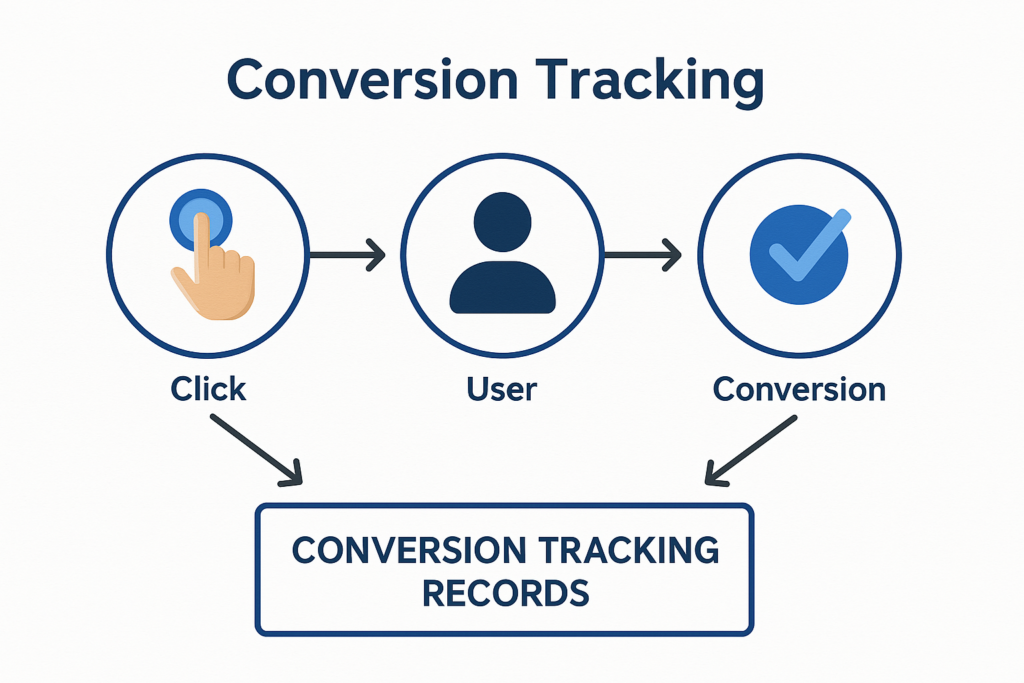
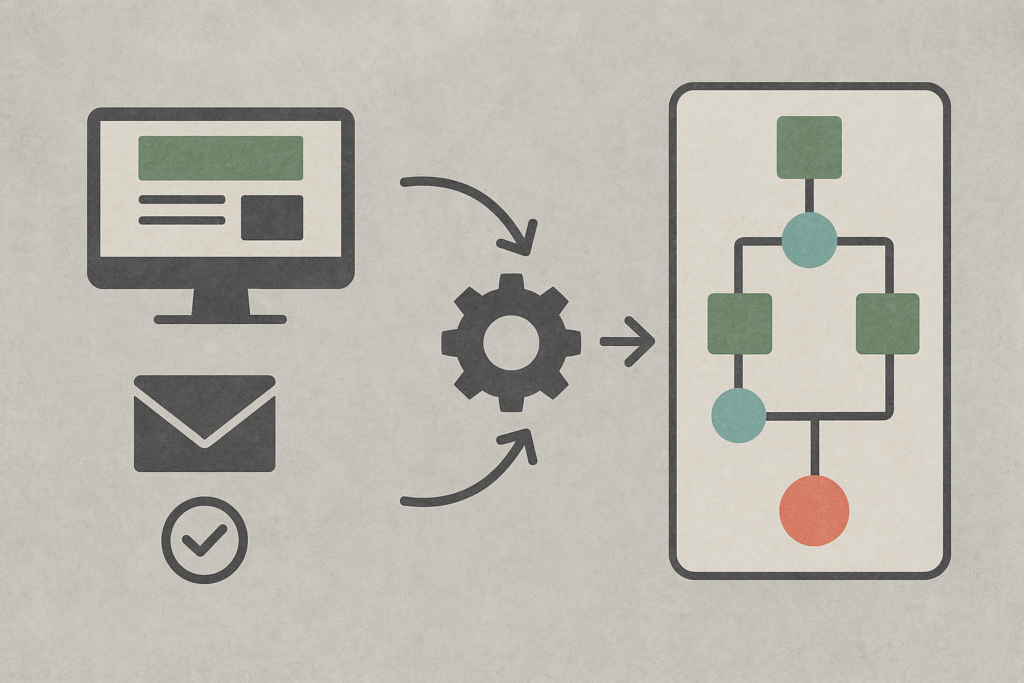
    You define a conversion action (the activity you care about), install tracking (tags or SDKs), and when a user completes that action, the tag fires and sends data to your chosen platforms. The platform then records that conversion and attributes it back to marketing touchpoints based on its attribution rules.

    For Google Ads website conversion tracking specifically, Google explains that site-wide tagging sets cookies on your domain that can store a unique identifier for the user or the ad click that brought them to the site. Those cookies receive ad-click information from the GCLID parameter included with the conversion tracking setup.

    Implementation-wise, Google’s recommended approach uses the Google tag plus an event snippet. The Google tag is placed on all pages (typically in the <head>), while the event snippet should be installed on the conversion page itself (and Google notes the <head> placement for best accuracy).
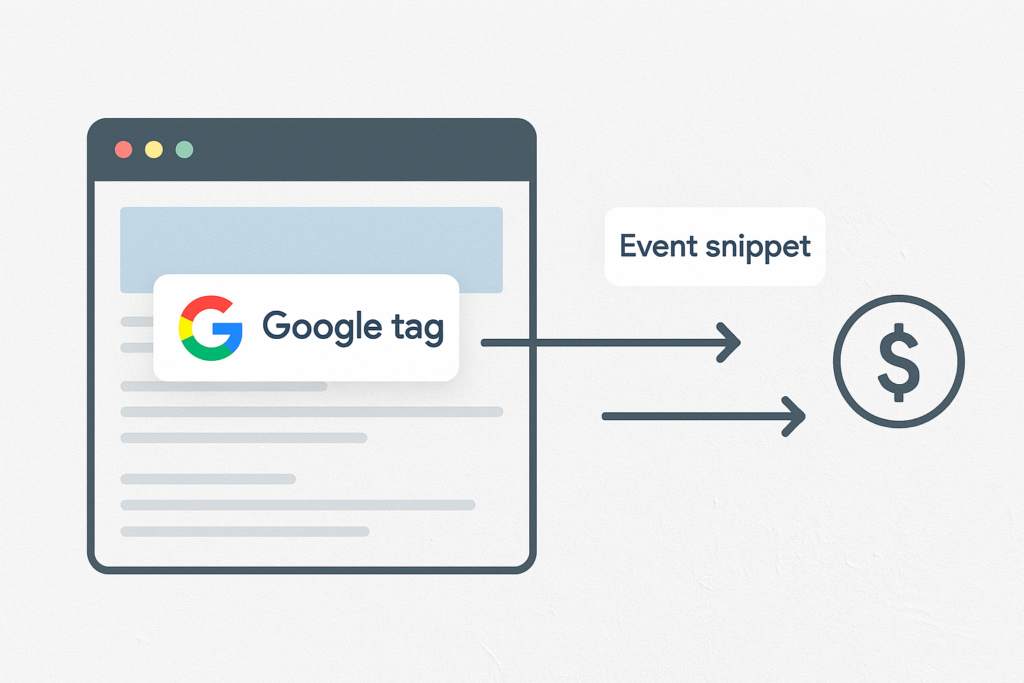
    If you implement via Google Tag Manager, Google explicitly recommends using the Conversion Linker tag so Google Ads conversion tags can capture and store ad-click information from landing-page URLs in first-party cookies on your domain (often run on “All Pages”).

    A practical reality check: tracking often relies on cookies or similar technologies. That means users need clear information about what is being used and why, and consent may be required unless an exception applies. This matters because consent choices can change what gets tracked and what doesn’t.

    If you use Google’s consent mode, Google describes two approaches:
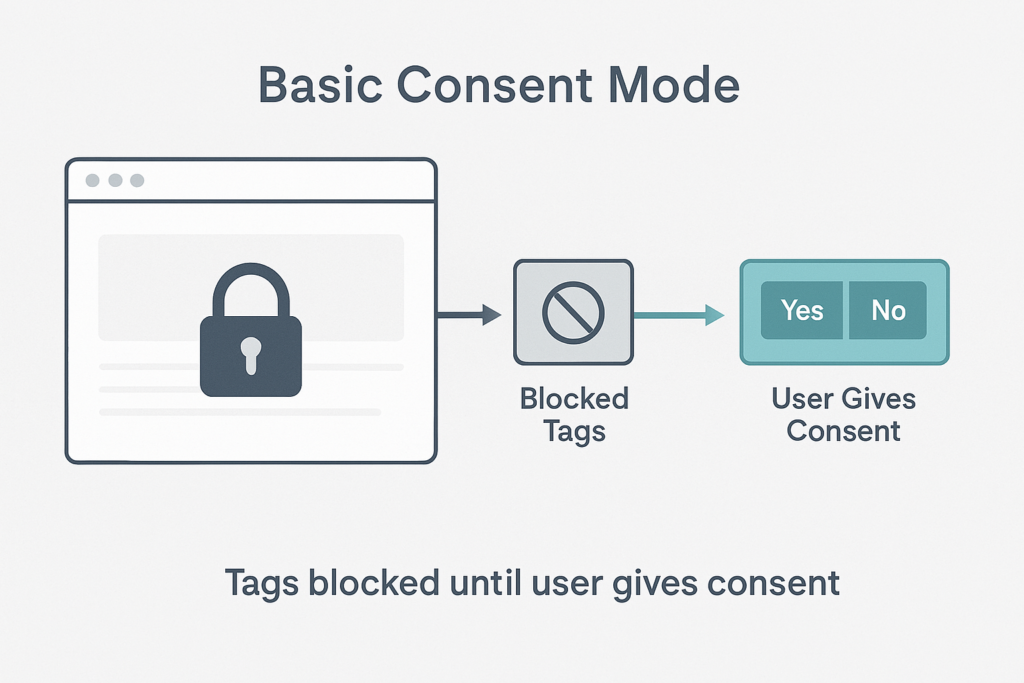
    Basic Consent Mode

    In basic consent mode, tags are blocked until the user interacts, and if they don’t consent, no data is transferred at all.
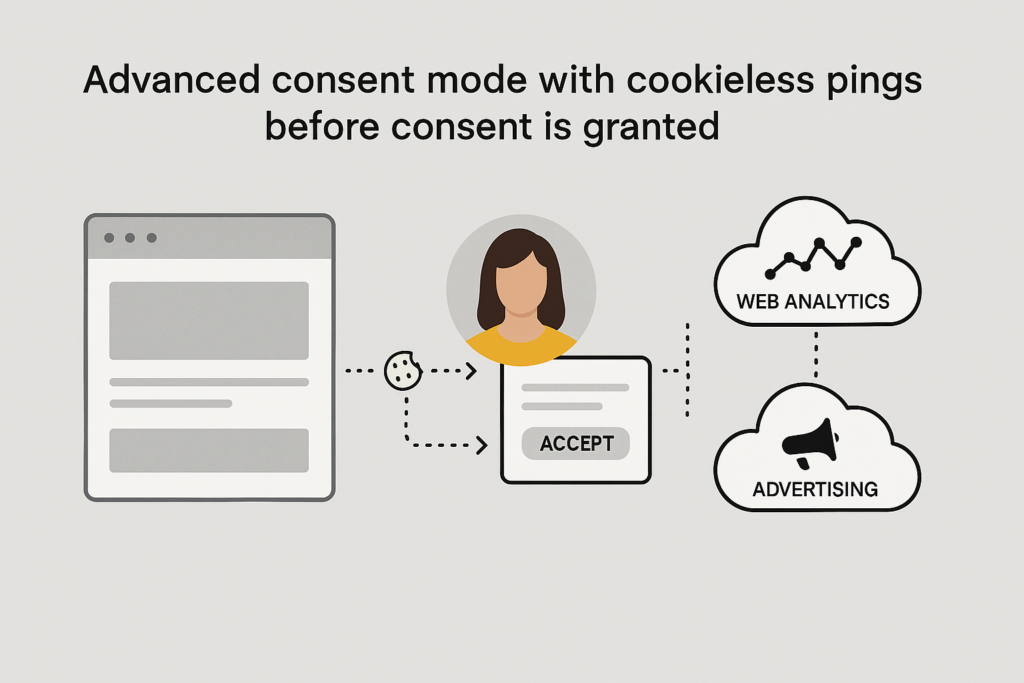
    Advanced Consent Mode

    In advanced consent mode, tags can load with defaults (often “denied”) and send cookieless pings until consent is granted, enabling improved modelling.

    How to Check If Conversion Tracking is Working

    To check if your conversion tracking is working, you should verify it in layers – it’s the easiest way to check it. Don’t just look at one dashboard – confirm the full chain from the browser, to analytics/debug tools, and to ad platform reporting.

    Start with this mindset: a conversion can be “not working” because:

    1. The tag never fires.
    2. It fires but sends the wrong data.
    3. It reaches analytics but doesn’t get marked as a key event.
    4. It’s recorded but not attributed the way you expect.

    Check Layer One: Does the tag fire in the browser?

    Use Google Tag Manager’s Preview/Debug mode (Tag Assistant debug interface). Google explains that the debug interface shows how tags are fired and what data is being processed, and updates as you click through your site. It’s specifically designed for verifying whether triggers fire properly and what data is passed.

    Check Layer Two: Does GA4 record the right events and key events?

    GA4 uses key events for actions that matter. Google defines a key event as an event that measures an action important to business success, and recommends verifying key events through: 

    • Real-time report (Key events by event name), and
    • DebugView (real-time troubleshooting).

    If you’re debugging ecommerce specifically, Google also notes that reports can take time to populate, and recommends DebugView to verify your ecommerce events in real time after enabling debug mode.

    Check Layer Three: Does Google Ads recognise the conversion action?

    In Google Ads, a very common confusion point is tracking status.
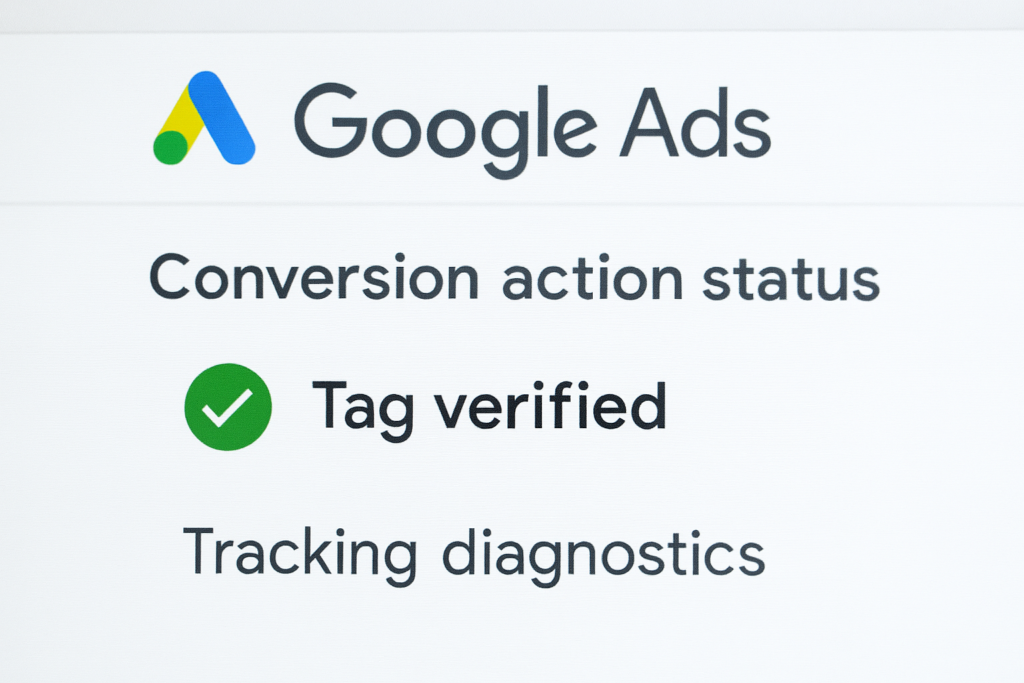
    Google explains that Unverified” means the conversion tracking tag for that conversion action has not yet fired (and verification can take hours after the first firing).

    If your Google Ads conversions show “Unverified” or “Tag inactive,” Google’s guidance is to use Tag Assistant, which is integrated into Google Ads and can be launched from the conversions interface to investigate and verify your conversion actions.

    Here are the Common Causes When Tracking Looks “installed” But Still Isn’t Working

    1. Auto-tagging / GCLID not making it through to the right pages. 

    Google recommends turning on auto-tagging and ensuring click trackers and server-side redirects pass the GCLID to landing pages.

    1. Cross-domain conversions not attributed properly. 

    If your conversion happens on a different domain, Google points to domain linking so the GCLID can be passed through.

    1. Missing conversion linker when using GTM. 

    Google states the Conversion Linker tag detects ad-click info in landing URLs and stores it in cookies on your domain. Without it, attribution can break.

    1. Firing tags inside an iframe. 

    Google explicitly advises not to fire tags from within an iframe.

    1. Consent choices blocking tags. 

    In basic consent mode, Google states tags remain blocked unless consent is granted; in the UK, the ICO sets out that consent is required for non-essential cookies and similar technologies unless exceptions apply.

    If You’re Also Tracking Meta Ads: Here’s a Quick Verification Guide

    For social platforms, browser-side verification tools can save a lot of time. The Meta Pixel Helper Chrome extension is described as a troubleshooting tool that validates pixel implementation and provides real-time feedback (including warnings and errors).

    Let’s Get In Touch.

    If your conversion tracking feels unclear, patchy, or hard to trust, we can help you fix the setup and turn the data into something useful.

  • What is Data-Driven Marketing? The Definitive Guide

    What is Data-Driven Marketing? The Definitive Guide

    Data-driven marketing is one of those phrases everyone uses, but not everyone agrees on what it actually means. In plain terms, it’s marketing that uses real evidence – customer behaviour, campaign performance, and commercial outcomes – to make better and faster decisions.

    It’s also the opposite of “we think this will work.” The best data-driven marketing replaces guesswork with a simple habit: learn what’s happening, act on it, then improve what you do next.

    Want to turn messy marketing data into clear actions and measurable growth? Seek Marketing Partners can help you build a practical data-driven marketing strategy, from tracking to optimisation.

    What Exactly is Data-Driven Marketing?

    Data-driven marketing is the process of gathering and using data to guide marketing decisions and improve the customer experience. In practice, that often means using demographics and behaviour data to reach the right people, in the right place, at the right time – and then adjusting based on performance.

    Different sources and guides phrase it differently, but the theme is consistent. It’s about using customer information and insights to predict needs, personalise communications, and improve return on investment (ROI) over time.

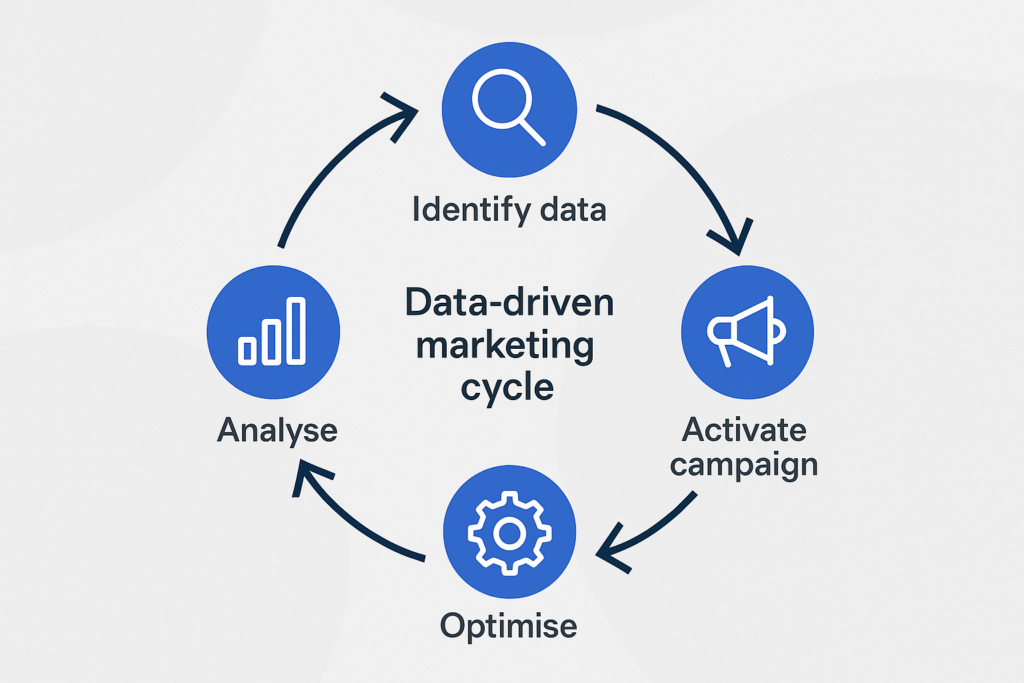
    A helpful way to think about it is as a loop. Deloitte summarises it as Identify, Capture, Analyse, Activate, and Optimise – meaning you decide what you need, collect it responsibly, turn it into useful insights, use those insights in campaigns, and keep improving through a test-and-learn mindset.

    Data-Driven Marketing vs Traditional Marketing

    Traditional marketing can absolutely use research, focus groups, and experience. The limitation is often scale, speed, and feedback – because many offline channels don’t give you granular performance data in real time.

    With data-driven marketing, digital technologies make it easier to collect large-scale data, monitor performance as it happens, and automate actions based on what the data shows. That’s why data-driven approaches are often faster to optimise and easier to justify internally.

    Why Data-Driven Marketing is Important

    One of the biggest benefits is better targeting and segmentation. When you understand who your customers are and how they behave, you can tailor messaging to smaller, clearer segments instead of sending the same message to everyone.

    Personalisation is another major driver. Research from McKinsey & Company has found that 71% of consumers expect personalised interactions, and 76% get frustrated when it doesn’t happen – so the “generic blast” approach increasingly feels out of step with expectations.

    It also helps teams allocate budget and effort more intelligently. When you track the right KPIs, you can see what’s actually working, whether that’s organic search growth, email revenue, paid media efficiency, or on-site conversion rate – and shift resources accordingly.

    What Data Do You Need for Data-Driven Marketing?

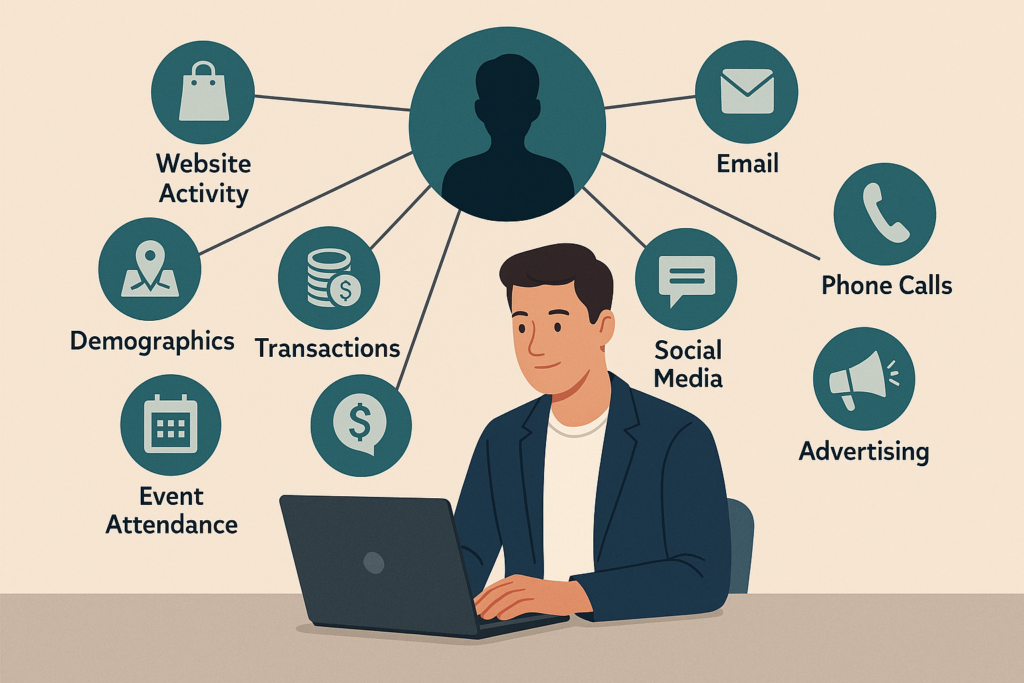
    Most marketers already have useful data – they just don’t always connect it. Semrush lists common sources like CRM platforms, website analytics, email marketing tools, and social media platforms, and it also notes that surveys and experiments can generate valuable first-party data.

    To make it clearer, think about data in three buckets:

    You have customer and lead data (for example, what people bought, what they enquired about, and what stage they’re in).

    You have behaviour data (what people do on your website, in your emails, or across your conversion journey).

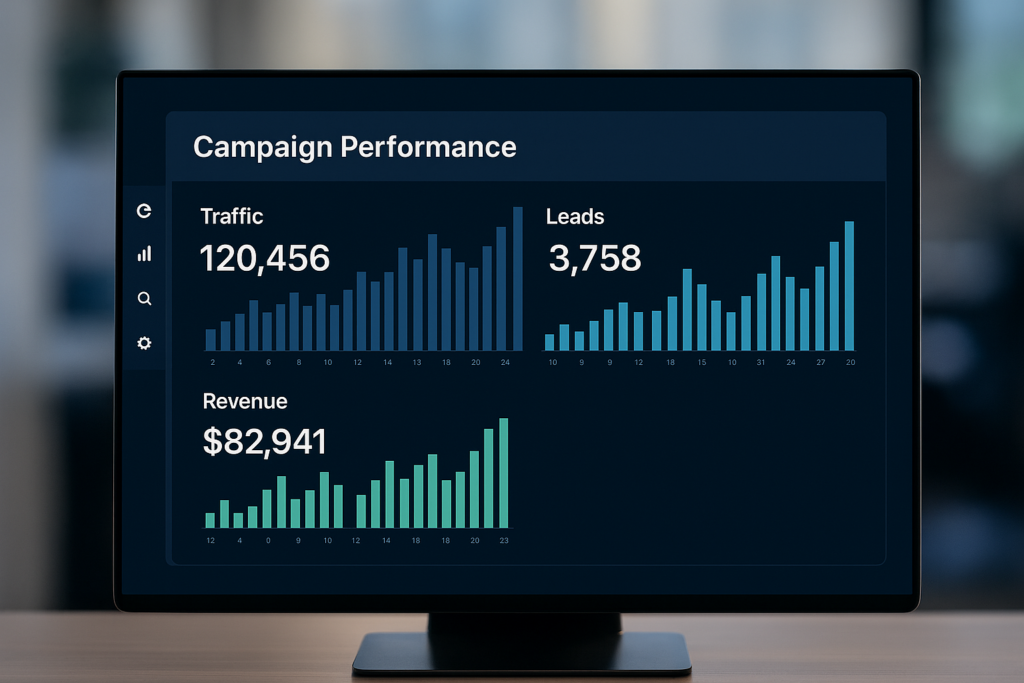
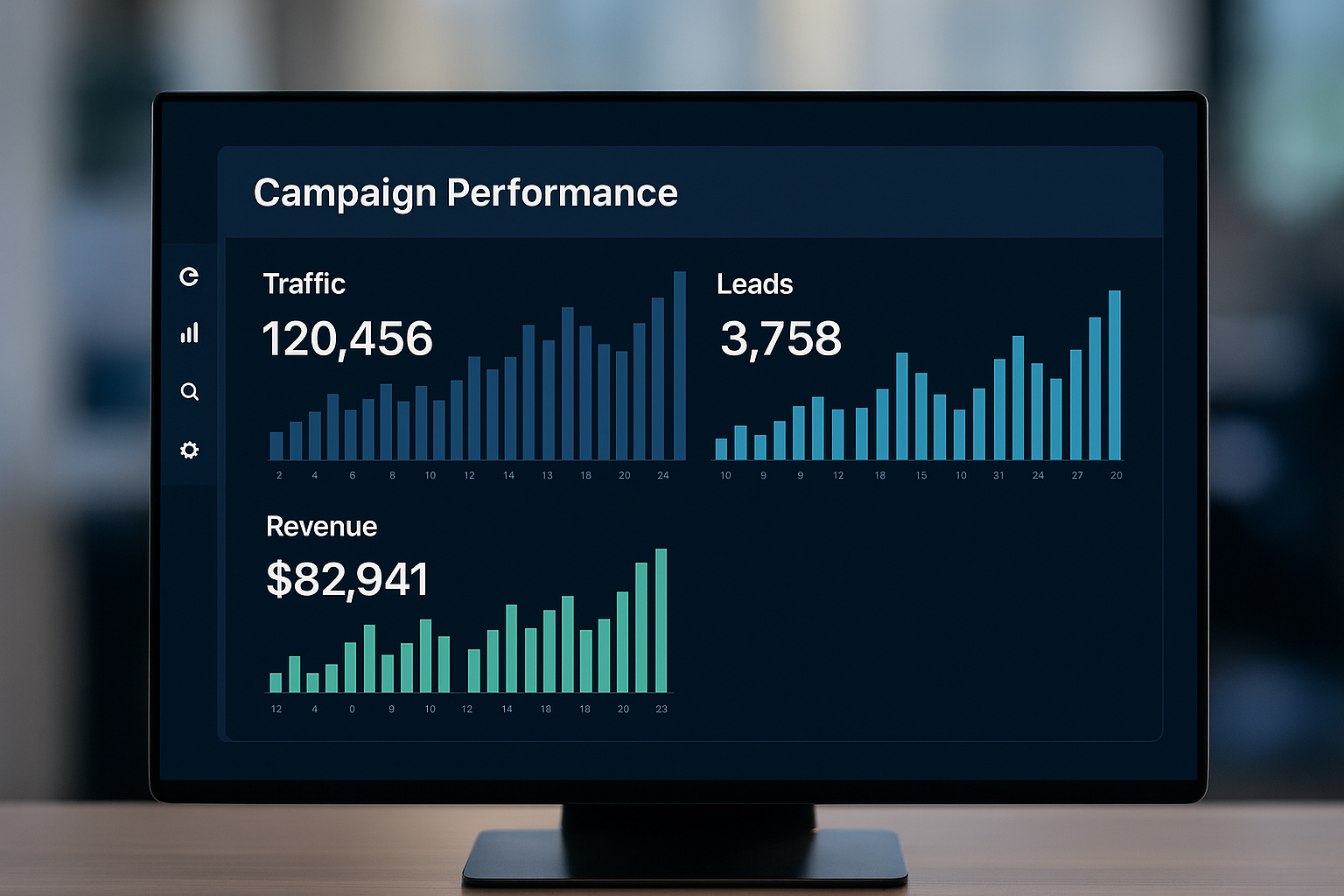
    And you have campaign performance data (what drove traffic, leads, revenue, or retention).

    You do not need “all the data.” You need the right data for the decisions you’re trying to make, and you need enough consistency that you can trust the trend you’re seeing.

    Here are the Three Analytics Types that Show Up in Real Marketing Teams

    Coursera breaks marketing analytics into descriptive, predictive, and prescriptive approaches, and this is a useful shorthand for planning.

    1. Descriptive analytics tells you what happened (for example, which channel drove the most qualified leads last quarter).
    2. Predictive analytics helps you anticipate what might happen (for example, which audience segment is likely to convert if you adjust the offer).
    3. Prescriptive analytics pushes towards recommendation and decisioning (for example, adapting content and targeting to maximise a specific outcome).

    Learn How to Build a Data-Driven Marketing Strategy

    A data-driven marketing strategy works best when you treat it like an operating system, not a one-off project. Semrush summarises the core flow as: set goals, collect data, analyse it, develop the strategy, launch, measure, and optimise.

    Here’s the same idea in a more “do-this-on-Monday” version.

    Step #1:

    Start with one or two clear goals that matter commercially, then define the KPIs you’ll use to judge success. We recommend choosing metrics that align with your marketing goals and treating them as SMART – specific, measurable, achievable, relevant, and time-bound.

    Step #2:

    Next, map your customer journey and decide what you need to measure at each stage. Salesforce explicitly calls out building a data-driven customer journey map across touchpoints so you can collect and analyse data where decisions need to be made.

    Step #3:

    Then, connect your data sources so you can see performance in one place. One of the biggest practical problems is having data spread across tools and teams, which makes it harder to build a single view of performance.

    Step #4:

    Finally, run the strategy as a loop: launch, measure, learn, and refine. That “test and learn” habit is the difference between “data-informed” and truly data-driven.

    What Does Data-Driven Digital Marketing Look Like?

    Data-driven digital marketing is simply data-driven marketing applied across your digital channels with a strong measurement discipline. It’s the same idea – use evidence to choose, improve, and scale what works – but with the advantage that most digital channels are measurable.

    In SEO and content, it often means using search performance data, page engagement metrics, and conversion tracking to decide which topics to create, which pages to refresh, and which queries to prioritise.

    In paid media, it means watching performance signals like cost per click, conversion rate, and return on ad spend, then adjusting targeting and creative based on what’s driving profit rather than just clicks.

    In email, it often shows up as behavioural automation and personalisation – like sending cart reminders or tailoring content based on what people have done.

    The Common Challenges in Data-Driven Marketing

    Data-driven marketing sounds simple, but it can feel complicated in real life. Adverity describes how new data-driven marketers often get overwhelmed by collecting data and struggle with “isolated” data across tools.

    Semrush highlights another common blocker: lack of data literacy – meaning people can’t confidently interpret the data, explain it, or act on it. Their advice is practical: invest in training, choose tools that make outputs clearer, and regularly review outcomes so you catch errors early.

    There’s also the compliance layer. Semrush explicitly calls out that teams need to collect, store, and use data responsibly and to understand which regulations apply in their region.

    That’s the reason many teams benefit from narrowing the initial scope. Start with one clear goal and one channel, prove you can measure and improve it, then expand.

    A Tracking Reality Check for 2026

    Measurement is still one of the biggest advantages of digital marketing, but the environment has changed. Reuters reported that Google decided not to roll out a standalone prompt and will retain third-party cookies in Chrome, after years of shifting plans and ecosystem pressure.

    At the same time, Google’s own Privacy Sandbox documentation is explicit about preparing for user experiences “whether or not third-party cookies are available,” and even suggests testing behaviour when cookies are blocked by user choice. In other words, “business as usual” tracking assumptions are risky.

    For marketers, the practical takeaway is straightforward: tighten your first-party measurement, reduce reliance on any single tracking method, and make sure your reporting is resilient enough to guide decisions even with imperfect attribution.

    When to Hire a Data-Driven Marketing Agency

    A data-driven marketing agency should do more than run ads and send reports. The value is in connecting your marketing activity to customer behaviour and commercial outcomes, then improving it through consistent testing and optimised execution.

    When you’re evaluating an agency, look for signs they can handle the full loop: clarify goals and KPIs, connect or audit tracking, build decision-ready dashboards, and run a test-and-learn optimisation process.

    Ready to make your marketing easier to measure and improve? Seek Marketing Partners can help you turn data into better decisions and stronger results.

  • What is Organic Search Traffic and How to Increase It

    What is Organic Search Traffic and How to Increase It

    Organic search traffic is the visitors landing on your website from unpaid search engine results like Google and Bing. In other words, these users find you by typing queries and clicking your site’s result, with no ads involved. 

    Organic search represents a major portion of total web traffic in many industries, making it a critical source of visibility. For many B2B companies, organic search can outperform other channels in lead quality and long-term revenue.

    In short, organic search is a cost-effective, high-intent traffic stream. People are actively searching for information or solutions, and if your content matches their needs, it can lead to quality leads and sales.

    Key Differences of Organic vs Paid: 

    Paid search (PPC) can deliver instant traffic by bidding on keywords, but traffic stops as soon as the ads stop. Organic traffic, by contrast, builds over time and keeps paying dividends long-term. 

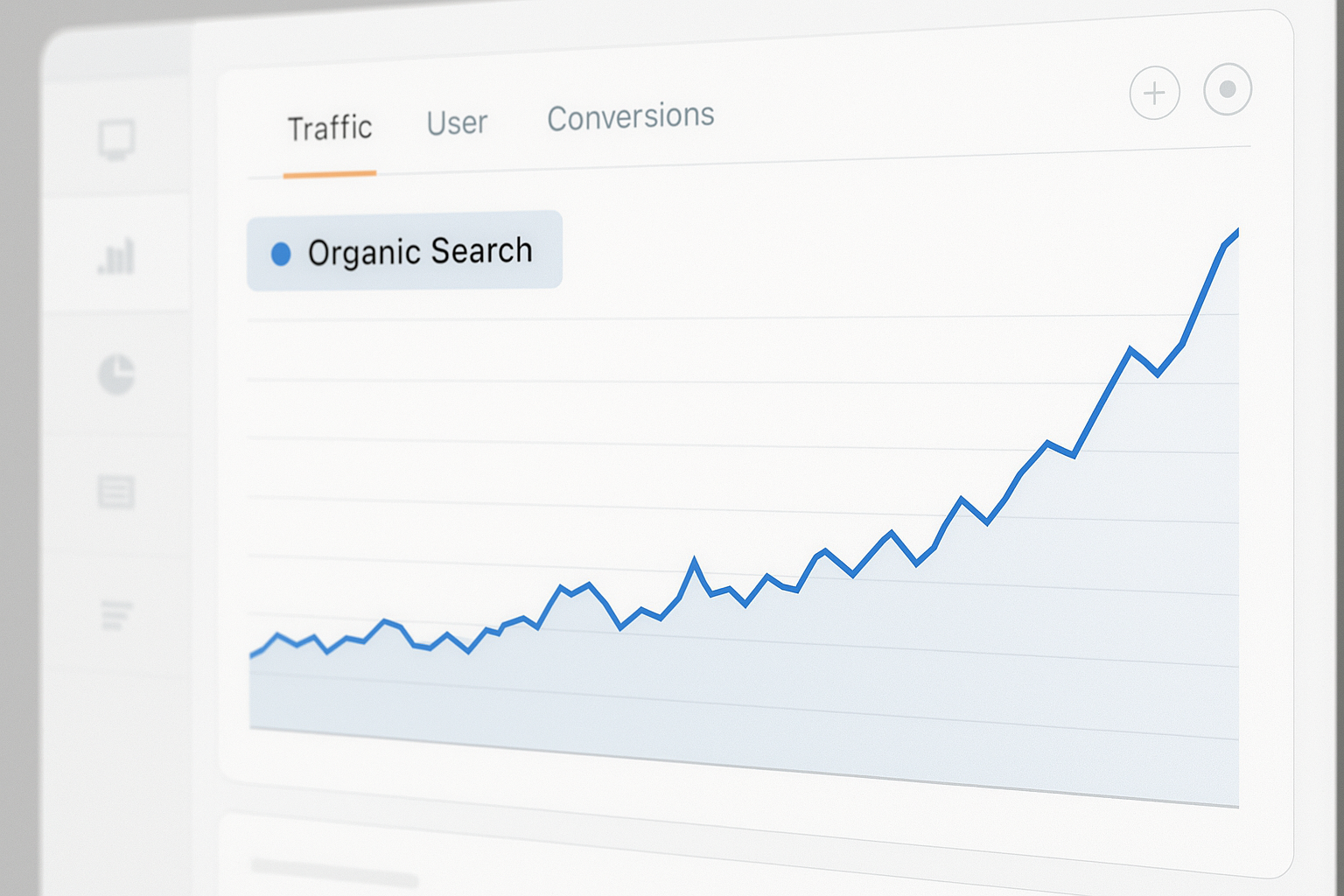
    Illustration comparing paid ads and organic results, shown as taps from two separate sources.

    Studies commonly show that the top organic result receives a significant share of clicks, without paying per click. Organic results often feel more trustworthy to users, especially for research-driven searches.

    Why Organic Search Traffic Matters

    Organic search traffic is highly targeted and sustainable. Visitors come seeking what you offer, so they’re already engaged. This means:

    • Qualified leads: Organic visitors know what they want. A good query match often means a higher chance of converting into a customer.
    • Free traffic (beyond your content spend): Unlike ads, you don’t pay per click. Once your content ranks, clicks are “free”.
    • High ROI: Investing in SEO and content upfront yields ongoing returns. In fact, organic results are “semi-permanent” – they keep driving traffic without continual spending.
    • Trust and credibility: Users generally trust organic listings over ads. Ranking on page one signals authority.
    • Long-term growth: Algorithms change, but good SEO and content keep paying off. Organic traffic has slower growth but a longer shelf life.

    Case in point: Over 50% of all web traffic comes from organic search. For mid-to-large businesses, that’s a lot of eyeballs. By capturing just a fraction more of that traffic, you can significantly boost leads and brand awareness.

    Organic vs. Paid Search Traffic 

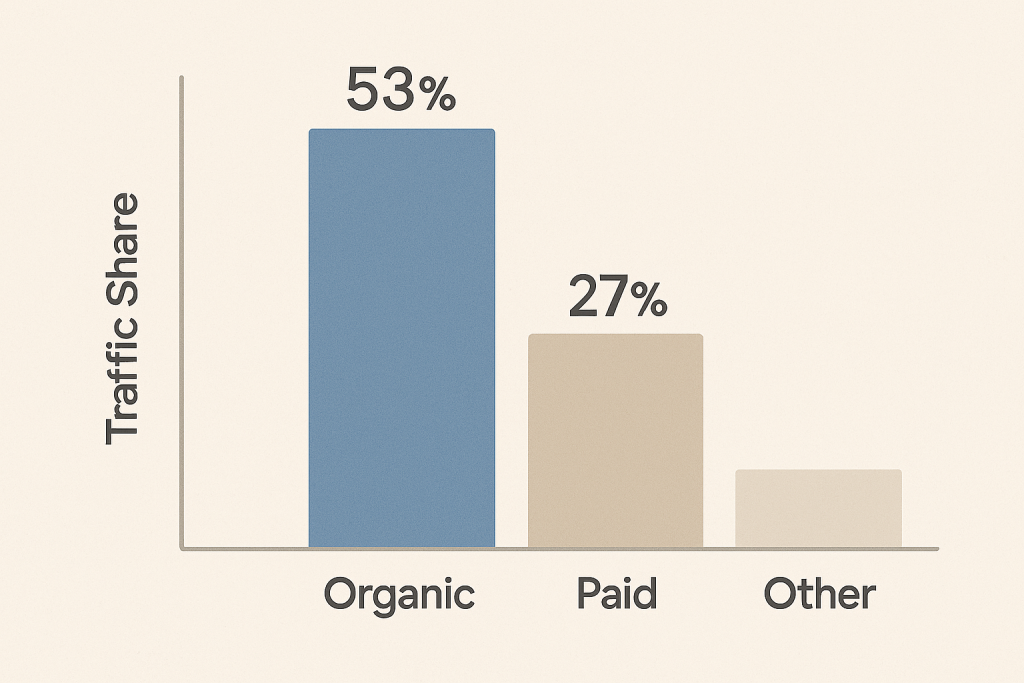
    Bar chart showing traffic share split into organic, paid and other.

    Organic search and paid search (PPC) serve different goals. Paid ads can put you at the top of search results instantly, but only while you pay for clicks. Once the budget ends, the ads and traffic stop. Organic results require effort to rank (SEO, content, links), but then keep working. 

    Paid CTR varies widely, while high-ranking organic results often attract a larger share of clicks for certain searches. In practice, most online traffic is organic – one study found 53.3% of all traffic came from organic search versus just 27% from paid ads.

    Bottom line: Organic search yields more consistent, intent-driven traffic at a lower long-term cost. Paid ads are great for quick boosts or promotions, but organic search is a reliable foundation for long-term visibility and ROI.

    Benefits of Organic Search Traffic

    Organic search traffic is often the most valuable channel for business growth. Key benefits include:

    • Cost-effective: Aside from content creation and SEO work, clicks don’t cost you per visit. Unlike continual ad spend, organic search is “free traffic” once established.
    • Highly qualified leads: Visitors from organic search are actively looking for info or solutions related to your products or services. This means higher intent and better conversion potential.
    • Better trust and credibility: Users often click organic results over ads. High rankings enhance brand authority. Research notes that organic links get more clicks than sponsored results.
    • Long-term sustainability: Good SEO gains build on themselves. A piece of well-optimised content can generate traffic for months or years, unlike ads that stop with spending.
    • Higher ROI: Over time, organic search often delivers a stronger return than ads. Organic search can be a major revenue driver when supported by consistent SEO and content strategy.

    By focusing on organic search, companies increase visibility to a broad audience with genuine interest. And because traffic keeps coming once you rank well, the upside compounds – making organic traffic a linchpin of digital growth.

    How to Increase Organic Search Traffic

    Improving your organic search traffic is an ongoing process of good SEO and marketing practice. Here are the main tactics:

    1. Perform a Technical SEO Audit 

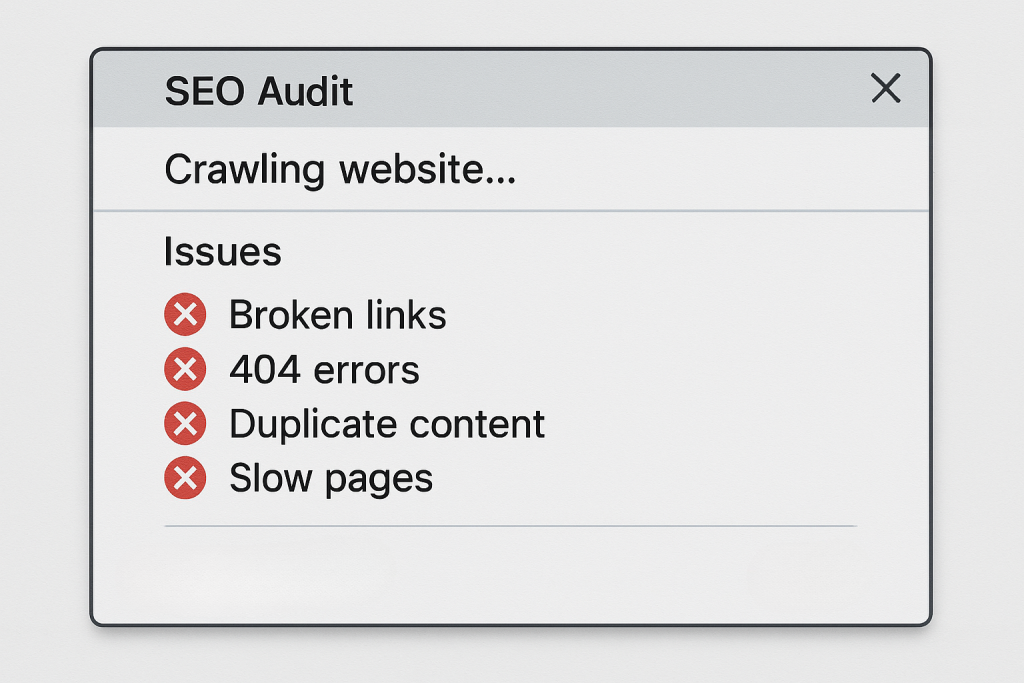
    SEO audit pop-up showing issues: broken links, 404 errors, duplicate content and slow pages.

    First, ensure search engines can crawl and index your site without issues. Google must be able to discover your content. Run a site audit using tools like Google Search Console, Screaming Frog or an SEO platform to find errors. Fixing technical problems can unlock more traffic. 

    Key Tasks:

    • Check crawlability: Ensure your pages are not blocked by robots.txt or password protection. Submit an XML sitemap to Google.
    • Resolve site errors: Repair broken links, fix 4xx and 5xx errors, and eliminate redirect chains. These errors can impede Googlebot.
    • Improve site speed and UX: Pages should load quickly on desktop and mobile. Google explicitly considers load time and mobile friendliness. Fast, mobile-optimised pages rank and convert better.
    • Remove duplicate content: Use canonical tags or remove duplicates so each piece of content is unique.

    As Seek Marketing Partners recommends, start by fixing “Errors” from an audit and then warnings. Even simple fixes like repairing broken images or duplicate meta tags can help Google index more of your site. Taking these technical steps lays the groundwork for all other SEO efforts.

    2. Do Thorough Keyword Research 

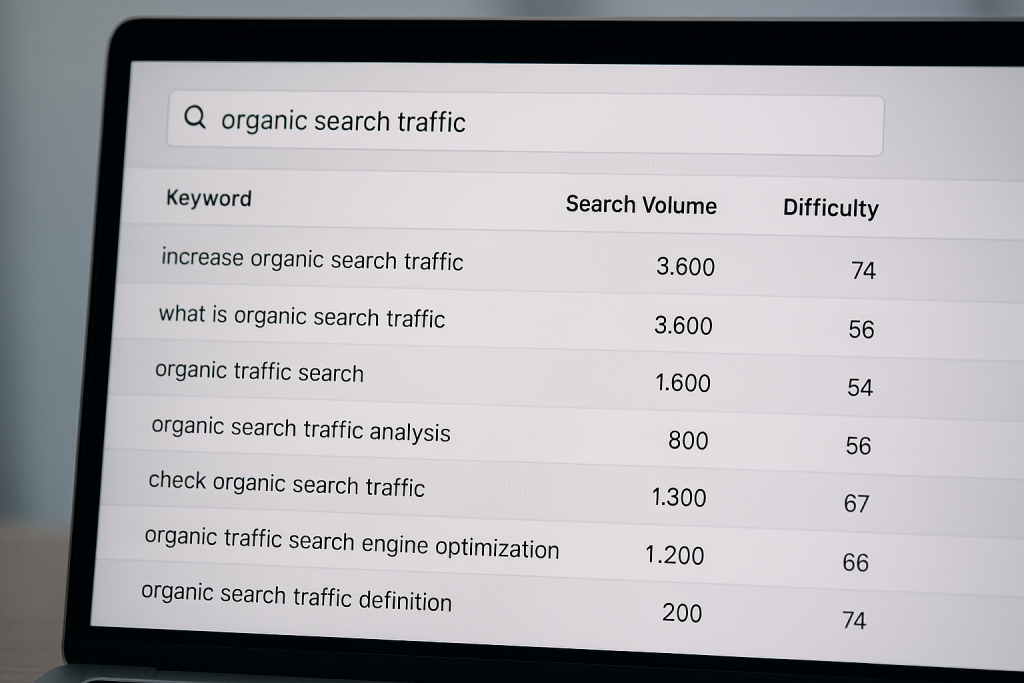
    Laptop screen showing a keyword list with search volume and difficulty for organic search traffic.

    Identify the search terms your audience is using. Use keyword tools like Google Keyword Planner, Ahrefs, or Semrush’s Keyword Magic Tool to find relevant phrases. Look beyond obvious terms and consider long-tail keywords or more specific phrases that buyers might use. 

    For more accurate SERP research across different regions, you can also use a VPN such as VeePN to switch to specific locations like Poland and check how search results vary by market.

    A solid keyword strategy means:

    • Match user intent: Determine if a keyword is informational (research) or transactional (buying). Align your content accordingly. For example, a guide versus a product page.
    • Search volume and competition: Target terms with sufficient monthly searches but moderate competition. New sites often start with lower-volume, lower-competition terms to gain traction.
    • Use keyword metrics: Tools provide search volume, keyword difficulty (how hard to rank), and search intent. Focus on keywords where you can realistically rank and that fit your business goals.

    As one guide notes, keyword research “helps you create targeted content that attracts more organic traffic”. Prioritise a mix of head terms or broad phrases and long-tail variations. Always keep the searcher’s intent in mind: the best keywords are those that reflect the questions and needs of your audience.

    3. Create High-Quality, Relevant Content

    Content is the engine of organic traffic. Google rewards pages that satisfy user needs. So write in-depth, well-structured content that answers your users’ queries. 

    Key Tips:

    • Match intent: If people are looking for “organic search traffic definition”, create a clear, concise answer to what organic traffic is. If they want “how to increase organic traffic”, make a how-to guide.
    • Be thorough and readable: Break content into logical sections with clear headings. Use bullet lists and images where appropriate to make text easy to scan.
    • Optimise on-page elements: Write unique, descriptive page titles and meta descriptions – these are crucial for click-through in SERPs. Also, include target keywords in headings and naturally in text, but avoid stuffing.
    • Refresh and expand: Update older content with new insights and keywords. Google favours fresh, comprehensive pages.

    For example, Semrush’s SEO Writing Assistant or On-Page SEO Checker tools recommend improvements like adding a meta description or simplifying language. Use analytics to see which posts rank but aren’t getting clicks or rankings, then refine them. 

    As Google advises, “The text is easy-to-read and well organised”, so keep paragraphs short and scannable. Good content not only ranks, but it also establishes your site as an authority and keeps visitors engaged.

    4. Build Quality Backlinks

    Links from other reputable sites act as endorsements, boosting your site’s authority in Google’s eyes. Earning backlinks is a core part of SEO:

    • Create link-worthy assets: Publish unique research, infographics, tools or in-depth guides that others naturally want to cite.
    • Outreach and partnerships: Reach out to industry blogs, partners or news sites to feature your content or collaborate on articles.
    • Tactics like guest blogging and broken link building: Offer to write guest posts on relevant sites, or find broken links on others’ pages and suggest your link as a replacement.

    Earning backlinks from other reputable websites increases your site’s authority and credibility, which can lead to better rankings and more organic traffic. 

    Remember, quality over quantity. A few links from high-authority sites beat dozens of links from low-value directories. Each new quality link helps Google trust your site more and can elevate your rankings, bringing more organic visitors.

    5. Use Analytics and Monitoring 

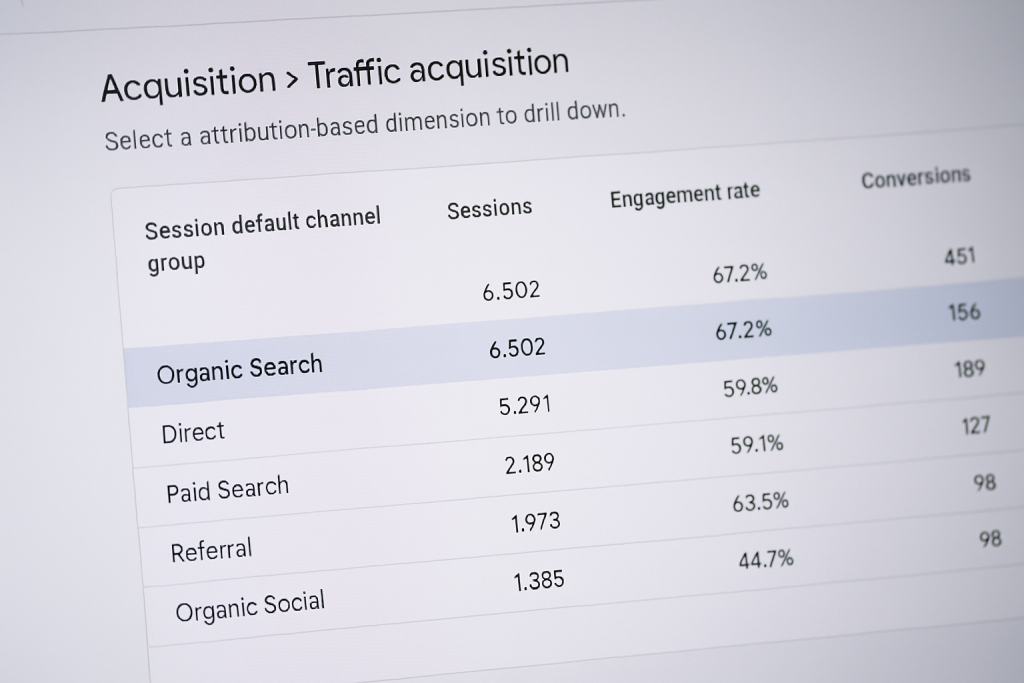
    Google Analytics traffic acquisition table showing sessions, engagement rate and conversions by channel.

    Monitor your efforts with analytics. Use Google Analytics and Google Search Console to track organic performance. In Google Analytics 4, for example, the Traffic Acquisition report shows “Organic Search” as a separate channel. And in Search Console’s Performance report, you can see total organic clicks from Google. By checking these reports regularly, you can see which keywords and pages drive the most organic visits. Then double down on what’s working and improve or prune what isn’t.

    Data is your guide. If you notice a blog post suddenly surging in clicks, consider updating it further or adding a related call-to-action. If a keyword is high-volume but not ranking, you might create more content around it. In short, use analytics to measure traffic trends and refine your SEO strategy. This continuous loop of implement → monitor → optimise ensures your organic traffic keeps climbing.

    6. Local SEO and Google Business (if applicable)

    If your business has a physical presence or serves specific regions, local SEO is key. A fully filled-out Google Business Profile (formerly Google My Business) can significantly improve local search visibility. When people search for services near them, your profile can appear in the map pack. Fill in accurate addresses, hours, photos, and encourage customer reviews. 

    According to one study, about 32% of people search for local businesses several times a week. By optimising your local listing, you capture some of that organic search traffic. 

    At Seek Marketing Partners, we can help you ensure your local SEO is on point for UK audiences and beyond.

    Partnering with an Expert Organic Traffic Agency

    Increasing organic search traffic involves many moving parts – technical SEO, content creation, analytics, link building, etc. Many companies find it effective to partner with a specialised digital marketing agency. At Seek Marketing Partners, we’re SEO experts with a data-driven approach. We combine technical audits, keyword strategy, content marketing and analytics to deliver sustainable growth.

    Team meeting with colleagues reviewing data on a tablet in an office.

    Our Services:

    • SEO strategy and execution: From on-site fixes to site architecture and tagging, we handle it.
    • Content marketing: We craft engaging, optimised content (blogs, guides, landing pages) tailored to your target keywords and audience.
    • Analytics and insights: We set up dashboards and reports so you can see the real impact on traffic and leads.

    If you’re serious about growing your online visibility, get in touch. We offer SEO consulting and full-service engagement. Book a consultation with Seek Marketing Partners and let us help you climb the search rankings, attract more leads, and outpace the competition.

    Final Thoughts

    So what is organic traffic? Organic search traffic is vital for long-term growth. By definition, it’s free traffic from search engines, and it delivers high-intent visitors who trust your brand. To increase it, focus on a solid SEO strategy: audit and fix technical issues, target the right keywords, create valuable content, and build authority with links. Use analytics to monitor progress and refine tactics.

    With persistence and the right approach, you’ll see a steady uptick in natural search visitors – a cornerstone of online success. Remember, at Seek Marketing Partners, we’re here to guide you. Book a consultation to get expert help with SEO, content marketing and analytics that will boost your organic traffic and visibility.

    Get in touch today to start growing your organic search presence.

  • Website Traffic Down? How to Diagnose and Fix It Fast

    Website Traffic Down? How to Diagnose and Fix It Fast

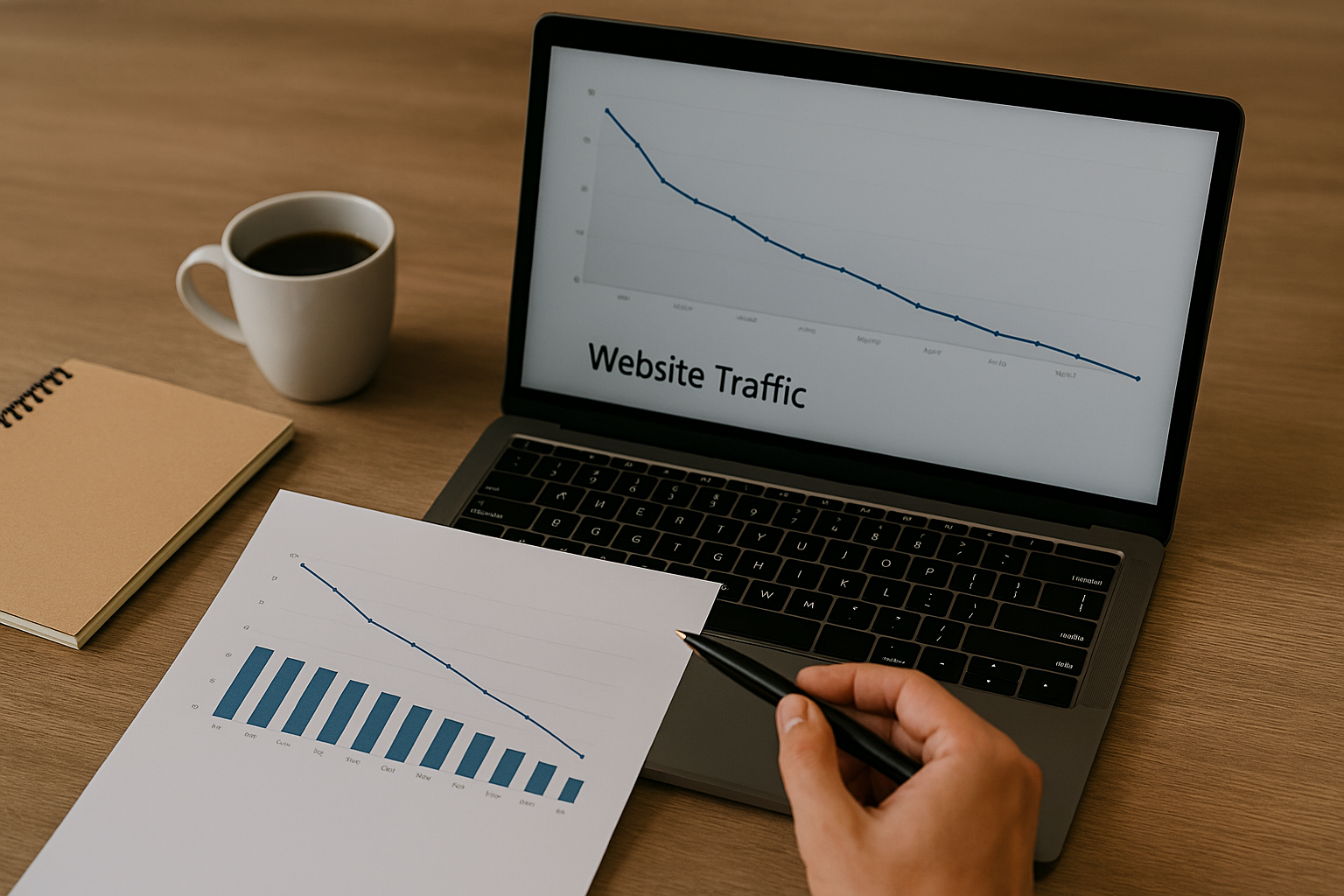
    When your website traffic is down based on your analytics, the impact is immediate: fewer opportunities, reduced visibility, and stalled growth. For established organisations, this is rarely a cosmetic issue. It’s a commercial one.

    Traffic declines don’t happen without cause. They are usually the result of technical failures, algorithmic shifts, content misalignment, or authority erosion. The challenge isn’t spotting the dip – it’s identifying why it happened, what it’s costing you, and which actions will restore momentum fastest.

    This guide explains how to diagnose a traffic decline with confidence, prioritise root causes, and execute a recovery plan that delivers measurable results. If you’ve been asking, “Why is my website traffic dropping?”, this article turns that question into a structured, decision-led recovery process.

    How to Diagnose Why Your Website Traffic is Down Accurately

    Accurate diagnosis is the difference between fast recovery and wasted effort. Before changing content or commissioning audits, you need to confirm the decline is real, isolate where it’s happening, and understand which parts of your site are most exposed.

    When patterns of your website traffic being down appear, teams often rush straight to fixes. That’s a mistake. The correct approach is verification first, triage second, action third.

    Step 1: Confirm the Decline Is Real

    Start by validating your data:

    • Check GA4 property settings, filters, and data streams for recent changes
    • Compare equivalent date ranges to account for seasonality
    • Cross-reference GA4 sessions with Google Search Console impressions

    Tracking misconfigurations is a common cause of apparent drops. Eliminate that risk before assuming performance loss.

    Step 2: Identify Which Channels Are Affected

    Segment traffic by channel to understand where visibility has been lost:

    ChannelKey MetricWhat a Drop Indicates
    Organic searchImpressions / average positionRanking loss or indexation issues
    DirectUsers / sessionsTracking or attribution changes
    ReferralReferring domainsLost backlinks or campaign expiry
    PaidClicks / impression shareBudget, bid, or approval changes
    SocialSessions / UTMsReduced reach or tracking inconsistency

    This channel-level view tells you whether the problem is technical, strategic, or external.

    Step 3: Prioritise Pages by Business Impact

    List your historically highest-value landing pages and check:

    • Indexability and crawl status
    • Ranking and impression changes
    • Content freshness and intent alignment
    • Recent redirects, template changes, or migrations

    This step ensures recovery work focuses on pages that actually move revenue, not vanity traffic.

    When traffic drops, assumptions cost time and revenue. A professional website audit identifies the root causes and highlights the fixes that matter most. Contact us to request an audit.

    Common Reasons Why Your Website Traffic is Down

    Most traffic declines fall into predictable categories. Recognising the pattern speeds up recovery and sets realistic expectations.

    SymptomLikely CauseFirst Check
    Sudden, site-wide dropAlgorithm update or technical faultSearch Console messages, crawl errors
    Gradual erosion on older pagesContent decay or intent mismatchSERP review and content audit
    Mobile-only declineCore Web Vitals or usabilityMobile usability report
    Referral lossBacklink removalLink history and referring domains
    Lower impressions, stable CTRIndexing or canonical issuesCoverage and canonical tags

    When your website traffic is down, diagnosis becomes far more efficient.

    How Google Algorithm Updates Contribute to Traffic Declines

    Google updates increasingly reward relevance, experience, and usefulness. Sites that drift from user intent or rely on outdated content structures are often hit hardest.

    Algorithm-related declines usually share three traits:

    • Multiple pages lose impressions at the same time
    • Drops align with known update windows
    • SERP layouts shift, displacing previous listings

    Understanding this context prevents misdirected technical fixes when the real issue is content quality or intent alignment.

    Algorithm updates expose weaknesses in relevance, structure, and authority. Strategic SEO helps address these gaps and protect long-term visibility. Explore our search engine optimisation services.

    Technical SEO Issues That Cause Website Traffic to Go Down 

    Technical issues can block visibility entirely, regardless of content quality. 

    Common culprits include:

    • Crawlability and indexation errors
    • Incorrect redirects or canonical conflicts
    • Robots.txt or sitemap misconfigurations
    • Core Web Vitals regressions

    A focused technical audit should prioritise:

    1. Indexability and status codes
    2. Redirect chains and duplication
    3. Mobile performance and page speed
    4. Structured data consistency

    Resolving these barriers often delivers the fastest stabilisation after a decline.

    How to Recover When Website Traffic is Down

    Recovery requires prioritisation, not volume. The most effective plans focus on the highest-impact actions first and measure progress continuously. Timelines vary based on site size, crawl frequency, existing authority, and the scale of changes implemented.

    ActionTypical TimelineEarliest Signs of Improvement
    Technical fixes1-4 weeksImproved crawlability and indexing stabilisation
    Content refresh4-12 weeksEarly ranking movement and CTR uplift
    Authority recovery8-16 weeksGradual visibility and impression growth
    UX optimisation2-8 weeksImproved engagement and retention metrics

    If you need more traffic to your website and want recovery to happen as quickly as possible, sequencing matters more than running every tactic at once.

    Seek Marketing Partners applies this prioritisation framework in practice, combining technical audits, content strategy, and analytics oversight to help sites recover efficiently without disrupting internal teams.

    Improving Content Quality and E-E-A-T for Sustainable Growth

    Content recovery isn’t about adding more words; it’s about alignment. High-performing recovery programmes start by auditing pages for intent mismatch, then consolidating or removing underperforming assets that dilute relevance. 

    Priority pages are strengthened by adding clear expertise signals, credible evidence, and purposeful internal linking, while outdated information and examples are refreshed to reflect current search expectations. When applied consistently across high-value pages, these incremental improvements compound over time, rebuilding trust signals and delivering sustained traffic recovery.

    Improving content quality and E-E-A-T requires a deliberate, strategic approach. Learn how our content marketing services support sustainable growth and traffic recovery.

    The Role of Backlinks in Traffic Loss and Recovery

    Authority erosion remains a common contributor to declining visibility. Lost links, toxic domains, or outdated anchor profiles can all suppress rankings.

    Effective backlink recovery includes:

    • Comparing historical and current link profiles
    • Documenting lost high-value links
    • Outreach for reinstatement
    • Cautious disavow use, only when necessary

    Long-term recovery depends on replacing lost authority with relevant, editorial links tied to genuinely valuable content.

    Preventing Your Website Traffic from Going Down

    The strongest organisations treat traffic stability as an operational discipline, not a reactive task.

    Key prevention practices include:

    1. Automated alerts for sudden session or impression drops
    2. Monthly technical health checks
    3. Quarterly content refresh planning
    4. Ongoing backlink monitoring

    If you’ve ever thought that you need more traffic to your website during a crisis, prevention is the cheapest solution you’ll ever invest in.

    Using GA4 and Search Console Together for Ongoing Insight

    GA4 shows how users behave on your site, while Search Console reveals how Google views your visibility in search results. Used together, they provide the context needed to understand why performance changes, not just that it has. 

    Ongoing monitoring should focus on impressions and average position to assess visibility, CTR to evaluate SERP relevance, and engagement and conversion metrics to measure commercial impact. Annotating site changes, campaigns, and algorithm updates ensures future analysis clearly connects cause and effect, turning raw data into actionable insight.

    Advanced insight comes from combining analytics with structured data interpretation. Discover how our data science and analytics services support clearer decision-making and performance optimisation.

    When to Involve a Specialist Partner

    Some declines resolve internally. Others don’t. When your website traffic continues to go down despite fixes or when internal teams lack capacity, structured external support accelerates recovery and reduces risk.

    Seek Marketing Partners delivers:

    • Diagnostic-first SEO and website audits
    • Prioritised remediation plans
    • Analytics configuration and monitoring
    • Measurable recovery frameworks tied to business KPIs

    If you need a clear recovery path rather than guesswork, engaging an experienced partner can shorten recovery timelines significantly.