Category: Uncategorized

  • Understanding and Preventing Click Fraud in Google Ads

    Understanding and Preventing Click Fraud in Google Ads

    Click fraud is a critical issue that can seriously damage the effectiveness of your Google Ads campaigns, drain your ad budget, and distort performance data. As digital advertising continues to grow, so does the prevalence of fraudsters targeting pay-per-click (PPC) campaigns. 

    This article will explore what click fraud is, how it works, the tactics used by fraudsters, and most importantly, how to protect your ad campaigns with effective AdWords click fraud prevention strategies

    What Is Click Fraud and Why Does It Matter?

    Click fraud refers to any form of fraudulent activity where clicks on an ad are made with no genuine interest in the product or service being advertised. These clicks are generated either manually by individuals or through automated bots. While AdWords click fraud can come in various forms, the goal remains the same: to either drain advertising budgets, skew campaign data, or artificially inflate a webpage’s click-through rate (CTR).

    Fraudsters often use ad fraud for financial gain. This can range from competitors repeatedly clicking on ads to deplete their rivals’ ad budgets, to criminals driving fake clicks to earn revenue from the pay-per-click model. In fact, up to 20% of all PPC ad spend is lost to click fraud every year, making it a serious issue for businesses investing in online advertising.

    How Does Click Fraud Work?

    Understanding how click fraud operates is crucial for identifying and preventing it. Fraudsters typically use two main tactics to generate invalid clicks: bots and click farms.

    Bots

    Bots are automated scripts designed to mimic human actions online, generating fraudulent clicks on ads without genuine user interaction. These bots are often part of larger networks known as botnets, which can consist of thousands or even millions of compromised devices. Once a device is infected with malware, it can unknowingly become part of a botnet, executing fraudulent clicks without the user’s knowledge.

    Botnets

    Botnets are particularly effective at executing large-scale ad fraud because they can simulate legitimate traffic across multiple devices, making detection more challenging for advertisers. For example, PPC fraud bots might mimic human behaviour, including mouse movements and random pauses between clicks, to avoid triggering detection mechanisms that monitor bot-like patterns.

    Click Farms

    Another tactic used for ad fraud involves human workers in click farms. These are low-paid workers, often based in countries with cheaper labour, who are hired to manually click on ads to inflate the click-through rate of a webpage. Click farms can also be used to artificially boost engagement on social media posts. While click farm fraud is more resource-intensive than using bots, it has the advantage of appearing more like legitimate user behaviour, making it harder to detect.

    Click Hijacking and Fake App Installations

    Other methods of PPC fraud include click hijacking, where clicks intended for one ad are redirected to another, and fake app installations, where fraudulent installations of mobile apps are used to inflate traffic numbers. These tactics further complicate the issue for businesses trying to track real user engagement and optimise their ad spend.

    Protect your campaigns from wasted spend and maximise the impact of every click with expert PPC management. Our team can help you optimise performance and ensure your ads reach the right audience.

    How Can You Spot and Prevent Click Fraud?

    There are several warning signs that click fraud is impacting your campaigns, and identifying these signs early can help minimise the damage. Some key indicators of fraudulent activity include:

    1. Spikes in Clicks or Impressions: An unusual spike in clicks, particularly outside of your target audience’s typical hours, could indicate fraudulent activity.
    2. High Bounce Rates: If users click on your ads but leave your site quickly, this can signal ad fraud, especially if the visitors aren’t converting or engaging.
    3. Traffic from Unusual Locations: If your campaign is geo-targeted but you’re seeing traffic from regions outside your target area, this could be a sign of PPC fraud from IP addresses masking their location using VPNs.
    4. Low Conversion Rates: A high number of clicks but few conversions is a red flag. It suggests that the clicks are not from legitimate customers and may be driven by fraudsters or bots.

    To combat these issues, you can implement several prevention techniques. Below are some of the most effective strategies.

    Ensure your Google Ads campaigns deliver real results with professional account management and optimisation. Our team focuses on maximising ROI while keeping your campaigns efficient and effective.

    Effective AdWords Click Fraud Prevention Strategies

    Geographic Targeting and IP Exclusion

    One of the first lines of defence in ad fraud prevention is refining your campaign’s targeting. By using geographic targeting, you can ensure your ads only appear in the locations that matter to your business. If your ads are showing up in countries or regions where you don’t do business, this can be a sign of PPC fraud.

    In addition, IP exclusion allows you to block specific IP addresses that are generating fraudulent clicks. If you notice suspicious patterns from certain IPs, excluding them from your campaigns will help protect your budget from further waste.

    Ad Scheduling

    Another prevention tactic is ad scheduling. By controlling when your ads are displayed, you can limit your exposure to high-risk times, such as late at night or on weekends, when fraudsters may be more active. Scheduling your ads to appear during business hours or when legitimate traffic is most likely to be online can reduce the likelihood of fraudulent clicks.

    Negative Keywords

    Using negative keywords is a simple yet effective way to prevent ad fraud. Negative keywords allow you to exclude irrelevant or unrelated search queries from triggering your ads. By doing this, you can reduce the chances of your ads appearing for searches that are unlikely to lead to conversions, including those targeted by fraudsters.

    Monitoring and Reporting Tools

    There are a variety of AdWords click fraud detection tools available that can help you monitor your campaigns in real time. Google’s built-in fraud detection system offers a first layer of protection by filtering out invalid clicks. However, additional third-party tools can offer more advanced features, including detailed reporting, anomaly detection, and the ability to filter out traffic from known fraudulent sources.

    Some tools also use AI and machine learning to identify suspicious patterns and prevent fraudulent activity before it can impact your ad spend.

    Boost your website’s visibility and drive high-quality traffic with expert SEO services tailored to your business goals. Our team focuses on strategies that improve rankings, increase engagement, and deliver measurable results.

    The Cost of Click Fraud to Businesses

    The financial and data impact of ad fraud can be substantial. According to recent estimates, up to 22% of all ad spend is lost to fraud each year, which can add up to billions of dollars across industries. In 2023, click fraud was responsible for a significant portion of the $84 billion in global ad spend lost to fraud.

    This financial loss is only the tip of the iceberg. The real damage occurs when PPC fraud skews campaign data, making it difficult to assess the effectiveness of your advertising efforts. Misleading data can result in poor decision-making, inefficient ad spend, and lost opportunities for growth.

    The Bottom Line on Click Fraud Prevention

    In conclusion, ad fraud is a growing threat that can drain your ad budgets and distort your campaign data if left unchecked. By implementing strategic measures such as AdWords click fraud prevention, refining your targeting, and using fraud detection tools, you can significantly reduce the risk of fraudulent clicks and protect your digital advertising investments.

    Remember, prevention is always better than cure. Taking steps now to safeguard your campaigns will help you ensure that your PPC ads are driving genuine, high-quality traffic that leads to real conversions.

  • How to Get Rich Snippets for Your Website: A Complete Guide

    How to Get Rich Snippets for Your Website: A Complete Guide

    Digital marketing professionals know that standing out in search results is no longer just about ranking. Rich snippets are enhanced search results that display additional information, like ratings, prices, and images, directly in Google’s Search Engine Results Pages (SERPs). These snippets don’t directly impact rankings, but they significantly improve click-through rates (CTR) and user engagement, giving your website a competitive edge.

    In this guide, we’ll explain what rich snippets are, why they matter for SEO, the different types you can implement, and how to get rich snippets using structured data, particularly JSON-LD. By the end, you’ll understand how to enhance your search listings and drive more qualified traffic to your site.

    What is a Rich Snippet and Why It Matters

    A rich snippet is a search result that goes beyond the standard “blue link” snippet. It can include star ratings, product pricing, author images, event dates, and more. Unlike normal snippets, rich snippets give users more context about your content at a glance, which makes your listing more visually appealing and trustworthy.For example, a recipe with a rich snippet can display cooking time, ingredients, and a photo directly in the SERP. A product page can show availability, price, and reviews without users even visiting the page.

    Why it matters:

    • Improved CTR: Listings with rich snippets can get up to 20–30% higher click-through rates.
    • Enhanced visibility: They stand out visually in crowded SERPs.
    • User trust: By showing accurate details upfront, users perceive your brand as credible.

    While Google doesn’t consider rich results as a direct ranking factor, the increased engagement they drive can influence ranking indirectly over time.

    The Difference Between Snippets, Rich Results, and SERP Features

    Snippet

    The standard search result shows the page title, URL, and a short description. 

    It provides basic information to users but doesn’t visually stand out in search results.

    Rich snippet / Rich result

    This is an enhanced listing that includes extra details like star ratings, images, prices, or FAQs. 

    These added elements make your result more eye-catching and informative, encouraging more users to click through to your site.

    SERP features

    These are special elements like carousels, knowledge panels, or “people also ask” boxes that provide additional context or related information directly in the search results.

    While not all can be controlled, structured data can influence some features and increase your page’s visibility.

    Understanding and optimising for these different result types helps your content attract attention, drive clicks, and improve overall search visibility.

    Ready to make your website stand out in search results? Explore our Technical SEO services to implement structured data, optimise your pages for rich results, and boost your organic visibility.

    Types of Rich Snippets You Can Implement

    There are multiple types of rich results, each serving different purposes and suitable for different kinds of content:

    Product Snippets

    Display product price, availability, and user ratings. Perfect for e-commerce sites to provide instant info to potential buyers.

    Review Snippets

    Showcase star ratings and reviews for products, services, or even courses. These snippets build credibility and trust.

    FAQ Snippets

    Highlight questions and answers directly in the search results, improving the user experience and answering queries without extra clicks.

    Event Snippets

    Show details about concerts, workshops, or conferences, including dates, locations, and ticket availability.

    Organisation Snippets

    Provide company information like name, logo, contact details, and social profiles to enhance brand recognition.

    Recipe Snippets

    Display ingredients, cooking time, ratings, and calorie info for food content.

    Each snippet type is implemented using structured data, and your choice depends on the type of content your page contains.

    Best Practices for Optimising Rich Snippets

    To maximise the effectiveness of rich snippets, follow these best practices:

    • Include accurate pricing, stock status, and high-quality images for products. Each product page should focus on a single item to avoid confusing search engines and users, and detailed, precise information increases the chances of your snippet being displayed.
    • Encourage genuine customer reviews and ensure they are regularly updated. Using aggregate ratings can provide a quick snapshot of overall satisfaction, building trust with potential buyers and improving click-through rates.
    • Update your FAQs frequently to reflect the questions your audience is actually asking. Keep answers clear and directly relevant, providing helpful information that users can quickly consume without leaving the search results.
    • Include only relevant events and ensure every detail, including date, location, and ticket information, is correct. Accurate event markup helps search engines display your listings prominently and ensures users can take immediate action.
    • Provide complete and correct organisation information, including your logo, official social profiles, and contact details. This helps search engines verify your business and increases brand credibility in search results.

    Consistency, accuracy, and clarity are key across all snippet types. Misleading or outdated information can reduce trust, harm user experience, and even lead to penalties from search engines.

    Want expert help optimising your pages for rich snippets? Check out our On-Page SEO services to boost your visibility, improve CTR, and ensure your structured data is fully compliant.

    What is Structured Data and Its Role in Rich Snippets

    Structured data is a standardised format that tells search engines what your content is about. By implementing structured data, Google can understand your content more effectively and display it as rich snippets.

    There are three main formats for structured data:

    • JSON-LD (JavaScript Object Notation for Linked Data): Google’s recommended format for its simplicity and flexibility.
    • Microdata: An HTML-based format that nests metadata within the content.
    • RDFa (Resource Description Framework in Attributes): Used mainly in academic or semantic web applications.

    JSON-LD is the preferred format for structured data because it can be added to your site without altering the existing HTML structure, making implementation simpler and less disruptive. It is also easier to maintain and update over time, allowing you to make changes quickly without breaking your code. 

    Additionally, JSON-LD supports complex data structures, enabling you to provide detailed information to search engines without complicating your website’s underlying code. For most websites, JSON-LD is the most efficient method for adding structured data.

    How to Get Rich Snippets Using JSON-LD

    Here’s a step-by-step guide to getting rich snippets with JSON-LD:

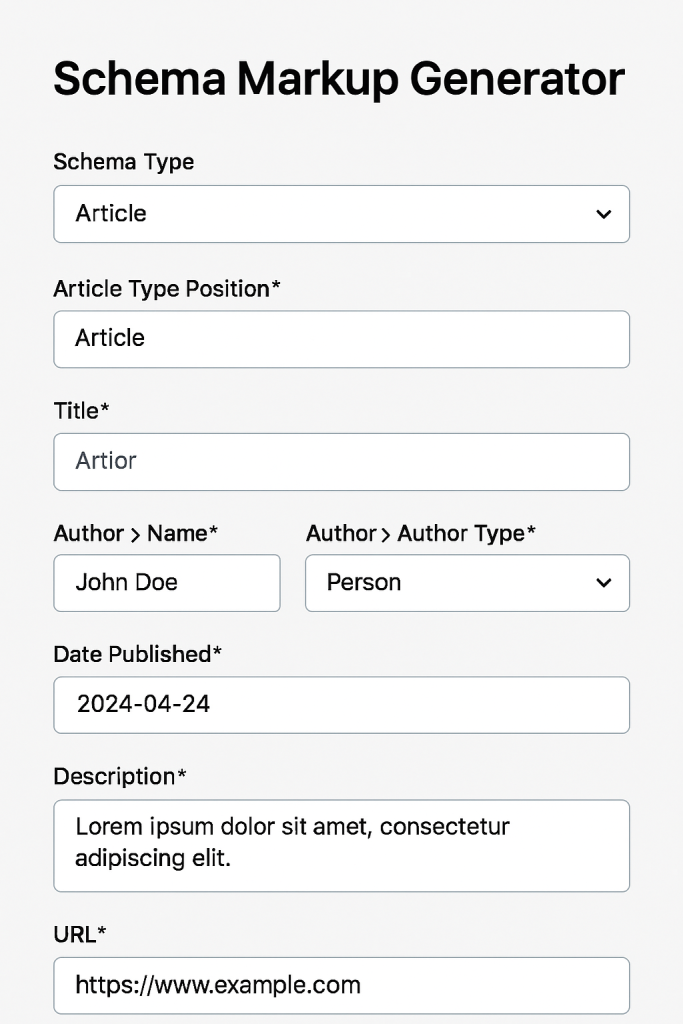
    Step 1: Generate Your Schema Markup

    You can use tools like:

    Choose the schema type matching your content (Product, Review, FAQ, Event, etc.) and fill in the required fields.

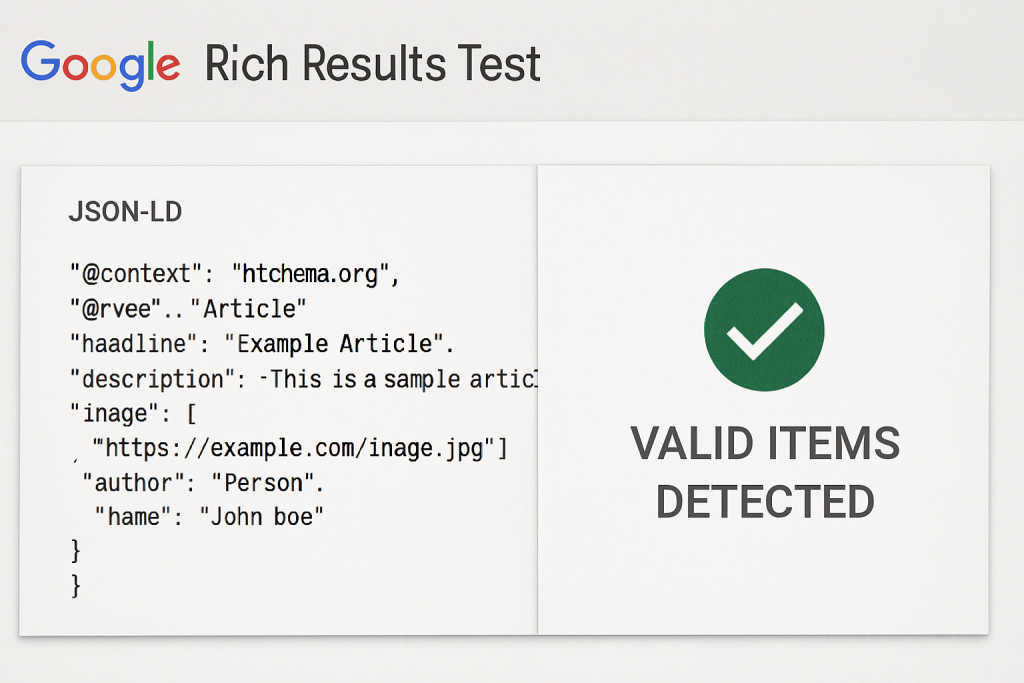
    Step 2: Validate Your Markup

    Before implementing, check your code using:

    Paste your JSON-LD code and confirm that Google detects all items correctly. Valid markup ensures eligibility for rich results.

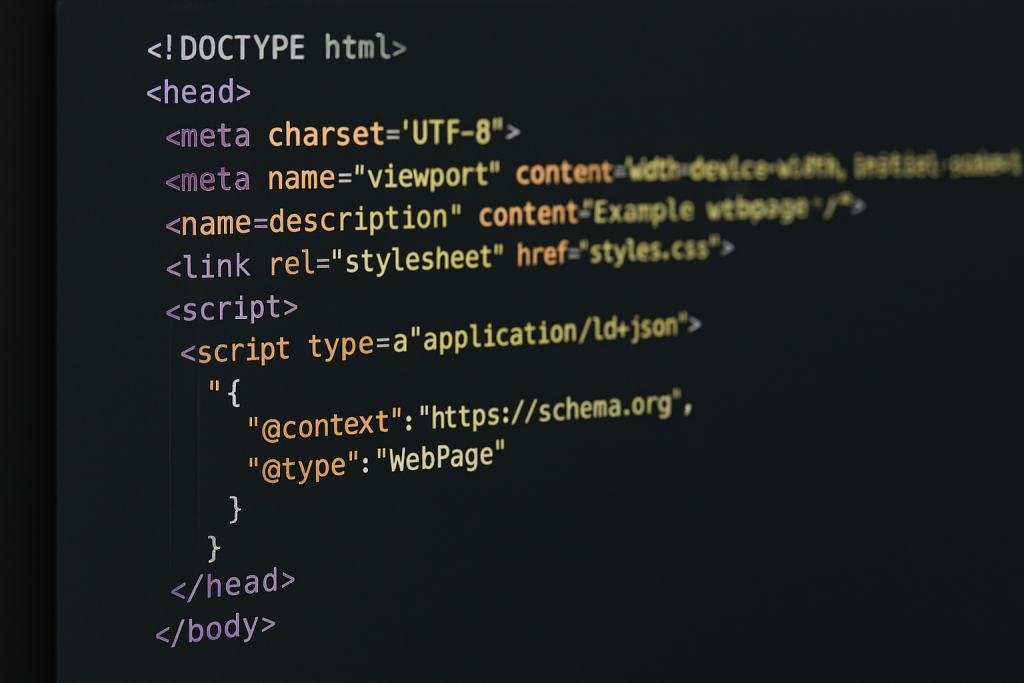
    Step 3: Add Code to Your Website

    Ensure that the visible content matches the structured data to prevent errors.

    Add the JSON-LD snippet to the <head> or <body> of your HTML.

    Avoid duplicate or conflicting schemas on the same page.

    Step 4: Monitor and Maintain Your Snippets

    Even valid code can break over time due to updates or conflicts. Use tools like:

    • Ahrefs Site Audit – to identify structured data issues and prioritise fixes based on traffic potential.
    • Google Search Console – to track “valid items” and fix warnings or errors promptly.

    Regular monitoring ensures your pages remain eligible for rich results and continue driving high CTR.

    Want to make the most of the increased traffic and clicks from your rich results? We can help turn that extra visibility into measurable business results. Explore our Conversion Rate Optimisation services to start boosting conversions today.

    Are Rich Snippets Worth the Effort?

    Definitely! Implementing rich snippets is a practical way to make your search listings more engaging and informative. They:

    • Increase click-through rates and attract more qualified traffic.
    • Enhance brand credibility and trustworthiness.
    • Improve user experience by answering questions before users click.

    Even if they don’t directly boost your rankings, the additional engagement can indirectly improve SEO performance over time.

    Ready to Boost Your Click-Through Rates?

    Don’t let competitors capture attention with visually appealing search results. By implementing structured data and rich results, your website can stand out, attract more traffic, and drive higher conversions.

    Take the next step: Audit your site today, implement the right schema, and start seeing the benefits of rich snippets in your search results.

  • My Google Business Profile is Suspended! What Should I Do?

    My Google Business Profile is Suspended! What Should I Do?

    Is your Google Business Profile suspended? We understand that this can be alarming. Your listing is often the first place potential customers discover your business online. Without access to Google’s local search features, your visibility drops, calls and leads decrease, and your reputation may be affected.

    Many business owners are left wondering, “Why did my Google Business Profile get suspended?” While Google does not always provide a clear reason, most suspensions result from specific triggers or mistakes that violate Google’s guidelines. Understanding these issues is essential to recovering your profile and preventing future disruptions.

    In this guide, we’ll cover common causes, actionable solutions, and best practices to help you maintain a healthy Google Business Profile.

    Why Did My Google Business Profile Get Suspended?

    If you’re asking yourself, “Why did my Google Business Profile get suspended?”, you’re not alone. Every year, thousands of business owners face this problem, sometimes without warning. A suspended profile can disrupt your online presence, reduce leads, and, in some cases, halt business operations. Recognising both the triggers and mistakes that lead to suspension is crucial to getting reinstated.

    Common Triggers of a GBP Suspension

    Google doesn’t always specify why a profile is suspended, but common causes include:

    Keyword Stuffing in the Business Name

    Adding extra words or locations – like “Best Locksmith in London—24/7 Service” – violates Google guidelines. The business name must reflect what is officially registered and appear on signage or official documentation.

    Virtual Addresses or Co-working Spaces

    Businesses using P.O. boxes, virtual offices, or shared spaces risk suspension. Google wants a verifiable physical location where customers can interact with the business.

    Frequent or Large Profile Updates

    Multiple edits at once – changing hours, categories, or website links – can flag your profile as suspicious. Even legitimate updates should be applied gradually.

    Duplicate Listings

    Multiple listings for the same business or address can cause confusion and appear as spam, which often leads to suspension.

    High-Risk Categories

    Certain industries, like locksmiths, lawyers, HVAC, plumbing, and pest control, are more closely monitored due to higher rates of fraudulent listings.

    Account-Related Issues

    Suspended manager accounts, or users performing questionable edits, may trigger a suspension of your profile, even if you did not make the changes.

    Need help keeping your Google Business Profile compliant and optimised? Our Local SEO Services can ensure your profile meets Google’s guidelines and stays visible to customers.

    Usual Mistakes That Lead to Suspension

    Common errors business owners make include:

    Inconsistent Business Information

    Your business name, address, and phone number should match across your website, social profiles, and official documents.

    Mismanaged Service Area Businesses

    Service Area Businesses (SABs) that display addresses incorrectly can be flagged. Switching to a SAB without proper verification can trigger issues.

    Incorrect Business Hours

    Showing 24/7 availability without staffing those hours is problematic. Accurate hours ensure customers know when they can visit.

    Outdated or Incorrect Website Links

    Directing users to social pages or forwarding URLs instead of an official website may appear suspicious.

    Improper Verification

    A profile that isn’t verified or has ownership changes without documentation may face suspension.

    Duplicate or Overlapping Listings

    Overlapping service areas or multiple profiles in the same location create confusion and increase the chance of suspension.

    Immediate Steps to Take After a Suspension

    If your profile has been suspended, acting quickly is essential. Follow these steps:

    Review Google’s Guidelines

    Check the Google Business Profile Guidelines to understand potential violations.

    Document Everything

    Take screenshots of your profile, previous edits, and any verification documents. This documentation may be required during the appeal process.

    Identify Potential Violations

    Review your profile for duplicate listings, keyword-stuffed names, inaccurate addresses, or other guideline breaches.

    Submit a Reinstatement Request

    Use Google’s official appeal form to request reinstatement. Include all supporting documents and a clear explanation of changes made.

    Be Patient but Persistent

    Google reviews requests carefully, and reinstatement can take days or weeks. Avoid submitting multiple appeals simultaneously, as this may slow the process.

    Our Digital PR services can help protect your Google Business Profile by maintaining a strong, trustworthy online presence and reducing the risk of future suspensions.

    How to Prevent Your Google Business Profile from Getting Suspended

    Preventing your Google Business Profile from getting suspended requires a proactive and consistent approach. Here are key strategies to safeguard your listing:

    Maintain Consistency

    Ensure your business name, address, and phone number are uniform across your website, social profiles, and Google Business Profile. Inconsistent information is a common cause of suspensions.

    Keep Listings Accurate

    Choose categories and services that accurately reflect your business. Avoid keyword stuffing or misleading information that could be seen as spam

    Document Your Location

    If you operate from a home office, co-working space, or multi-business location, keep verification documents like utility bills or photos on hand.

    Audit Your Profile Regularly

    Schedule quarterly reviews to check that business information, hours, and website links are correct.

    Monitor User Contributions

    Ensure your business name, address, and phone number are uniform across your website, social profiles, and Google Business Profile. Inconsistent information is a common cause of suspensions.

    Keep Listings Accurate

    Choose categories and services that accurately reflect your business. Avoid keyword stuffing or misleading information that could be seen as spam.

    Document Your Location

    If you operate from a home office, co-working space, or multi-business location, keep verification documents like utility bills or photos on hand.

    Audit Your Profile Regularly

    Schedule quarterly reviews to check that business information, hours, and website links are correct.

    Monitor User Contributions

    Keep an eye on reviews, edits, and user-submitted updates to prevent unauthorised changes.

    Update Gradually

    Make incremental changes to your profile, and maintain records of significant edits to avoid triggering automated flags

    Eliminate Duplicates

    Merge or remove duplicate listings to prevent conflicts and confusion.

    Avoid Aggressive SEO Tactics

    Practices like fake reviews, misleading service areas, or keyword stuffing can lead to permanent suspension.

    Verify Ownership Properly

    Keep your Google account active and verification documents up-to-date to ensure you maintain control of your listing.

    Maintain Transparency

    Ensure that your business name, categories, and services reflect your actual operations, providing clear information for customers and Google alike.

    By combining awareness of triggers with proactive prevention, you can reduce the risk of suspension and maintain visibility for your customers.

    Investing in content marketing for your local business can enhance your online presence, provide accurate business information, and support a healthy Google Business Profile to prevent future suspensions.

    Restoring and Protecting Your Google Business Profile

    A suspended Google Business Profile can feel frustrating, but understanding the reasons behind the suspension and the common mistakes that trigger it is the first step toward recovery. By carefully auditing your profile, submitting a thorough appeal, and following preventative best practices, you can restore your presence and safeguard your business against future disruptions.

    Remember, accurate information, consistency, and proper verification are your strongest tools. If you find yourself asking, “Why did my Google Business Profile get suspended?”, refer back to the triggers and mistakes outlined here to identify the cause and take action promptly.

  • Proven Strategies on How to Get More Views on Instagram

    Proven Strategies on How to Get More Views on Instagram

    Instagram is one of the most powerful platforms for personal and business growth, making it crucial to understand how to get more views on Instagram to expand your reach and engagement. Whether you’re a brand trying to increase your visibility or an influencer looking to grow your audience, mastering the art of boosting Instagram views is a game-changer.

    In this article, we’ll explore several proven strategies and actionable tips for getting more views, increasing engagement, and building a dedicated Instagram following. Let’s dive in!

    How to Get More Views on Instagram: The Basics

    The first step in increasing your Instagram views is understanding the platform’s algorithm and how it determines which posts get more visibility. Instagram’s algorithm takes various factors into account, including user engagement, post relevance, and the time of activity. 

    When trying to figure out how to get more views on Instagram, these factors should be at the forefront of your strategy.

    Post Consistently

    One of the easiest ways to increase your views on Instagram is by posting consistently. Instagram favours accounts that stay active and post regularly. Aim for a balance – post enough to stay relevant without overwhelming your followers.

    Use Instagram Stories and Reels

    Stories and Reels are currently some of the most engaging features on Instagram. They provide users with bite-sized, dynamic content, and Instagram gives priority to these formats in the feed. Incorporating more stories and Reels into your content strategy is a proven way to boost views.

    Optimise Your Profile and Bio

    A well-optimised Instagram profile can significantly contribute to getting more views. Your profile should reflect your brand’s identity and include key elements like a compelling bio, a clear profile picture, and a call-to-action (CTA). Make sure your bio includes keywords related to your niche and encourages users to follow you.

    Time Your Posts Right

    When it comes to Instagram, timing matters. Research the optimal posting times for your target audience, as posting during peak hours can help you get more views. You can experiment with different times and use Instagram Insights to track performance.

    Ready to take your Instagram strategy to the next level? Explore our Social Media Marketing services and boost your brand’s online presence today!

    How to Increase Engagement on Instagram

    Engagement is one of the most important factors when it comes to increasing views on Instagram. The more engagement your posts receive, the more likely they are to be seen by a wider audience. Here’s how you can increase your Instagram engagement:

    Write Engaging Captions

    Captions are your chance to connect with your audience. The more engaging your captions, the more likely your followers are to interact with your post. Ask questions, use polls, and share interesting insights to encourage comments and interaction.

    Use Hashtags Strategically

    Hashtags help users discover your content. Use a mix of popular and niche-specific hashtags to reach a broader audience. However, don’t go overboard – Instagram’s algorithm may penalise overuse of hashtags, so stick to 5-15 relevant hashtags per post.

    Engage with Your Audience

    Respond to comments, engage in conversations, and like your followers’ posts. Building a community is key to long-term success on Instagram. When you interact with your audience, they are more likely to engage with your posts in return.

    Host Giveaways and Contests

    Giveaways are a fun way to boost engagement on Instagram. Not only will you see an increase in likes and comments, but they can also help increase followers and views. Make sure the prize is relevant to your target audience and encourage users to tag friends and share your content.

    Post User-Generated Content (UGC)

    User-generated content helps build trust with your followers and increases engagement. Encourage your followers to share photos or stories using your products or services and repost them on your profile.

    Looking to enhance your Instagram visuals and boost engagement? Check out our Graphic Design services to create eye-catching content that resonates with your audience!

    How to Get More Likes and Followers on Instagram

    Getting more likes and followers is a process that takes time, effort, and consistency. By incorporating the following tactics into your Instagram strategy, you can boost both likes and followers.

    Run Instagram Ads

    Paid ads are a powerful way to increase your visibility and get more likes and followers. Instagram offers a variety of ad types, from photo ads to carousel ads, that can be targeted to specific demographics. Make sure your ads are visually appealing and include clear CTAs to drive action.

    Collaborate with Influencers

    Partnering with influencers can expose your account to a larger audience. Choose influencers whose followers align with your target audience. Influencer collaborations can drive traffic to your page, resulting in more likes and followers.

    Create Shareable Content

    Content that resonates with your audience is more likely to be shared. When people share your posts, you’re exposed to a wider audience, which can lead to more followers. Think about content that’s entertaining, informative, or inspirational, and tailor it to your target demographic.

    Create High-Quality Visual Content

    The visual nature of Instagram means that high-quality, aesthetically pleasing content will stand out. Invest in good photography or graphic design to create visually appealing posts that attract more engagement and increase the chances of getting more followers.

    Mastering Instagram Analytics: Tracking Your Growth

    Once you’ve started implementing strategies to get more views on Instagram, it’s essential to track your performance. Instagram provides an in-depth analytics tool called Instagram Insights, which allows you to monitor various metrics, including reach, engagement, and impressions.

    By reviewing your Instagram analytics regularly, you can identify which types of content are performing the best, when your audience is most active, and which strategies are driving the most engagement. This data is invaluable for tweaking your content strategy and ensuring you’re on the right track.

    Want to leverage data for better Instagram performance? Discover our Data Science & Analytics services to gain deeper insights and optimise your social media strategy.

    Your Path to Instagram Growth and Success

    Getting more views on Instagram requires a combination of strategic content creation, engagement, and data analysis. Whether you’re looking to increase your followers, boost engagement, or improve your content’s reach, there are numerous actionable steps you can take. The key is consistency and adapting your strategy based on insights and trends.

    By following the tips outlined in this guide, you can master how to get more views on Instagram and enhance your overall social media presence. With dedication and the right approach, you’ll be on your way to achieving Instagram success in no time.

  • Mobile Optimisation Guide: Boost User Experience and SEO

    Mobile Optimisation Guide: Boost User Experience and SEO

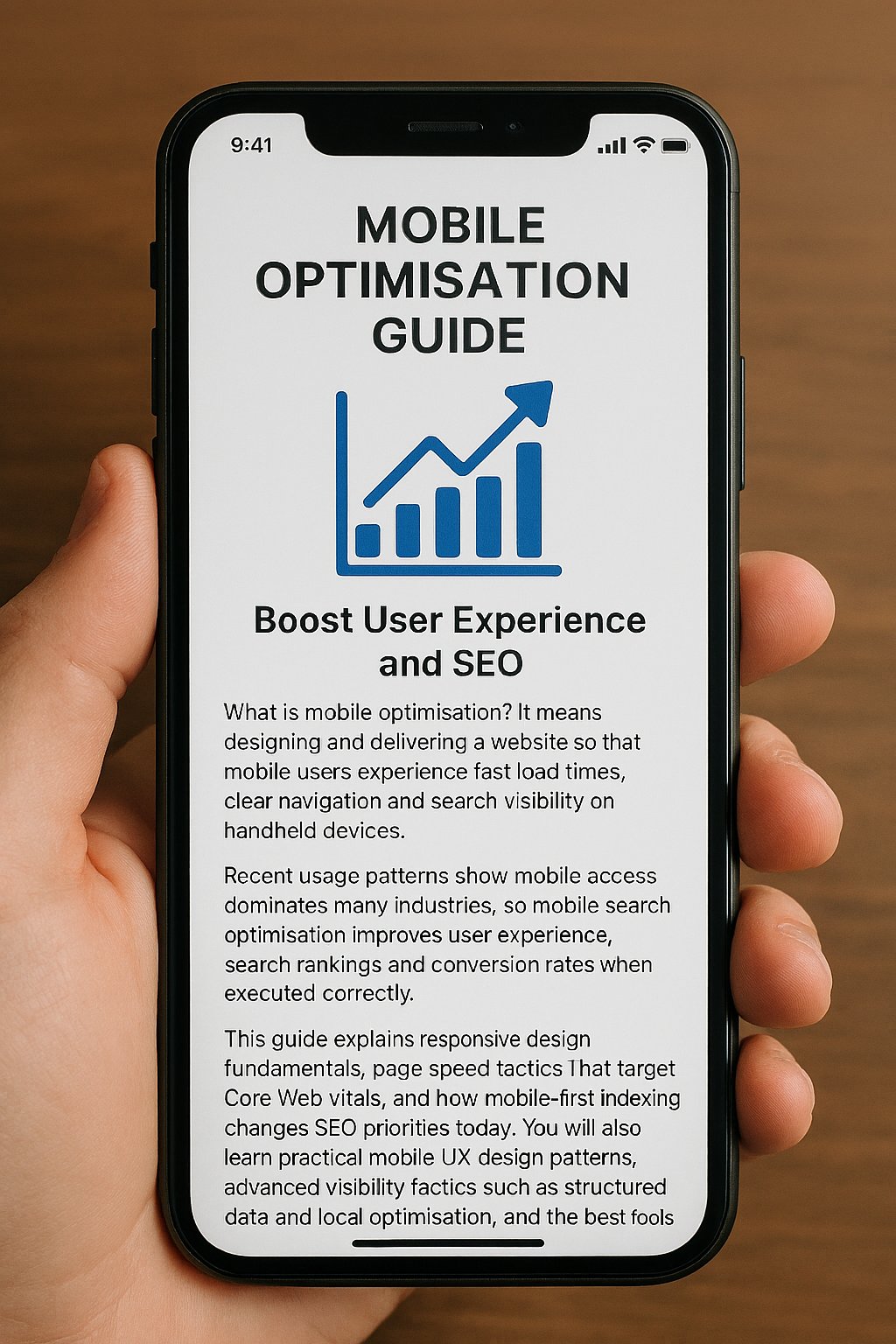
    What is mobile optimisation? It means designing and delivering a website so that mobile users experience fast load times, clear navigation and search visibility on handheld devices. Recent usage patterns show mobile access dominates many industries, so mobile search optimisation improves user experience, search rankings and conversion rates when executed correctly. 

    This guide explains responsive design fundamentals, page speed tactics that target Core Web Vitals, and how mobile-first indexing changes SEO priorities today. You will also learn practical mobile UX design patterns, advanced visibility tactics such as structured data and local optimisation, and the best tools and KPIs for ongoing monitoring. 

    The Importance of Responsive Website Design for Mobile Optimisation

    Responsive website design is an approach where layouts adapt fluidly across screen sizes using fluid grids, flexible images and CSS media queries. The mechanism uses proportional column systems and responsive images to ensure content parity while preserving visual stability and speed; the result is consistent UX and better crawlability on mobile-first search engines.

    Responsive design reduces duplicate content risk by using the same HTML and CSS across devices while adapting presentation, which supports mobile-first indexing and simplifies maintenance. Developers should treat responsive design as the foundation of mobile optimisation and validate implementations with viewport meta settings and responsive image attributes.

    How Fluid Grids and Flexible Images Enhance Mobile Responsiveness

    Fluid grids allow layout units to scale relative to viewport width, so elements reflow naturally between breakpoints without fixed pixel values. This mechanism reduces layout shifts and avoids overflow on small screens, directly improving visual stability and perceived speed for mobile users. 

    For images, using responsive images (<img srcset> and <picture>) combined with modern formats like WebP or AVIF lets the browser choose the best file for the device, reducing bytes transferred and improving LCP. 

    Implementing responsive images and fluid grids together preserves design intent while cutting load time and preventing layout thrashing during rendering.

    Media Queries Play a Role in Creating Adaptive Mobile Layouts

    Media queries drive conditional styling so layouts and typography change based on viewport characteristics rather than assumed device models. The recommended approach is content-driven breakpoints – define breakpoints where the layout needs to change, not by device names – because this ensures consistent behaviour across new screen sizes. 

    Use concise media query rules for typography scaling, grid reflow and visibility toggles, and avoid overly specific device targeting that becomes brittle as hardware evolves. Thoughtful media queries combined with progressive enhancement ensure accessibility and resilient mobile layouts.

    How to Improve Mobile Page Speed to Boost UX and SEO

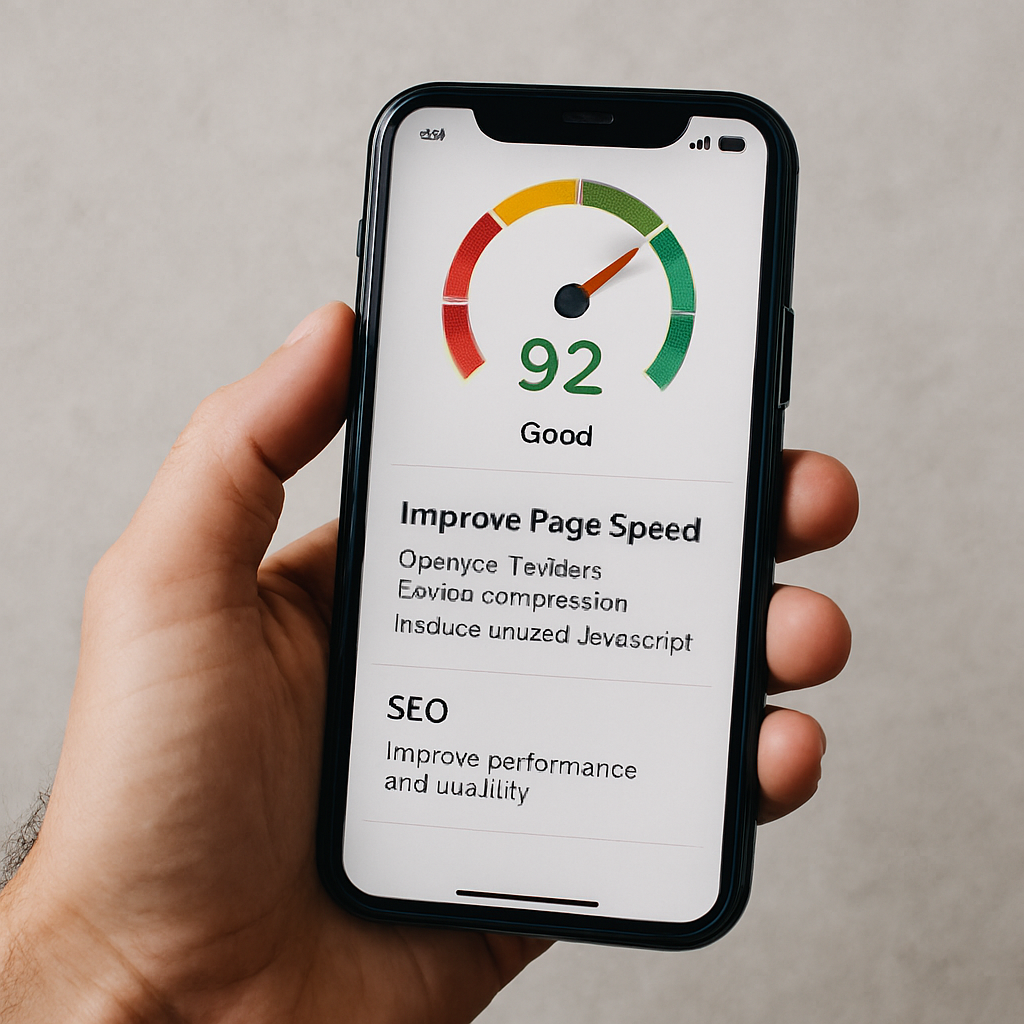
    Improving mobile page speed means prioritising assets and reducing critical rendering time so Core Web Vitals meet thresholds on handheld networks. The mechanism focuses on shrinking payloads, reducing render-blocking resources and optimising critical requests so browsers can paint the Largest Contentful Paint quickly and keep interactions smooth. 

    Faster pages increase engagement and support better organic visibility because search engines factor mobile performance into ranking signals. Teams should prioritise fixes by impact and effort, starting with images, caching and third-party script management.

    Common Mobile Optimisation Techniques

    TechniqueWhat It AffectsTypical Improvement
    Image compression & WebP/AVIFLCP and overall bytes20-50% smaller images; reduced LCP by 0.3–1.0s
    Lazy loading non-critical assetsInitial load and bandwidthReduces initial payload; lowers Time to Interactive
    CDN usageTime-to-first-byte (TTFB)20-60% reduction in geographic latency
    Browser caching & preconnectRepeat visits and connection costFaster repeat loads; fewer round trips

    This comparison helps prioritise where to invest effort: image optimisation and CDNs often yield the largest mobile improvements per hour of work, while script deferral and caching compound gains. 

    Begin by auditing and compressing images using responsive formats and delivering appropriate sizes via srcset. Implement caching, preconnect and use a CDN to reduce TTFB and regional latency. Eliminate or defer render-blocking JavaScript and inline critical CSS to speed initial paint. Prioritising in this order quickly improves Core Web Vitals and mobile user experience.

    Core Web Vitals: How They Impact Mobile Page Speed

    Core Web Vitals measure user-centric performance: Largest Contentful Paint (LCP) assesses loading, Interaction to Next Paint (INP) measures responsiveness, and Cumulative Layout Shift (CLS) tracks visual stability. 

    On mobile, LCP should occur within roughly 2.5 seconds, INP should be low and responsive, and CLS should be minimal to avoid disruptive shifts during interaction. These metrics map to concrete causes – oversized images and slow servers for LCP, long-running main-thread tasks for INP, and non-dimensioned images or ads for CLS – and each has targeted remediations.

    Improving Core Web Vitals directly boosts mobile UX and reduces abandonment, which in turn supports improved mobile search visibility.

    Techniques Like Image Compression and Lazy Loading Optimise Mobile Performance

    Image compression, modern formats and lazy loading cut the bytes required for initial render, while preloading critical assets ensures priority delivery for above-the-fold content. 

    Implement responsive images (<img srcset>), serve WebP or AVIF where supported, and lazy-load below-the-fold media to defer non-critical downloads. Use <link rel=”preload”> for hero images and critical fonts, minify CSS/JS and implement HTTP caching with sensible max-age for static assets. 

    A CDN reduces geographic latency, and combined with resource hinting (preconnect, dns-prefetch), reduces round-trip costs, producing measurable reductions in LCP and improved perceived speed.

    Mobile-First Indexing: How It Affects Your SEO Strategy

    Mobile-first indexing means search engines primarily use the mobile version of a page for indexing and ranking, so the mobile experience directly determines search visibility. 

    The mechanism shifts SEO priorities: content parity between mobile and desktop must be maintained, structured data should be present on the mobile pages, and metadata must be identical to avoid ranking discrepancies. For SEO strategy, this requires auditing the mobile site for missing content, lazy-loaded elements that are inaccessible to crawlers, and any differences in internal linking. 

    Ensuring the mobile view contains the full informational content preserves ranking signals and prevents visibility regressions.

    AttributeMobile VersionDesktop VersionRecommended Action
    Visible contentMust matchOften matchesEnsure full content parity on mobile
    Structured dataAdd to mobile HTMLOften presentMirror schema markup on mobile pages
    Metadata (title/description)Include identicallyInclude identicallyKeep metadata consistent across versions
    Internal linksShould be accessibleTypically accessibleAvoid hiding important links behind JS-only controls

    Begin by comparing rendered mobile and desktop HTML for content parity and schema presence. Ensure that critical content is not injected only via client-side JavaScript in a way that search crawlers cannot access. 

    Verify metadata and canonical tags are consistent and test with Search Console-style rendering tools. Following those steps aligns your SEO strategy to the mobile-first indexing model and prevents ranking loss.

    Mobile Optimisation Best Practices

    Mobile SEO Fundamentals

    Mobile keyword research focuses on intent-driven queries and long-tail phrasing, especially those used in voice search. Use analytics and autofill suggestions to map queries to page intent, ensuring concise, scannable answers are visible near the top of pages.

    Meta titles and descriptions should be front-loaded with the primary keyword and clear CTAs, optimised for truncation on mobile SERPs. Use schema where relevant to enhance visibility and support mobile search optimisation, and regularly test variations to improve click-through rates.

    Mobile UX and Touch-Friendly Navigation

    Design for mobile with touch-friendly controls, adequate spacing (approximately 48×48 CSS pixels), and visual feedback for interactions. Simplify navigation with top-level menus, prioritised tasks, and sticky CTAs, while limiting menu depth to reduce friction.

    Optimise forms with autofill, appropriate input types, and reduced fields to make completion quick and easy. These practices enhance usability, reduce errors, and improve engagement on mobile devices.

    Advanced Mobile Optimisation and Local Reach

    Implement structured data such as FAQPage, HowTo, and LocalBusiness schemas to increase eligibility for rich results and PAA answers. 

    Optimise for local “near me” queries with consistent NAP data, mobile-friendly local landing pages, embedded maps, and prominent click-to-call actions. Combining these strategies improves mobile visibility, local search performance, and conversion rates for on-premise interactions.

    Mobile Testing, Monitoring, and KPIs

    Regularly audit mobile performance using PageSpeed Insights, Lighthouse, Google Search Console, and GA4 to track Core Web Vitals, mobile traffic, and conversions.

    Schedule automated lab tests weekly and field monitoring monthly, with alerts for regressions. Establish dashboards that combine user metrics and search visibility signals to ensure ongoing mobile optimisation aligns with business goals.

    Partnering with Specialists

    For organisations ready to accelerate performance improvements, Seek Marketing Partners offers a mobile optimisation audit and consultation that applies a data-driven methodology and leverages their combined SEO and Web Design & Development expertise. 

    The audit delivers an actionable roadmap, prioritised by measurable impact, and the agency provides ongoing optimisation support with transparent progress updates and a dedicated account manager to coordinate technical work and reporting.

  • A Guide on How to Detect and Delete Bad Backlinks

    A Guide on How to Detect and Delete Bad Backlinks

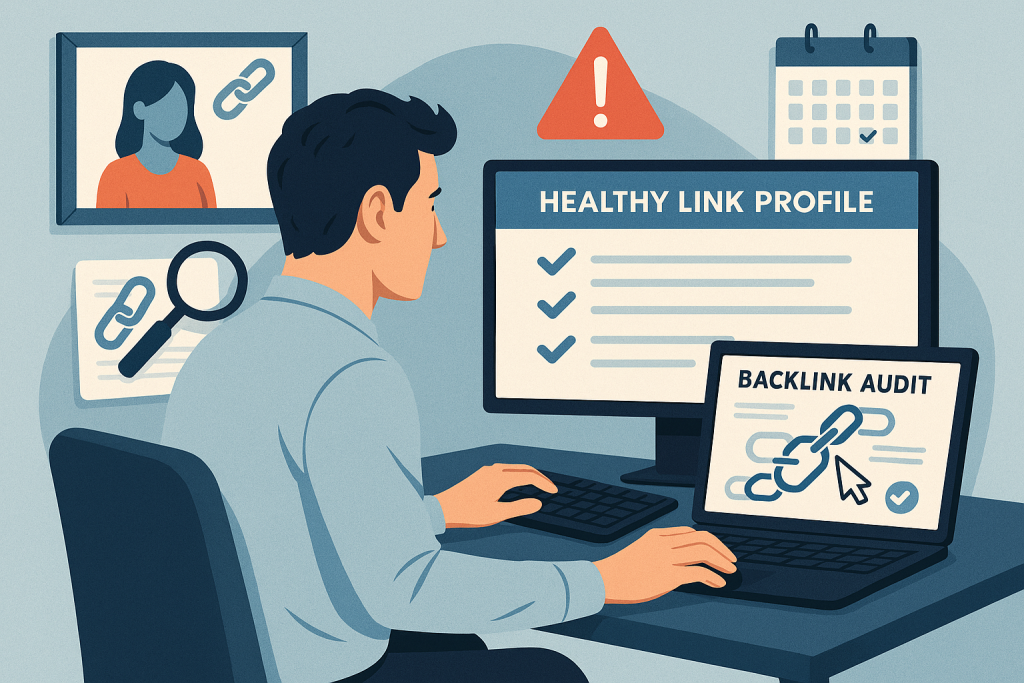
    Bad backlinks can seriously harm your website’s search visibility, reduce organic traffic, and damage your brand’s trust. Knowing how to detect bad backlinks and the best ways to remove them is essential for protecting your site. This guide covers the mechanics of toxic backlinks, practical auditing steps, outreach and disavow workflows, and long-term prevention strategies.

    You’ll learn metrics to prioritise links, methods for manual validation, and when to seek support from a data-driven digital marketing agency like Seek Marketing Partners to safeguard your rankings.

    What Are Bad Backlinks and Why Do They Harm SEO?

    Bad backlinks are links from low-quality or manipulative sites that signal to search engines that your link profile may be unnatural. Links from link farms, hacked domains, irrelevant directories, or paid networks can dilute trust and reduce your domain authority.

    Key characteristics of toxic backlinks include:

    • High spam indicators: Automated content, thin copy, or excessive link lists.
    • Irrelevant anchor text: Keywords that do not relate to the linked page.
    • Unnatural link velocity: Sudden spikes in referring domains or reciprocal networks.

    Recognising these traits helps you prioritise which links to delete and which to monitor.

    How Bad Backlinks Differ from Low-Quality or Spammy Links

    Not all low-quality links are harmful. Bad backlinks become toxic when they show deliberate manipulation or create a risk of penalties. Examples include:

    • Purchased or mass-generated links
    • Links from hacked sites
    • Networked links with high spam scores

    By analysing metrics such as domain authority, anchor text patterns, and link concentration, you can distinguish truly harmful backlinks from benign low-value links.

    The Impact of Toxic Backlinks on Rankings and Brand Reputation

    Toxic backlinks can cause:

    • Drops in organic traffic and keyword rankings
    • Manual action penalties that remove pages from search results
    • Association with spammy or malicious sites, reducing user trust

    Monitoring KPIs such as organic sessions, conversion rates, and referring domain quality helps you measure impact and prioritise recovery actions.

    How to Detect Bad Backlinks Using Audit Tools

    Begin with a structured audit workflow: export backlink data, normalise sources, filter by toxicity indicators, and manually validate high-risk items. Categorise links as:

    1. Remove candidates – links to contact for removal
    2. Disavow candidates – links that cannot be removed manually
    3. Monitor-only links – low-risk links

    Use automated scores to shortlist, then manually validate for context like link placement and content relevance.

    Learn more about how our SEO services can help you detect, manage, and prevent toxic backlinks on your site.

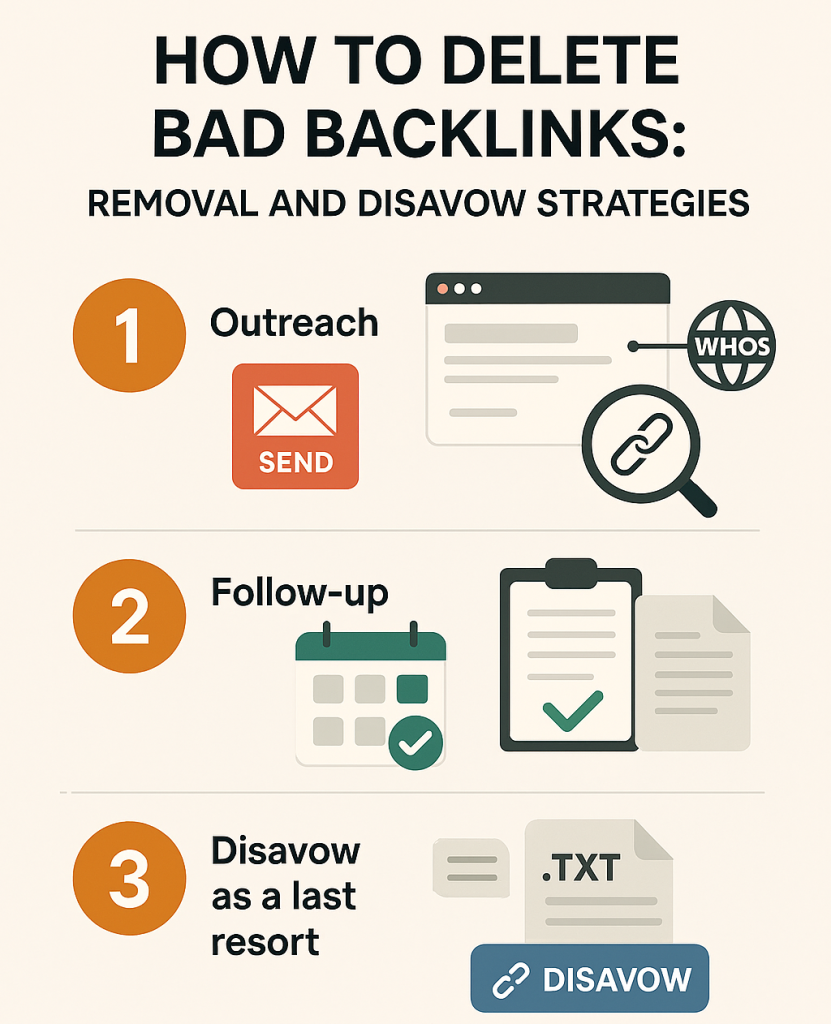
    How to Delete Bad Backlinks: Removal and Disavow Strategies

    Step 1: Outreach first

    • Locate webmaster contact details via WHOIS or site contact pages
    • Send a polite, concise removal request including: source URL, target URL, why it’s harmful, and requested action

    Step 2: Follow-up

    • Schedule 1–2 follow-ups if needed
    • Maintain a removal log with timestamps and outcomes

    Step 3: Disavow as a last resort

    • Create a plain text .txt file listing domains or URLs Google should ignore
    • Include optional comments documenting outreach attempts
    • Submit through Google’s Disavow Tool for verified properties

    This staged approach reduces unnecessary disavows and maximises recovery potential.

    For a strategic approach to removing and managing bad backlinks, see how our Off-Page SEO services can support your site’s recovery and long-term link health.

    Recovering from Penalties Caused by Bad Backlinks

    Recovery involves:

    1. Auditing and documenting all suspect links
    2. Attempting removal via outreach
    3. Submitting a disavow file for unresolved links
    4. Filing reconsideration requests for manual actions
    5. Monitoring KPIs for gradual recovery

    For organisations lacking internal resources, Seek Marketing Partners provides managed remediation services, including audits, reporting, and recovery support.

    Want expert help auditing your backlink profile and preventing toxic links? Contact us to schedule a comprehensive backlink audit and protect your SEO performance.

    Preventing Toxic Backlinks and Maintaining a Healthy Link Profile

    Prevention strategies:

    • Vet link partners for relevance and editorial quality
    • Maintain varied, natural anchor text
    • Avoid reciprocal or paid link schemes
    • Automate alerts for sudden spikes in referring domains or anchor text patterns
    • Perform monthly or quarterly backlink audits

    A proactive approach ensures your site remains resilient to negative SEO and reduces the need for disavowals.

    Next Steps for Backlink Management

    Managing bad backlinks is critical to protecting your site’s SEO, maintaining organic traffic, and safeguarding your brand reputation. By regularly auditing your backlink profile, prioritising removal or disavowal of harmful links, and implementing proactive link-building and monitoring practices, you can prevent penalties and ensure long-term growth. 

    For businesses looking for expert support, Seek Marketing Partners offers data-driven backlink audit and remediation services, helping you recover from toxic links and maintain a healthy, high-performing link profile. Take action now to protect your rankings and future-proof your SEO strategy.

  • Google Penalty: How to Restore Your Website Rankings

    Google Penalty: How to Restore Your Website Rankings

    A Google penalty can undo months of SEO work almost overnight, reducing your traffic, rankings, and revenue. Whether triggered by a manual action or an algorithmic update, understanding the problem is essential. In this guide, you’ll learn how to recover from a Google penalty, remediate issues, and implement long-term strategies to protect your website. Seek Marketing Partners supports businesses with structured, data-driven solutions that ensure measurable improvements and sustainable recovery.

    Understanding Google Penalties

    A Google penalty occurs when Google identifies behaviour or signals that violate its ranking guidelines, reducing a site’s visibility. Penalties fall into two categories:

    Manual penalties arise from a Google reviewer identifying unnatural links, spam, or other violations. Recovery requires documented remediation and a reconsideration request.Algorithmic penalties are automatic and result from updates like Panda, Penguin, or the Helpful Content Update, targeting low-quality content, poor backlink profiles, or negative user experience signals.

    Identifying the type of Google penalty quickly ensures you apply the correct recovery approach and prevents wasted effort on irrelevant fixes.

    Common Signs Your Website Has a Google Penalty

    You may not always receive a notification from Google. Watch for these warning signs:

    • Traffic drops: You might notice a sharp decline in organic sessions and clicks, often tied to a specific date or event, which signals a possible penalty.
    • Ranking losses: Pages that previously held strong positions in search results may suddenly fall, reducing visibility for important keywords.
    • Indexing issues: Certain pages may be removed from Google’s index or crawled less frequently, indicating potential deindexing caused by a penalty.
    • Manual Action notifications: Google may explicitly flag a violation in Search Console, providing details about the issue that triggered the penalty.
    • Visibility volatility: Rankings can fluctuate noticeably, especially after algorithm updates, showing that your site may be impacted by automated enforcement.

    Recognising these symptoms early is critical when determining how to recover from a Google penalty efficiently.

    Diagnosing a Google Penalty Effectively

    A structured diagnosis saves time and ensures you target the root cause. Start with Google Search Console, checking Manual Actions and Coverage errors. Analyse organic traffic in Google Analytics, identify the exact drop, and cross-reference with known algorithm updates. Review affected pages for patterns in content or backlinks to prioritise remediation.

    Diagnostic Checklist

    • Review any flagged issues in Google Search Console and examine which pages are affected. Understanding the nature and scope of these errors will help guide your next steps effectively.
    • Compare daily or weekly traffic trends to pinpoint when the decline began. This analysis helps distinguish between normal fluctuations and sustained issues that need attention.
    • Match the timing of your traffic drop with public announcements about algorithm updates. Doing so can indicate whether automated changes may have impacted your site’s performance.
    • Look for patterns among pages that lost visibility, such as landing pages, category pages, or blog content. Identifying shared characteristics can reveal underlying problems that require remediation.
    • Analyse which search queries experienced the largest drops in impressions and clicks. This will help prioritise pages or sections that need the most immediate attention.

    For expert guidance on diagnosing and fixing issues, explore our Search Engine Optimisation services to get your site back on track

    Recovering from Manual Google Penalties

    Manual penalties require precise steps for recovery. Here’s how to recover from a Google penalty:

    Review the violation details in Google Search Console to understand the specific issue that triggered the penalty. Knowing exactly what Google flagged allows you to plan corrective actions accurately.Conduct a thorough audit of your backlink profile to identify any unnatural or toxic links. Categorising these links helps determine which ones require removal and which may need disavowal.Contact the owners of sites linking to your pages to request removal of problematic links. Keeping a clear record of these outreach efforts is essential for demonstrating due diligence.Use the Disavow Tool to address any residual toxic links that could not be removed manually. This step ensures that remaining harmful links do not continue to affect your site’s performance.Prepare and submit a comprehensive reconsideration request to Google once all corrective measures are complete. Include detailed evidence of the steps taken to resolve the issues and show your commitment to compliance.

    Common backlink issues include paid or link scheme links, spammy directory links, and low-quality guest post links

    Paid or scheme links should be removed where possible and disavowed if not, typically over 2-4 weeks. Spammy directory links require outreach and removal efforts, usually taking 1-3 weeks, while low-quality guest post links should be evaluated and either removed or disavowed within 2-4 weeks. Keeping detailed records of every step demonstrates due diligence and increases the likelihood of successful Google penalty recovery.

    For expert help with backlink audits, removal outreach, and disavowal, explore our Off-Page SEO services to start fixing your site’s manual penalties

    Algorithmic Penalty Recovery

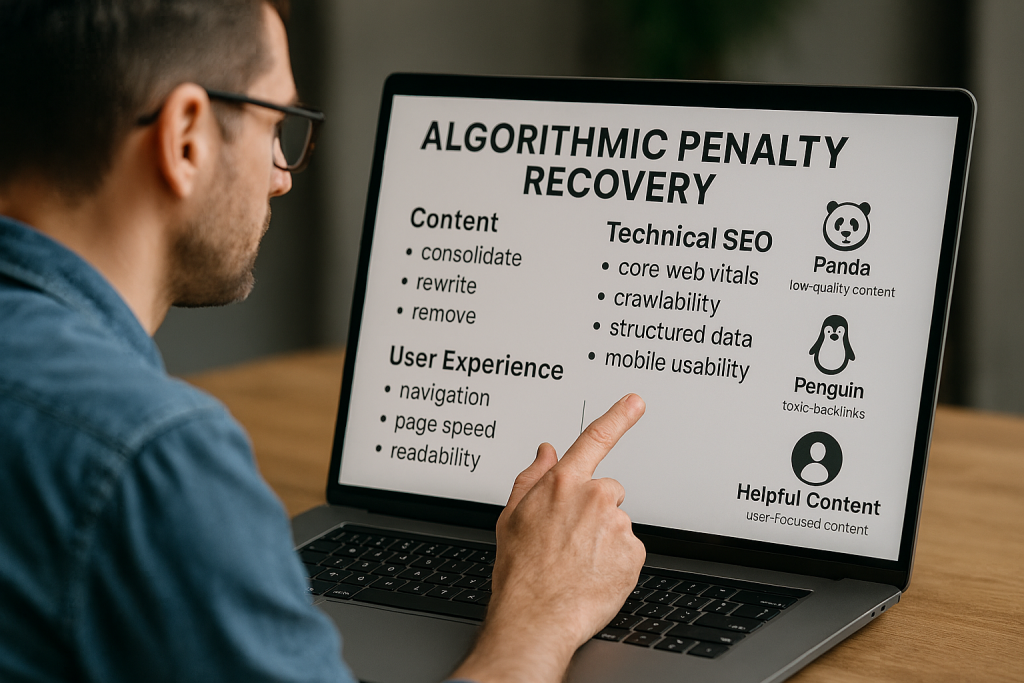
    Algorithmic penalties affect a site broadly and cannot be fixed by addressing a single flagged item. Recovery requires systemic improvements across content, technical SEO, and user experience. 

    Content updates may involve consolidating, rewriting, or removing low-value pages to ensure all material meets quality standards. Technical SEO improvements should focus on enhancing Core Web Vitals, improving crawlability, implementing structured data, and ensuring mobile usability.

    User experience is equally important, with attention to navigation, page speed, and readability to create a site that is easy and satisfying to use. Different algorithm updates often affect specific areas: Panda targets low-quality content, Penguin focuses on toxic backlinks, and the Helpful Content Update prioritises user-focused content. 

    By identifying the most impacted areas, high-traffic or conversion-critical pages can be prioritised first to accelerate recovery and maintain long-term results.

    Improving Content Quality

    High-quality, user-focused content is essential for Google penalty recovery. Conduct a content audit assessing:

    • Clarity of purpose: Ensure every page clearly communicates its goal and the value it provides to the reader.
    • Depth of expertise: Verify that content demonstrates knowledge, authority, and accurate information relevant to the topic.
    • Unique value: Confirm that the page offers insights or solutions not easily found elsewhere online.
    • Alignment with user intent: Check that the content meets the needs and expectations of the target audience.

    Pages scoring low should be consolidated, rewritten, or removed. Focus first on high-impact pages and monitor metrics like impressions, dwell time, and rankings to track recovery.

    For expert guidance on creating high-quality, user-focused content that supports recovery, explore our Content Marketing services.

    Enhancing Technical SEO

    Technical fixes form the foundation of algorithmic recovery and help improve overall site performance. Key areas to address include Core Web Vitals, such as page speed, layout stability, and user interaction metrics, as well as crawlability through proper configuration of robots.txt, sitemaps, and indexation health. 

    Mobile usability should also be optimised to ensure seamless navigation across all devices. Quick wins like image optimisation, lazy loading, CSS containment, and reduced server latency can further enhance performance. Combining these technical improvements with content updates strengthens the site’s overall signals and supports long-term recovery.

    For professional support in addressing technical issues and optimising your site for algorithmic recovery, explore our Technical SEO services.

    Preventing Future Google Penalties

    Ongoing governance and proactive SEO management are essential for maintaining long-term site health and avoiding future penalties. Implementing regular audits, white-hat link building, content quality control, and backlink monitoring ensures your site stays compliant and competitive.

    Key AreaAction
    Regular SEO auditsConduct monthly technical scans and quarterly content reviews to detect potential issues early.
    White-hat link buildingEarn editorial links through high-quality content, guest contributions, and strategic partnerships.
    Content quality controlMaintain clarity, depth, uniqueness, and actionable value across all pages.
    Backlink monitoringTrack spikes, suspicious links, and unusual activity to intervene before problems escalate.
    Monitoring checklistInclude crawl errors, index coverage, organic traffic trends, Core Web Vitals performance, and backlink profile health.

    By consistently following these strategies, teams can detect potential issues early and maintain strong, sustainable SEO performance.

    Seek Marketing Partners’ Approach

    Seek Marketing Partners combines SEO, content marketing, web development, PPC, and analytics into structured services for addressing a Google Penalty, following a clear audit → remediate → monitor framework. 

    We begin by identifying the root cause of the issue, then remove toxic links, rewrite low-quality content, and fix technical problems across the site. Throughout the process, we track metrics, maintain site health, and implement measures to prevent future issues. Recovery is treated as a documented project with checkpoints, evidence collection, and ongoing monitoring, ensuring transparency and confidence at every stage. 

    For organisations seeking expert support, contact us today to start addressing your site’s issues and safeguard its long-term performance.

  • Disavow Backlinks: When It’s Necessary & How to Do It Safely

    Disavow Backlinks: When It’s Necessary & How to Do It Safely

    Backlink disavow is one of the most misunderstood actions in SEO. In specific circumstances, it can help resolve genuine link-related issues. In many others, it introduces risk where none previously existed.

    Search engines are highly capable of filtering low-quality links automatically. That reality has changed when backlink disavow is appropriate, how it should be executed, and most importantly, when it should not be used at all. Despite this, traffic fluctuations, alarming backlink audit reports, and aggressive “toxicity” scores still push teams toward reactive decisions.

    This guide is written for marketing leaders and in-house teams who need clarity rather than cautionary folklore. It explains how link quality influences rankings, when backlink disavow is justified, and how to apply it safely using an evidence-led process. It also makes clear when restraint is the correct strategic choice and how to protect search visibility without unnecessary intervention.

    What Backlinks Signal to Search Engines

    Backlinks remain an important ranking signal, but they are no longer evaluated in isolation. Modern search systems assess links within a wider framework of relevance, trust, and consistency across a site’s overall footprint.

    A strong backlink typically comes from a relevant page, is placed naturally within editorial content, and reinforces topical alignment. These links help search engines understand authority relationships and subject-matter credibility.

    Low-quality links often originate from irrelevant domains, automated networks, scraped content, or compromised sites. While these links may appear alarming in third-party reports, most are algorithmically ignored and do not cause harm on their own.

    This distinction matters. Before deciding to disavow backlinks, it is essential to understand that the presence of questionable links does not automatically imply risk.

    How Healthy Links Differ from Harmful Ones

    Evaluating backlinks requires more than reviewing a single metric. Effective assessment considers source quality, contextual relevance, anchor usage, and acquisition patterns together.

    Healthy links usually demonstrate:

    • Clear topical relevance between the linking page and your content
    • Natural anchor text that reflects context rather than manipulation
    • Editorial placement within meaningful content
    • Reasonable outbound linking behaviour

    Potentially harmful links often share traits such as:

    • Origins in link farms, hacked sites, or autogenerated pages
    • Repetitive or keyword-stuffed anchor text across multiple domains
    • Sudden spikes in link volume from unrelated niches
    • Little or no editorial oversight

    These indicators are signals, not verdicts. They inform whether a link should be monitored, targeted for removal, or escalated further. Treating every flagged link as a problem is one of the most common causes of unnecessary disavowal.If you need expert support interpreting backlink signals and protecting search performance, our Search Engine Optimisation services provide the technical insight and strategic oversight needed to make the right call.

    When You Should and Should Not Disavow Backlinks

    This is where most guidance fails, particularly for teams searching for how to disavow backlinks without first validating whether action is genuinely required. The decision to disavow backlinks should not be based on tool alerts alone. It should be based on risk, evidence, and impact.
    Legitimate Scenarios Where Disavowal Makes Sense

    There are only a small number of situations where backlink disavow plays a meaningful role:

    A confirmed manual action for unnatural links

    When a manual action appears in Search Console, it is an explicit signal that certain links violate quality guidelines. In these cases, disavowal is often required after documented removal attempts.

    Sustained negative SEO activity

    If a site experiences a sudden influx of clearly manipulative links designed to cause harm and removal attempts are not feasible, selective disavowal may help limit exposure.

    Legacy link schemes under remediation

    Organisations cleaning up historic paid links or manipulative practices may need to disavow backlinks that cannot be removed, as part of a broader remediation effort.

    In these scenarios, disavowal supports recovery. Outside of them, its value drops sharply.

    Situations Where Disavowal Is Usually the Wrong Move

    You should generally avoid backlink disavow when:

    • No manual action is present
    • Organic traffic and rankings are stable
    • Flagged links are low volume or clearly automated noise
    • Decisions are driven solely by third-party “toxicity” scores

    Search engines expect sites to accumulate some spammy links over time. Acting on them unnecessarily can remove legitimate authority signals and weaken performance. Knowing when to do nothing is often the most commercially sound SEO decision.

    If your backlink profile is being shaped by external coverage, legacy campaigns, or negative activity, our Digital PR services help rebuild authority through credible links rather than reactive clean-ups.

    Manual Actions and Why They Change the Equation

    A manual action is a penalty applied by a human reviewer when a site violates quality guidelines. When it relates to inbound links, it typically appears as an “unnatural links to your site” notice.

    In this situation, backlink disavow becomes part of a structured remediation sequence:

    1. Conduct a full backlink audit
    2. Attempt removals through documented outreach
    3. Compile a conservative disavow file
    4. Submit evidence as part of a reconsideration request

    Skipping steps or disavowing indiscriminately can delay recovery. Precision and documentation matter.

    Negative SEO, Toxic Links and Real-World Risk

    Negative SEO involves deliberate attempts to damage a site’s performance, often through mass creation of low-quality backlinks. While search engines are resilient to these tactics, extreme cases can still create risk – particularly when combined with other trust issues.

    Warning signs include unexplained backlink surges, referral traffic from unrelated regions, and ranking volatility that aligns with link spikes. Attribution requires evidence, not assumption. Correlation alone is not enough to justify action.

    In these cases, backlink disavow may form part of a broader mitigation strategy, alongside outreach and ongoing monitoring.

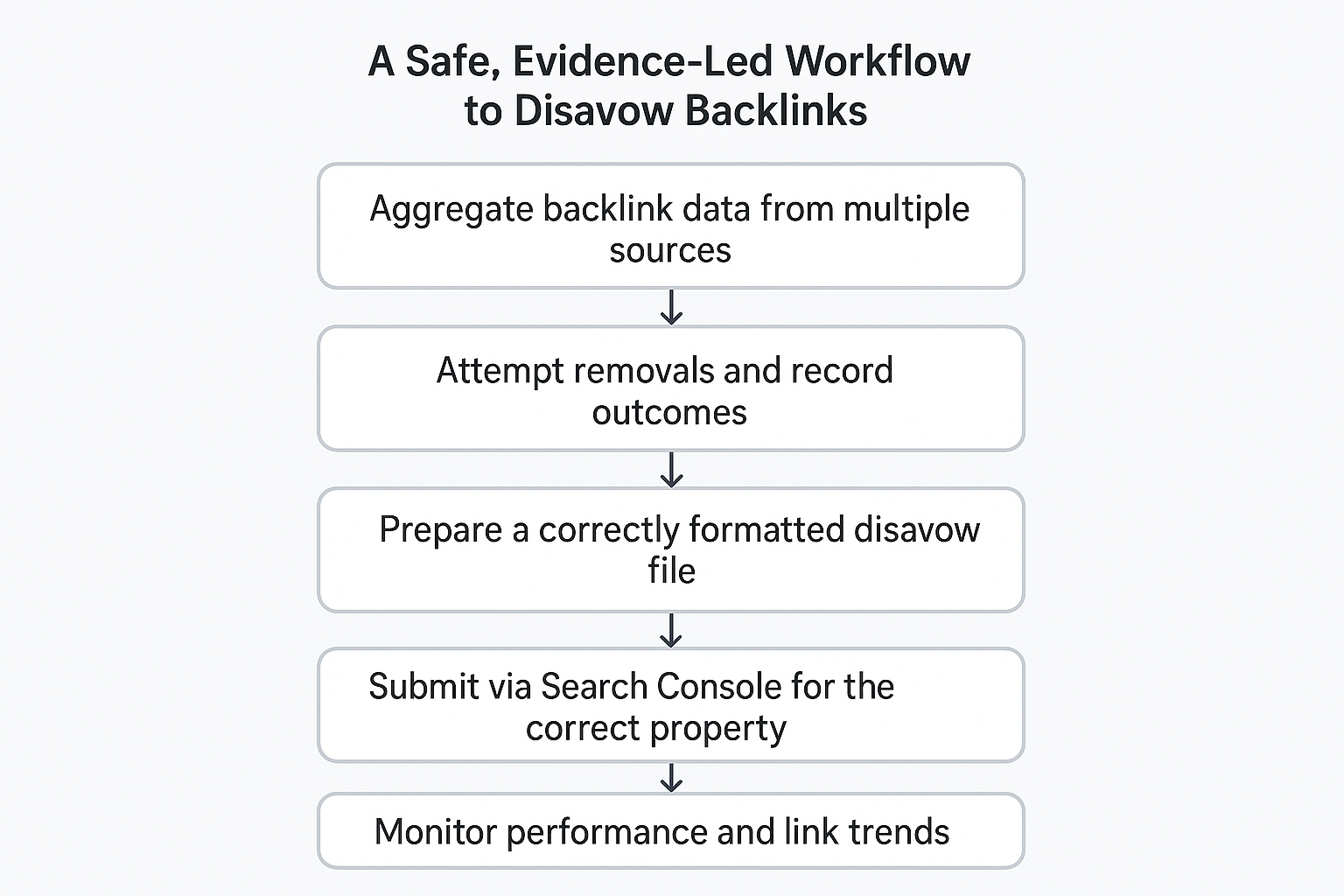
    A Safe, Evidence-Led Workflow to Disavow Backlinks

    When disavowal is justified, execution discipline is critical, as understanding how to disavow backlinks incorrectly can create more risk than leaving links untouched. A structured approach reduces collateral damage and preserves a defensible audit trail.

    A reliable workflow follows five stages, and understanding where the Google disavow process fits within this sequence helps prevent unnecessary or premature intervention.

    1. Aggregate backlink data from multiple sources
    2. Attempt removals and record outcomes
    3. Prepare a correctly formatted disavow file
    4. Submit via Search Console for the correct property
    5. Monitor performance and link trends

    Backlink disavow should always follow removal attempts, not replace them.

    Disavow File Format and Common Errors

    A disavow file must be a plain text document using correct syntax. Each line should contain either a single URL or a domain-level directive prefixed with domain. Comments can be added using # for documentation.

    Common mistakes include:

    • Disavowing entire domains unnecessarily
    • Mixing URLs and domains incorrectly
    • Using incorrect file encoding
    • Failing to track versions and submission dates

    These errors can reduce effectiveness or introduce unintended consequences.

    What to Expect After Submitting a Disavow File

    Disavow directives are processed gradually as search engines recrawl the web, and the Google disavow process does not produce immediate or guaranteed changes in rankings. Effects are rarely immediate and should be evaluated in context.

    Monitoring should focus on organic traffic trends, referring-domain quality, manual action resolution and ranking behaviour for priority pages. Recovery is typically incremental. Parallel improvements, such as content quality and legitimate link acquisition, support long-term stability.

    To understand whether disavow actions are actually influencing performance, our Data Science & Analytics services connect search signals, traffic trends, and ranking movement to measurable outcomes.

    Tools and KPIs for Ongoing Link Health

    Search Console provides the authoritative view of inbound links and enforcement actions. Third-party tools help identify patterns and anomalies at scale.

    Key metrics to track include:

    • Referring-domain relevance
    • Anchor text distribution
    • Organic search sessions
    • Manual action status

    Consistent monitoring reduces the likelihood that a backlink disavow will be needed again.

    How Seek Marketing Partners Supports Link Remediation

    Seek Marketing Partners provides evidence-based backlink audits, removal prioritisation, disavow file preparation, and ongoing monitoring for organisations that require expert support. Their approach emphasises conservative decision-making, documentation, and alignment with broader SEO strategy.

    For teams facing penalties, unexplained volatility, or legacy link issues, professional oversight reduces risk and shortens recovery timelines. If you need clarity on whether action is required or confidence that it is not, an expert audit delivers answers grounded in data rather than assumptions.

  • What is Return on Ad Spend (ROAS) and How to Calculate It?

    What is Return on Ad Spend (ROAS) and How to Calculate It?

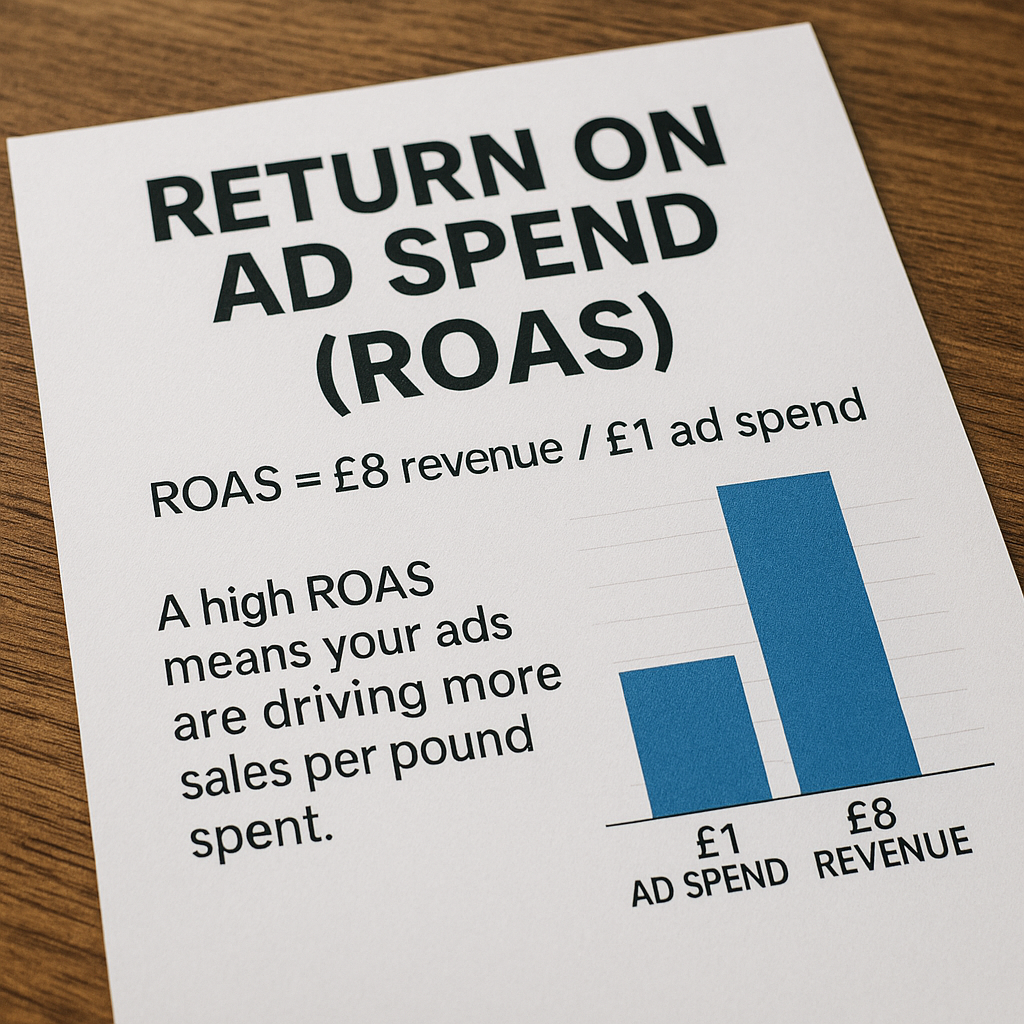
    Return on Ad Spend (ROAS) is a key marketing metric that measures how much revenue your business earns for each pound or dollar spent on advertising. In other words, ROAS tells you the efficiency of your ad budget: it answers “for every £1 we spend on ads, how many pounds of revenue do we get back?” 

    ROAS is a performance indicator (KPI) often used in e-commerce and PPC advertising to evaluate campaign success. Unlike broader return on investment (ROI) metrics, which account for all costs and net profit, ROAS focuses strictly on revenue generated versus the cost of ads. 

    In practice, a high ROAS means your ads are driving more sales per pound spent, which is crucial for growth in competitive online markets.

    How to Calculate ROAS

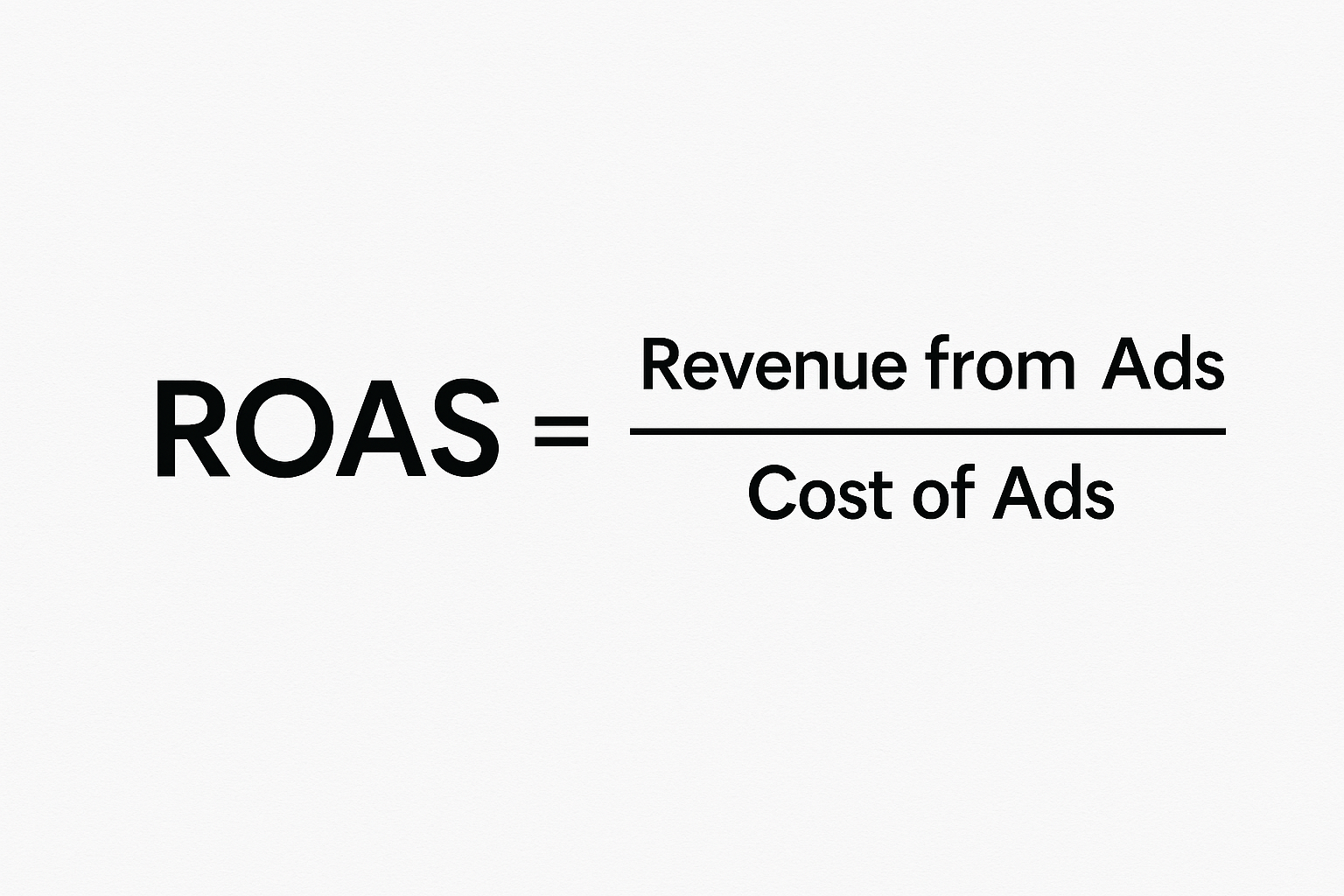
    The formula for return on ad spend is simple: divide the total revenue attributed to ads by the total ad spend. 

    For example, if an e-commerce campaign spends £2,000 on advertising and earns £10,000 in sales, the ROAS would be 5 (often written as 5:1). This means the company makes £5 in revenue for every £1 spent on ads. You can also express ROAS as a percentage by multiplying by 100: in this example, the ROAS is = 500%.

    Keep in mind that “Cost of Ads” should include all expenses directly tied to the campaign, not just the media spend. In addition to the ad budget, consider factors like vendor or platform fees, agency commissions and team costs. For instance:

    • Vendor/Agency fees: Commissions or fees charged by ad platforms and partners.
    • Staff or agency labour: The time and salaries of people managing the campaign.
    • Affiliate or transaction fees: Any commission paid to affiliates or networks.

    Accounting for these costs gives a truer picture of ad efficiency. 

    Additional Tip: If you want a quick calculation, you can start with just the media spend, then calculate a “full-cost ROAS” separately, including all overhead.

    Why Return on Ad Spend Matters?

    Monitoring ROAS helps you make data-driven budget decisions. 

    A rising ROAS means your ads are generating increasingly more revenue per pound spent. This metric lets you identify your most profitable campaigns and channels. 

    For example, if Facebook ads produce a higher ROAS than search ads, you can shift budget accordingly. BigCommerce notes that “keeping careful tabs on ROAS, e-commerce companies can make informed decisions on where to invest their ad dollars.” In practice, tracking ROAS across channels and campaigns allows marketers to cut waste on underperforming ads and double down on winners.

    In competitive online markets where advertising costs are high, ROAS provides a quick pulse-check on campaign effectiveness and a guide to maximising your advertising return.

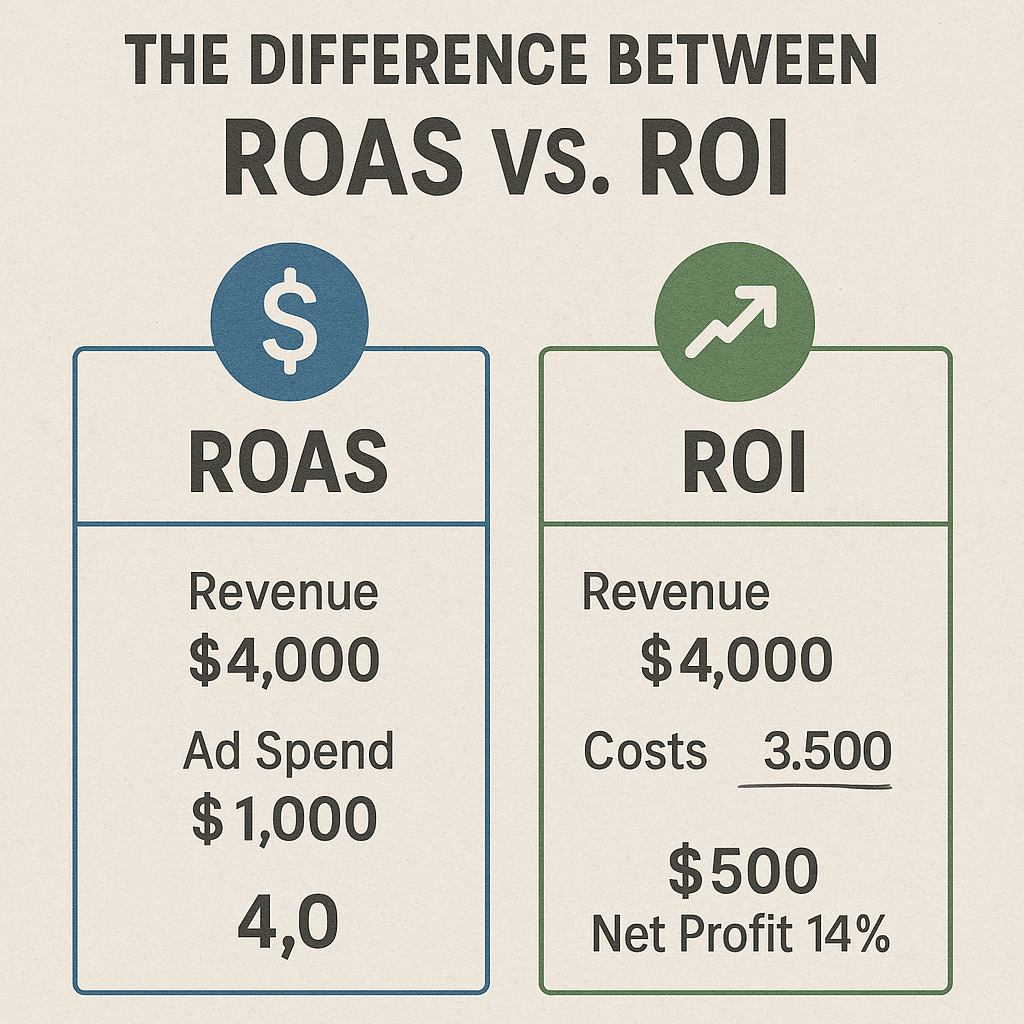
    The Difference Between ROAS vs. ROI

    It’s important to distinguish ROAS from ROI (Return on Investment). While ROAS looks only at ad spend and the revenue it directly generates, ROI measures the overall profit relative to the total investment in marketing. 

    For instance, ROI would subtract all costs (ad spend, production, overhead, etc.) to show net profit, whereas ROAS ignores those extra costs and focuses on gross revenue. This means a campaign can have a healthy ROAS but still be unprofitable when full costs are counted. 

    As the Corporate Finance Institute explains, “If ROAS > 1, then you are at least covering your marketing expenses with revenue, but are likely losing money after deducting expenses.” 

    In practice, use ROAS to optimise and compare ad performance in the short term, and use ROI when evaluating total profitability in the long term.

    What Is a Good ROAS?

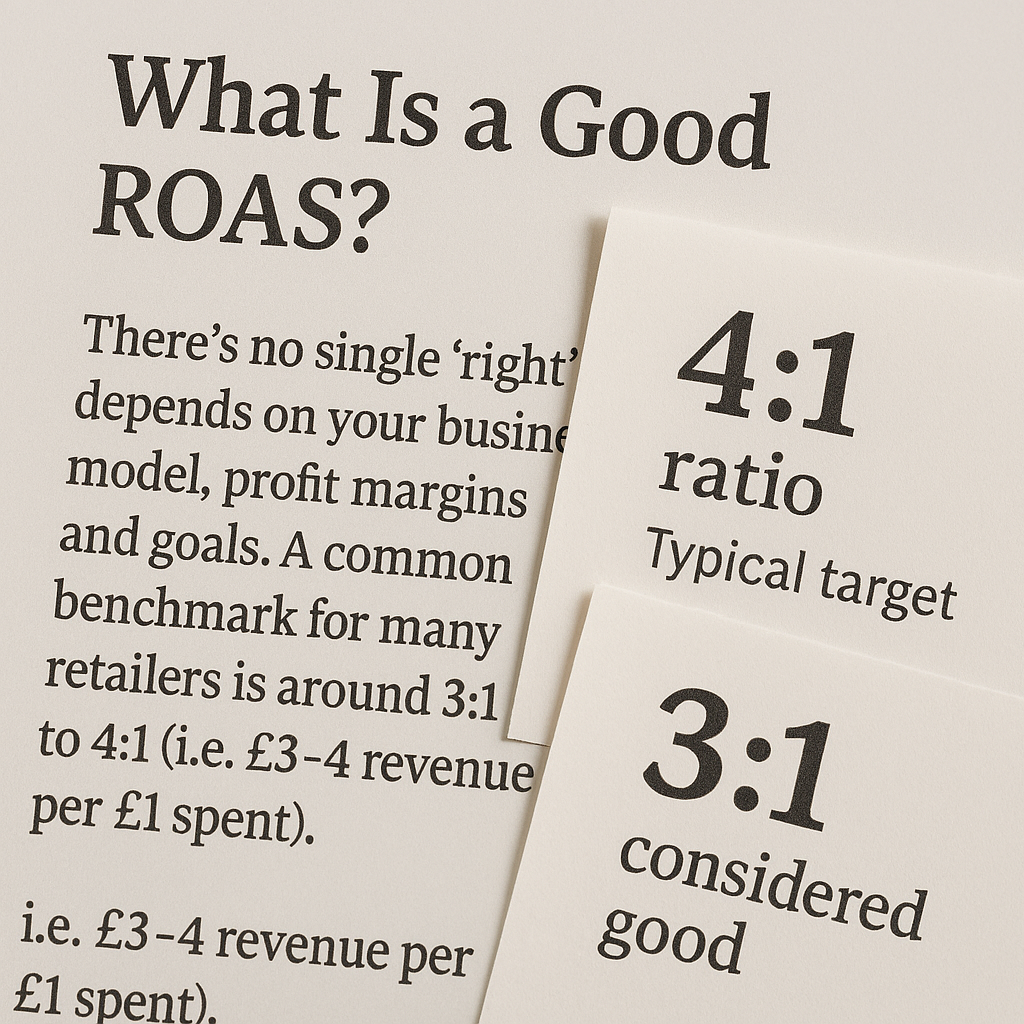
    There’s no single “right” ROAS – it depends on your business model, profit margins and goals. A common benchmark for many retailers is around 3:1 to 4:1 (i.e. £3–£4 revenue per £1 spent).

    For example, one company notes a 4:1 ratio as a typical target, while the other company suggests that “ROAS of 3 or more (3:1) is considered good” in broad terms. However, acceptable ROAS will vary: high-margin businesses like luxury products and SaaS can stay profitable with a lower ROAS, whereas low-margin or rapidly growing businesses may require much higher returns (sometimes 10:1 or more) to break even. 

    Amazon Ads reports that a ROAS of about 2:1 sits a bit above the current industry average, while more successful campaigns often achieve ratios closer to 3:1 or 4:1. 

    As a rule of thumb, ROAS above 1:1 means your ads at least cover their own cost; ROAS above 3:1–4:1 is often deemed strong. Ultimately, you should calculate break-even ROAS based on your costs: for example, a 3:1 ROAS means you earn back three times your ad spend, but whether that leads to profit depends on product costs and overhead.

    Tips on How to Improve Your ROAS

    If your ROAS isn’t where you want, there are several strategies to boost it. Key steps include:

    1. Refine Targeting

    Allocate more budget to the ads, platforms and audience segments with the highest ROAS. For example, if Instagram ads are outperforming search ads in ROAS, shift spend to Instagram.

    2. Optimise Creative

    Test different ad images, headlines and copy to find what converts best. We recommend trying varied visuals and messaging to maximise response.

    3. Improve conversion paths

    Ensure landing pages are relevant and user-friendly so that ad clicks turn into sales. Even the best ads won’t help if the checkout process falters.

    4. Adjust Bids and Budgets

    Use manual or automated bidding to increase bids on high-ROAS campaigns and pause or lower bids on low-ROAS ones. Leaning into winners and cutting losers raises overall efficiency.

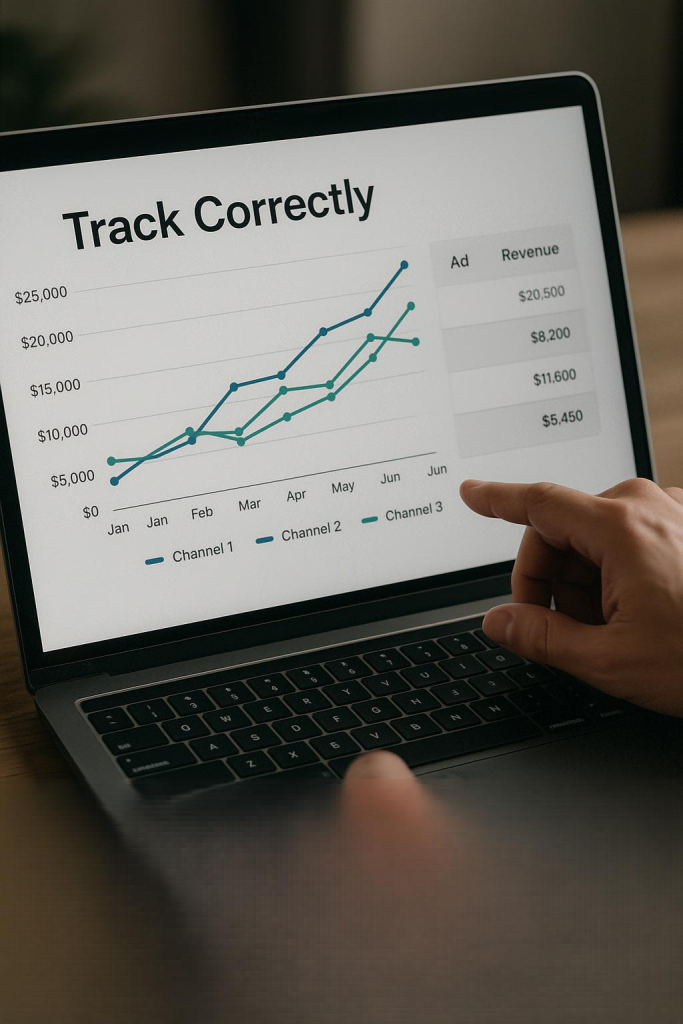
    5. Track Correctly

    Make sure your analytics and attribution are set up so you’re measuring the right revenue for each ad. Misattributed sales can lead to misleading ROAS calculations.

    By continuously testing and optimising each element of your campaigns (from audience to ad copy to landing page), you can raise the amount of revenue earned per ad spend. Over time, small improvements compound into a significantly higher ROAS.

    Final Thoughts

    So, what is return on ad spend? It is a simple yet powerful way to quantify ad efficiency. By calculating ROAS, marketers can quickly gauge campaign performance. Tracking ROAS helps ecommerce brands and advertisers focus on the tactics that drive the most sales. 

    If you want expert help maximising your ROAS, consider partnering with Seek Marketing Partners. Our team specialises in data-driven PPC and ecommerce marketing – we can analyse your campaigns, set realistic ROAS targets and optimise your ad spend for better returns. 

    Contact us today to discuss how our PPC advertising services can improve your marketing performance. 

  • Website Traffic Down? How to Diagnose and Fix It Fast

    Website Traffic Down? How to Diagnose and Fix It Fast

    When your website traffic is down based on your analytics, the impact is immediate: fewer opportunities, reduced visibility, and stalled growth. For established organisations, this is rarely a cosmetic issue. It’s a commercial one.

    Traffic declines don’t happen without cause. They are usually the result of technical failures, algorithmic shifts, content misalignment, or authority erosion. The challenge isn’t spotting the dip – it’s identifying why it happened, what it’s costing you, and which actions will restore momentum fastest.

    This guide explains how to diagnose a traffic decline with confidence, prioritise root causes, and execute a recovery plan that delivers measurable results. If you’ve been asking, “Why is my website traffic dropping?”, this article turns that question into a structured, decision-led recovery process.

    How to Diagnose Why Your Website Traffic is Down Accurately

    Accurate diagnosis is the difference between fast recovery and wasted effort. Before changing content or commissioning audits, you need to confirm the decline is real, isolate where it’s happening, and understand which parts of your site are most exposed.

    When patterns of your website traffic being down appear, teams often rush straight to fixes. That’s a mistake. The correct approach is verification first, triage second, action third.

    Step 1: Confirm the Decline Is Real

    Start by validating your data:

    • Check GA4 property settings, filters, and data streams for recent changes
    • Compare equivalent date ranges to account for seasonality
    • Cross-reference GA4 sessions with Google Search Console impressions

    Tracking misconfigurations is a common cause of apparent drops. Eliminate that risk before assuming performance loss.

    Step 2: Identify Which Channels Are Affected

    Segment traffic by channel to understand where visibility has been lost:

    ChannelKey MetricWhat a Drop Indicates
    Organic searchImpressions / average positionRanking loss or indexation issues
    DirectUsers / sessionsTracking or attribution changes
    ReferralReferring domainsLost backlinks or campaign expiry
    PaidClicks / impression shareBudget, bid, or approval changes
    SocialSessions / UTMsReduced reach or tracking inconsistency

    This channel-level view tells you whether the problem is technical, strategic, or external.

    Step 3: Prioritise Pages by Business Impact

    List your historically highest-value landing pages and check:

    • Indexability and crawl status
    • Ranking and impression changes
    • Content freshness and intent alignment
    • Recent redirects, template changes, or migrations

    This step ensures recovery work focuses on pages that actually move revenue, not vanity traffic.

    When traffic drops, assumptions cost time and revenue. A professional website audit identifies the root causes and highlights the fixes that matter most. Contact us to request an audit.

    Common Reasons Why Your Website Traffic is Down

    Most traffic declines fall into predictable categories. Recognising the pattern speeds up recovery and sets realistic expectations.

    SymptomLikely CauseFirst Check
    Sudden, site-wide dropAlgorithm update or technical faultSearch Console messages, crawl errors
    Gradual erosion on older pagesContent decay or intent mismatchSERP review and content audit
    Mobile-only declineCore Web Vitals or usabilityMobile usability report
    Referral lossBacklink removalLink history and referring domains
    Lower impressions, stable CTRIndexing or canonical issuesCoverage and canonical tags

    When your website traffic is down, diagnosis becomes far more efficient.

    How Google Algorithm Updates Contribute to Traffic Declines

    Google updates increasingly reward relevance, experience, and usefulness. Sites that drift from user intent or rely on outdated content structures are often hit hardest.

    Algorithm-related declines usually share three traits:

    • Multiple pages lose impressions at the same time
    • Drops align with known update windows
    • SERP layouts shift, displacing previous listings

    Understanding this context prevents misdirected technical fixes when the real issue is content quality or intent alignment.

    Algorithm updates expose weaknesses in relevance, structure, and authority. Strategic SEO helps address these gaps and protect long-term visibility. Explore our search engine optimisation services.

    Technical SEO Issues That Cause Website Traffic to Go Down 

    Technical issues can block visibility entirely, regardless of content quality. 

    Common culprits include:

    • Crawlability and indexation errors
    • Incorrect redirects or canonical conflicts
    • Robots.txt or sitemap misconfigurations
    • Core Web Vitals regressions

    A focused technical audit should prioritise:

    1. Indexability and status codes
    2. Redirect chains and duplication
    3. Mobile performance and page speed
    4. Structured data consistency

    Resolving these barriers often delivers the fastest stabilisation after a decline.

    How to Recover When Website Traffic is Down

    Recovery requires prioritisation, not volume. The most effective plans focus on the highest-impact actions first and measure progress continuously. Timelines vary based on site size, crawl frequency, existing authority, and the scale of changes implemented.

    ActionTypical TimelineEarliest Signs of Improvement
    Technical fixes1-4 weeksImproved crawlability and indexing stabilisation
    Content refresh4-12 weeksEarly ranking movement and CTR uplift
    Authority recovery8-16 weeksGradual visibility and impression growth
    UX optimisation2-8 weeksImproved engagement and retention metrics

    If you need more traffic to your website and want recovery to happen as quickly as possible, sequencing matters more than running every tactic at once.

    Seek Marketing Partners applies this prioritisation framework in practice, combining technical audits, content strategy, and analytics oversight to help sites recover efficiently without disrupting internal teams.

    Improving Content Quality and E-E-A-T for Sustainable Growth

    Content recovery isn’t about adding more words; it’s about alignment. High-performing recovery programmes start by auditing pages for intent mismatch, then consolidating or removing underperforming assets that dilute relevance. 

    Priority pages are strengthened by adding clear expertise signals, credible evidence, and purposeful internal linking, while outdated information and examples are refreshed to reflect current search expectations. When applied consistently across high-value pages, these incremental improvements compound over time, rebuilding trust signals and delivering sustained traffic recovery.

    Improving content quality and E-E-A-T requires a deliberate, strategic approach. Learn how our content marketing services support sustainable growth and traffic recovery.

    The Role of Backlinks in Traffic Loss and Recovery

    Authority erosion remains a common contributor to declining visibility. Lost links, toxic domains, or outdated anchor profiles can all suppress rankings.

    Effective backlink recovery includes:

    • Comparing historical and current link profiles
    • Documenting lost high-value links
    • Outreach for reinstatement
    • Cautious disavow use, only when necessary

    Long-term recovery depends on replacing lost authority with relevant, editorial links tied to genuinely valuable content.

    Preventing Your Website Traffic from Going Down

    The strongest organisations treat traffic stability as an operational discipline, not a reactive task.

    Key prevention practices include:

    1. Automated alerts for sudden session or impression drops
    2. Monthly technical health checks
    3. Quarterly content refresh planning
    4. Ongoing backlink monitoring

    If you’ve ever thought that you need more traffic to your website during a crisis, prevention is the cheapest solution you’ll ever invest in.

    Using GA4 and Search Console Together for Ongoing Insight

    GA4 shows how users behave on your site, while Search Console reveals how Google views your visibility in search results. Used together, they provide the context needed to understand why performance changes, not just that it has. 

    Ongoing monitoring should focus on impressions and average position to assess visibility, CTR to evaluate SERP relevance, and engagement and conversion metrics to measure commercial impact. Annotating site changes, campaigns, and algorithm updates ensures future analysis clearly connects cause and effect, turning raw data into actionable insight.

    Advanced insight comes from combining analytics with structured data interpretation. Discover how our data science and analytics services support clearer decision-making and performance optimisation.

    When to Involve a Specialist Partner

    Some declines resolve internally. Others don’t. When your website traffic continues to go down despite fixes or when internal teams lack capacity, structured external support accelerates recovery and reduces risk.

    Seek Marketing Partners delivers:

    • Diagnostic-first SEO and website audits
    • Prioritised remediation plans
    • Analytics configuration and monitoring
    • Measurable recovery frameworks tied to business KPIs

    If you need a clear recovery path rather than guesswork, engaging an experienced partner can shorten recovery timelines significantly.