When your business is preparing to change its website, you are embarking on what search professionals call a website migration. Whether you are moving to a new domain, re-platforming to a different content management system or redesigning the site structure, these changes are more than cosmetic updates.
They involve significant alterations to the way pages are organised and linked, and they can affect how search engines understand and index your content. Without a plan, migrations can lead to lost traffic, broken links and ranking drops.
At Seek Marketing Partners, we help clients carry out successful site migrations by combining technical SEO expertise with a step-by-step process that protects your hard-earned search visibility.
What Is a Website Migration?
A website migration is any large-scale change to your site that could impact how search engines crawl, index and rank it.
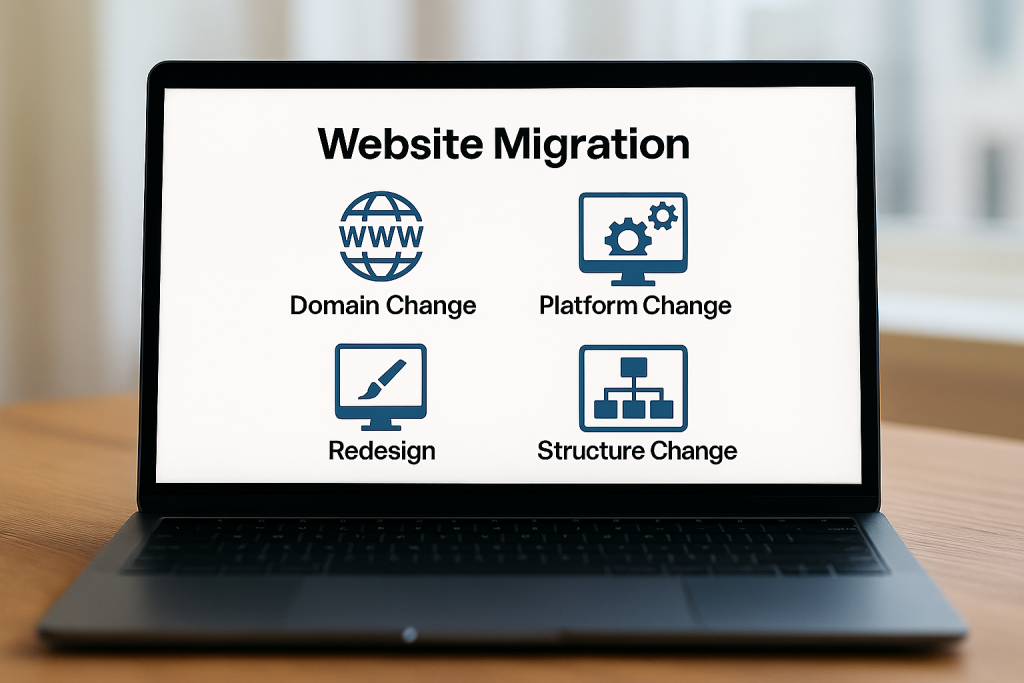
Migrations may involve changing your domain or subdomain, launching a new design, rebranding, consolidating multiple sites or moving from one platform to another. Even changing the internal page structure or doing a visual redesign constitutes a migration because it alters the way pages are found and indexed.
In other words, migrations range from simple URL changes to complete overhauls of your website content architecture.
There are many reasons businesses undertake these projects:
- To align with a new brand.
- To merge business units into one coherent site.
- To adopt a more powerful platform.
- Or to improve user experience and performance.
Whatever your motivation, remember that migrations must be treated as technical projects with clear objectives, scope and timelines. Without a strategy, what should be an upgrade could instead become a ranking disaster.
How Website Migrations Impact SEO
When you migrate a site, you change the URLs that users and search engines rely on. Search Engine Land notes that:
“Altering URLs can cause sudden traffic drops if you don’t use 301 redirects to map old pages to new ones.”
Each broken link creates a barrier for both users and search engines, wasting crawl resources and diluting authority.
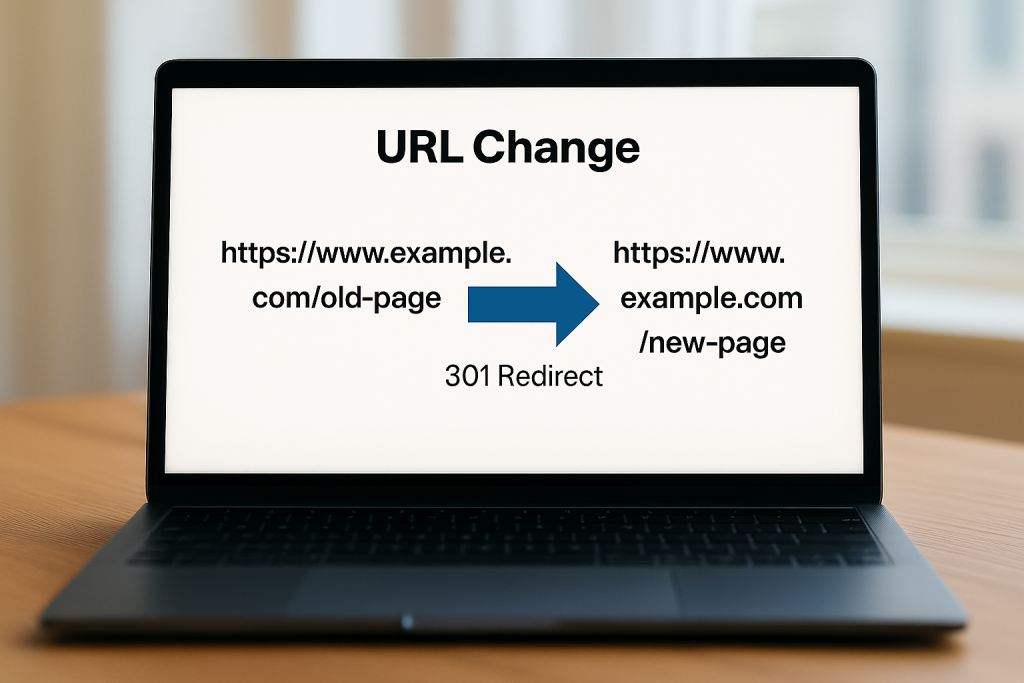
At Seek Marketing Partners, we recommend keeping your domain name and URL structure wherever possible and avoiding unnecessary changes to titles and meta descriptions. If you must move a page, always set up permanent redirects to retain link equity and avoid soft 404 errors.
The stakes are high because search engines take time to re-index a moved site. During this period, your rankings can fluctuate. A well-planned migration helps preserve rankings and minimise disruption, and a sloppy one could lead to lost revenue and customer trust.
This is why our approach focuses on thorough preparation, careful testing and continuous monitoring.
Step-by-Step Process to Successful Site Migration
Migrating a website without losing rankings involves four key phases: planning, preparation, launch and post-migration monitoring. Below is an outline of each phase along with best practices to minimise disruption.
1. Planning the Migration
Define goals and scope
Before any work begins, agree on why you are migrating and what parts of the site will be affected. Failing to set goals or define scope can lead to issues from the start. Decide whether you are changing domains, restructuring content, re-platforming or all three. Identify which pages and features will move and which will be retired.
Assemble your team
Appoint a project lead and involve key stakeholders from SEO, development, design and marketing. Clear communication reduces risk and ensures everyone understands the migration’s goals. At Seek Marketing Partners we typically recommend assigning clear responsibilities and using a project management tool to track tasks.
Schedule wisely
Select a launch date when your site receives lower traffic (for many sites, this is a weekend or holiday period) to reduce the impact of any unexpected downtime. Set milestones for each phase – content inventory, redirect mapping, staging tests, launch, and post-launch review – and build in time buffers for troubleshooting.
2. Pre-Migration Preparation
Conduct a technical SEO audit
Use a crawler (such as Screaming Frog or a similar tool) to inventory your existing pages, identify crawl errors and note which URLs currently earn traffic and backlinks. Document current keyword rankings, domain authority and top-performing pages so you know what to protect during the migration. Record metrics like page speed, Core Web Vitals, crawlability and indexability to benchmark your post-migration performance.
Review your site’s infrastructure
We recommend ensuring crawlability and indexability by checking robots.txt, XML sitemaps, canonical tags and noindex directives. Also verify that your site uses HTTPS, that your URL structure is logical and that internal linking flows naturally. Fix broken links because they waste crawl budget and hinder navigation.
Create a content inventory and visual sitemap
List all existing pages, paying particular attention to high-value content. Use this inventory to create a visual sitemap that illustrates your current information architecture. This helps you plan the future site structure and ensures no important page is overlooked.
Prepare a redirect map
Decide which pages will move, merge or be removed. For each moving page, create a 301 redirect from the old URL to the new one. Avoid redirect chains (A→B→C) because they dilute authority and slow crawling. Cross-check redirects in a spreadsheet and test them on the staging site to catch errors before launch.
Document your server and environment
Recording server settings, DNS configurations and any CDN or caching rules. This documentation ensures you can replicate the environment on the new server or platform and troubleshoot issues quickly. Take backups of your database and file system; migration can unearth unexpected problems, and a backup protects you from permanent data loss.
Build a staging environment
A staging site allows you to test changes without affecting the live site. Block search engines from indexing this environment using a robots.txt directive and noindex meta tag. Run a technical audit on the staging site to check for broken links, missing meta tags, duplicate pages and accessibility issues. Then correct any problems before moving to production.
3. Launch and Implementation
When the planned launch date arrives, ensure all redirects, sitemaps and robots files are ready. Keep the following in mind:
- Remove restrictions – If you have blocked search engines or set up password protection on your new site, remove these barriers just before launch so Google can crawl your new pages.
- Implement redirects – Upload your redirect map and verify that each old URL redirects to the correct new URL with a 301 status code. Avoid redirect chains or loops.
- Submit sitemaps – Update your XML sitemap with the new URLs and submit it through Google Search Console. Check that the robots.txt file references the new sitemap and is not blocking important sections.
- Check basic elements – Confirm that page titles, meta descriptions, headings and canonical tags are correct and that structured data markup still functions. Test forms, internal search, and key user journeys to ensure nothing breaks. Tools like PageSpeed Insights can help you verify that site speed and Core Web Vitals remain healthy.
4. Post-Migration Monitoring
After launch, monitor performance closely. It’s normal to see some fluctuations in traffic and rankings, but these should stabilise after search engines finish re-indexing your site. Keep an eye on:
Crawl and indexation
Use Google Search Console’s coverage report to identify pages that are discovered but not indexed or blocked by robots.txt. Investigate any crawl errors, 404s or soft 404s and fix them promptly. Screaming Frog or other log-file analysers can show which pages Googlebot is crawling and highlight wasted requests.
Traffic and rankings
Compare your current rankings and organic traffic to your pre-migration benchmarks. If you notice sustained drops for specific queries, investigate whether redirects or internal links are misconfigured or whether the new page fails to satisfy search intent.
Technical performance
Re-check page speed, Core Web Vitals, mobile friendliness and security (HTTPS). The Innermedia guide stresses that these elements remain critical after migration. Address any issues identified by Google’s PageSpeed Insights or Search Console.
Documentation and maintenance
Update your internal documentation with the final redirect map and new site structure. Document lessons learned and schedule regular technical audits to keep your site healthy. Remember that SEO is an ongoing process; a successful migration does not mean you can ignore maintenance.
Technical SEO Audit Checklist for Migrations
Below is a concise checklist you can use to ensure all important elements are covered. Each item helps maintain your search visibility during migration:
- Benchmark and Audit: Crawl current site; record rankings, traffic, top pages and Core Web Vitals.
- Crawlability & Indexability: Check robots.txt, XML sitemaps, canonical tags, noindex directives and internal linking.
- Site Structure & URLs: Document current URL structure; maintain it where possible; plan new information architecture and internal link flow.
- Content Inventory: Identify all pages, mark high-value content and plan how each will be migrated or retired.
- Redirect Mapping: Create a 301 redirect plan; avoid redirect chains or loops.
- Technical Setup: Record server and DNS settings; back up data; set up staging environment for testing.
Conclusion – Let Us Guide Your Migration
Website migrations are complex but entirely manageable with the right plan. By understanding how site migrations work and following a structured process – from defining scope and auditing your current site, to mapping URLs, testing in staging and monitoring afterwards – you can protect your rankings and even improve your website’s performance.
The key actions are:
- Prioritise crawlability.
- Maintain your URL structure.
- Use 301 redirects correctly.
- And continuously monitor technical health.
At Seek Marketing Partners, we help clients navigate migrations without losing momentum. Our approach is to perform a comprehensive technical audit, develop a tailored migration strategy, implement changes in a controlled staging environment and monitor outcomes closely. If you are considering moving to a new platform or domain, or restructuring your site, contact us today. We’ll guide you through the process and help you make the most of your website’s next chapter.