Blog

  • Guide on How to Identify and Fix Keyword Cannibalisation

    Guide on How to Identify and Fix Keyword Cannibalisation

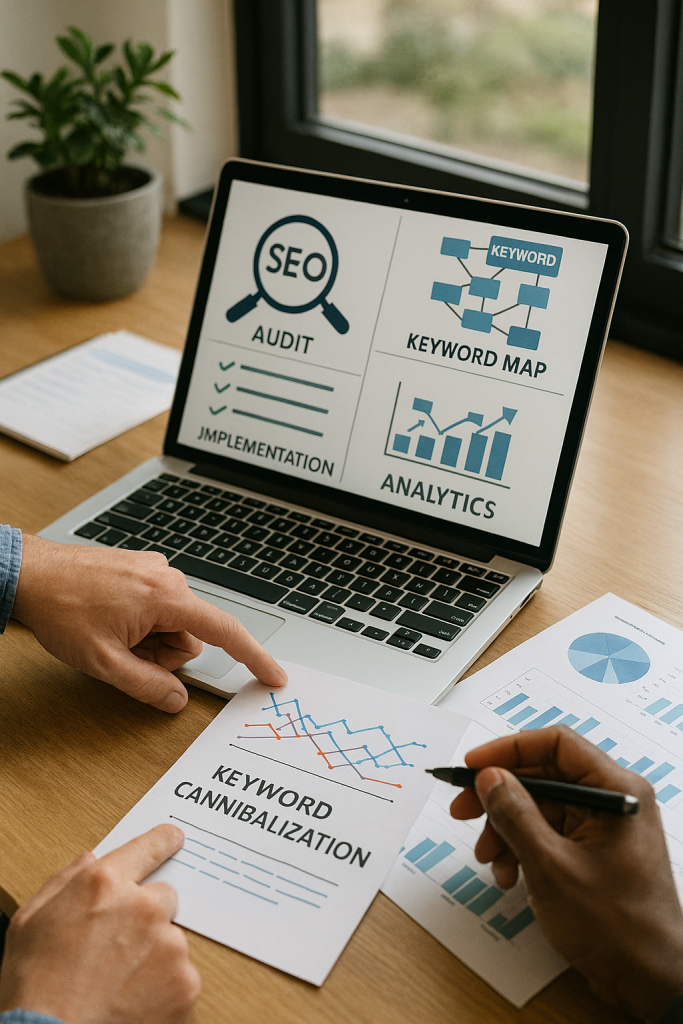
    Keyword cannibalisation occurs when multiple pages on the same site compete for the same search query, diluting ranking signals and confusing search engines about which URL is most relevant. 

    This guide explains how keyword cannibalisation can reduce organic visibility, lower click-through rates, and waste crawl budget. You will learn a clear, repeatable workflow for detecting, fixing, and preventing these conflicts. Seek Marketing Partners, a data-driven digital marketing agency, applies these steps to resolve real-world cannibalisation issues.

    What is Keyword Cannibalisation and Why Does It Matter?

    Keyword cannibalisation happens when two or more pages target the same or highly similar keywords or search intent, causing internal competition for rankings and traffic. Search engines receive mixed signals (duplicated meta information, overlapping content, and shared backlinks), reducing the chance that any single page ranks strongly.

    Resolving this issue consolidates organic authority, which often improves impressions, clicks, and conversions. Understanding what keyword cannibalisation is clarifies why fixing it provides measurable SEO benefits rather than cosmetic content adjustments.

    Key impacts of cannibalisation include:

    • Ranking dilution: Multiple pages split ranking signals, lowering the chance of a strong top position.
    • Wasted crawl budget: Search engines crawl redundant pages instead of new or updated content.
    • Link equity dilution: Backlinks spread across similar pages reduce the authority of the ideal landing page.

    Defining Keyword Cannibalisation and Its Types

    Cannibalisation can take several forms:

    • Exact-match: Multiple pages target the same exact keyword.
    • Partial overlap: Pages cover similar topics but with different keywords.
    • Content cannibalisation: Topically similar pages compete even with distinct keywords.

    For example, two blog posts targeting “best running shoes” – one a listicle, the other a product review – may confuse search engines about which page to rank. Identifying the type of cannibalisation determines whether consolidation, a redirect, or intent differentiation is the correct fix.

    The Negative Impact on SEO Performance

    Cannibalisation affects both technical SEO and business KPIs:

    • Technical: Increases index bloat and consumes crawl budget.
    • Strategic: Prevents a single page from acquiring backlinks and social signals.
    • Business: Reduces organic traffic, leads, and conversions.

    Empirical examples show that consolidating pages often improves impressions and clicks within weeks. Track clicks per query for short-term validation and ranking stability for medium-term measurement.

    For expert guidance on optimising your site’s performance and resolving internal content conflicts, learn about our Technical SEO services.

    How Can You Identify Keyword Cannibalisation on Your Website?

    Start with a systematic review of query-to-page mappings and ranking volatility. Use Google Search Console (GSC) Performance reports to identify queries that return multiple pages from your domain. Complement this with site: searches, title/meta overlaps, and third-party tools to prioritise which conflicts to fix first.

    Detection workflow:

    1. Export the GSC Performance report for the last 90 days.
    2. Group data by query and page.
    3. Filter queries with multiple pages in the top 50 results.
    4. Prioritise conflicts by impressions and conversions.

    This produces a high-priority list for remediation.

    To see how a professional, data-driven SEO approach can help identify and resolve keyword issues, explore our Search Engine Optimisation services.

    How to Fix Keyword Cannibalisation

    Choose a strategy based on intent, traffic, backlinks, and conversions:

    Fix MethodWhen to UsePros / Cons / Effort
    Consolidation (merge + 301)Two low-performing pagesPros: concentrates authority; Cons: content rewrite; Effort: Medium
    301 RedirectOne page is obsolete or lower valuePros: transfers link equity; Cons: requires mapping/testing; Effort: Low-Medium
    rel=canonicalPages similar but accessiblePros: non-destructive; Cons: may be ignored by search engines; Effort: Low
    Intent differentiationPages target distinct intentsPros: preserves pages; Cons: editorial effort; Effort: Medium-High
    noindexDuplicate content with no valuePros: quick removal; Cons: lose organic traffic if misapplied; Effort: Low

    Implementing Redirects, Canonical Tags, and Internal Linking

    • 301 redirects: Map old URLs to canonical pages, implement server/CMS-level redirects, update internal links, and submit updated sitemaps.
    • rel=canonical: Ensure absolute URLs and self-reference on canonical page; avoid chains.
    • Internal linking: Funnel authority to the canonical URL, adjust anchor text, and remove competing internal links.

    Monitor impressions, CTR, rankings, and conversions to validate success.

    Preventing Keyword Cannibalisation in Future Content

    To prevent keyword cannibalisation in future content, maintain a comprehensive keyword map linking each keyword to its search intent, target URL, and content owner, and enforce editorial briefs that require the specified intent and canonical URL before publication. 

    Conduct regular content audits – quarterly for most sites and monthly for large or high-frequency content sites – to detect emerging keyword overlaps early. Maintain a robust keyword map that includes fields for the keyword, intent category (informational, navigational, transactional), target URL, priority, owner, and notes. 

    This map acts as a single source of truth for editorial teams, helping ensure that new content aligns with SEO strategy and avoids creating internal competition.

    To ensure your content strategy prevents keyword conflicts and maximises SEO performance, discover how our Content Marketing services can help you implement effective keyword mapping, editorial governance, and ongoing audits.

    Addressing AI Content Cannibalisation

    AI content cannibalisation occurs when multiple AI-generated pages or variations compete internally for similar queries, creating duplicate-like content that confuses search engines. To prevent this, monitor for clusters of semantically similar pages, sudden index growth, and unusual title or meta patterns. 

    Mitigation strategies include enforcing unique angles, adding proprietary data or user insights, applying structured data to clarify each page’s purpose, and regularly updating canonical mappings. These practices help maintain clear intent signals, reduce internal competition, and ensure that your pages retain their SEO value.

    How We Can Help

    Seek Marketing Partners provides a structured, data-driven approach to identify and fix keyword cannibalisation, combining SEO, content marketing, and analytics. We deliver detailed audits, keyword maps, implementation plans including redirects, canonical tags, and content consolidation, as well as performance dashboards to track measurable results. 

    If your website is experiencing fragmented rankings or reduced traffic due to keyword cannibalisation, our team can help you prioritise fixes, implement changes, and monitor outcomes for lasting improvements. Contact us today to book a consultation and start resolving your keyword conflicts.

  • Landing Page Optimisation Tips for PPC Campaign Success

    Landing Page Optimisation Tips for PPC Campaign Success

    Pay-per-click advertising is one of the fastest and most controllable ways to generate high-intent traffic, leads, and revenue – but only when campaigns are built to convert, not just attract clicks. 

    While many marketers invest heavily in keywords, bidding strategies, and ad creatives, they often overlook the most important element of PPC success, the landing page. A well-optimised landing page can be the difference between a profitable campaign and wasted ad spend.

    Optimising landing pages is not just about design or copywriting; it’s about understanding user intent and delivering a seamless experience that encourages visitors to take action. When done correctly, it improves conversion rates, lowers cost per acquisition, and increases overall return on investment. 

    In this article, we will explore proven landing page optimisation strategies for high-converting PPC campaigns and highlight how marketing tools can play a critical role in achieving consistent results.

    The Role of Landing Pages in PPC Campaign Performance

    A landing page is the first real interaction a user has with your brand after clicking on a paid ad. Unlike a homepage or blog page, a PPC landing page is designed with a single, focused goal: conversion. Whether that conversion is a form submission, a purchase, or a demo request, everything on the page should guide the visitor toward that action.

    Search engines like Google evaluate landing page quality as part of their ad ranking system. A highly relevant and user-friendly page leads to a better Quality Score, which reduces cost per click and improves ad visibility. This means landing page optimisation does not just increase conversions; it directly affects how much you pay for every click.

    Aligning Landing Page Content With User Intent

    One of the most important aspects of a high-converting landing page is message alignment. When users click on an ad, they expect the landing page to immediately reflect what was promised. If there is a disconnect between the ad copy and the landing page content, users lose trust and leave.

    For example, if your ad highlights home remodelling services, your landing page should continue that narrative. The headline, subheading, and body content must reinforce the same value proposition. This continuity reassures users that they are in the right place and increases the likelihood of conversion.

    Writing Headlines That Capture Attention and Drive Action

    The headline is the most influential element on a PPC landing page. Visitors decide within seconds whether they will stay or leave, and the headline plays a major role in that decision. A strong headline focuses on benefits rather than features and speaks directly to the visitor’s pain points or goals.

    Instead of generic statements, effective headlines clearly communicate value. They explain what the user will gain and why they should care. When supported by a compelling subheadline, the message becomes even more persuasive and keeps users engaged long enough to explore the page further.

    Creating a Seamless User Experience Through Design

    Landing page design should support clarity, not distract from it. Clean layouts, sufficient white space, and logical content flow help visitors process information easily. Visual hierarchy is essential; key messages and calls-to-action should stand out immediately without overwhelming the user.

    Colours, fonts, and imagery should remain consistent with your brand while also enhancing readability. Images and visuals should support the message rather than serve as decoration. For PPC campaigns, simplicity often outperforms complexity because users are goal-oriented and impatient.

    Optimising Page Speed for Better Conversions

    Page speed is a critical factor in both user experience and PPC performance. Slow-loading pages frustrate users and lead to higher bounce rates, especially on mobile devices. Even a delay of one or two seconds can significantly reduce conversion rates.

    Using tools to analyse page speed, identify heavy scripts, and optimise images can dramatically improve load times. Faster pages not only convert better but also contribute to higher Quality Scores, ultimately lowering advertising costs.

    Designing Landing Pages With a Mobile-First Approach

    With the majority of paid traffic now coming from mobile devices, optimising landing pages for mobile is no longer optional. A landing page that looks great on desktop but performs poorly on mobile will struggle to convert.

    Mobile-first design focuses on simplicity, fast load times, and easy navigation. Short paragraphs, clear headings, and prominent call-to-action buttons make it easier for users to interact with your page on smaller screens. Forms should be concise, and buttons should be large enough to tap comfortably without zooming.

    Reducing Friction to Increase Conversion Rates

    Every extra step or unnecessary element on a landing page introduces friction. High-converting PPC landing pages remove obstacles and make it easy for users to take action. This is especially important for lead generation campaigns, where long or complex forms often discourage submissions.

    Reducing the number of required fields, clearly explaining what happens after submission, and reassuring users about privacy can significantly improve conversion rates. When visitors feel confident and informed, they are more likely to complete the desired action.

    Building Trust With Social Proof and Credibility Signals

    Trust is essential, especially for users encountering your brand for the first time through PPC ads. Including testimonials, reviews, client logos, and certifications helps establish credibility and reduces hesitation.

    For businesses offering services such as home remodelling, showcasing real portfolio images with testimonials on the landing pages will increase credibility. Trust signals should be placed strategically near call-to-action sections to reinforce decision-making at critical moments.

    Using AI and Automation to Improve Landing Page Performance

    AI-driven tools are transforming how marketers approach landing page optimisation. With the AI writing tools, businesses can generate persuasive copy, test multiple headline variations, and maintain consistent messaging across campaigns.

    AI tools help speed up content creation and A/B testing without sacrificing quality. When combined with human strategy and data-driven insights, AI becomes a powerful asset for continuous optimisation.

    Integrating PPC Landing Pages With Long-Term SEO Strategy

    Although PPC campaigns focus on immediate results, landing pages can also support long-term organic growth. High-performing landing pages often contain valuable insights into user behaviour, keyword intent, and conversion triggers.

    By leveraging data from paid campaigns and applying it to organic strategies, marketers can improve overall performance. Many businesses partner with expert teams across established SEO outsourcing hubs, including India, to manage both PPC and SEO efficiently while maintaining consistent messaging and brand standards.

    Continuous Testing and Optimisation for Sustainable Results

    Landing page optimisation is not a one-time task. Consumer behaviour, competition, and market trends constantly evolve. Regular testing of headlines, layouts, CTAs, and messaging ensures your landing pages continue to perform at a high level.

    Even small improvements, when compounded over time, can lead to significant gains in conversion rates and cost efficiency. Successful PPC campaigns rely on consistent monitoring, testing, and refinement.

    Final Thoughts on Landing Page Optimisation

    Landing page optimisation is the foundation of any successful PPC campaign. Without it, even the most well-funded advertising efforts will struggle to deliver meaningful results. By aligning messaging with user intent, improving page speed, optimising for mobile, and leveraging advanced tools, businesses can turn paid clicks into measurable outcomes.

  • Boost SEO and UX with an Effective Internal Linking Strategy

    Boost SEO and UX with an Effective Internal Linking Strategy

    In search engine optimisation (SEO), mastering an internal linking strategy is a crucial factor in driving both organic traffic and improving your website’s performance. At its core, internal linking involves connecting various pages on your website through hyperlinks, which helps search engines crawl and index your content effectively.

    An effective internal linking strategy is not just about linking pages arbitrarily. It’s about strategically placing links that enhance the user experience and guide both search engines and visitors to relevant content. This guide will explore best practices, how internal linking influences SEO, and the key steps you should follow to craft a successful internal linking plan for your website.

    What Is an Internal Linking Strategy?

    An internal linking strategy is a plan that outlines how you’ll connect the pages within your website. Unlike external links, which direct traffic to other domains, internal links point to other pages within your domain. When executed correctly, internal linking not only boosts your SEO but also helps visitors find related content easily.

    By following a well-structured strategy, you ensure that all the pages on your site are accessible to search engines. Additionally, you can guide users through the content on your site, leading them to relevant pages that keep them engaged longer.

    Why Is Internal Linking Crucial for SEO?

    Internal linking plays a significant role in improving your website’s visibility in search engine results pages (SERPs). Here’s how:

    Improved Crawlability and Indexing

    Search engines use crawlers to index your content, and internal linking and SEO work hand in hand to ensure that your website is fully indexed. When pages are linked internally, crawlers can easily discover and index them, allowing you to rank for a broader range of keywords.

    Distribution of Link Equity

    Internal links distribute link equity (also known as “link juice”) across your website. This means that the authority gained from backlinks pointing to one page can be passed on to other pages within your site, increasing their ability to rank higher.

    Enhanced User Experience

    A good internal linking strategy isn’t just about SEO; it’s also about user experience. By guiding users to related content, internal links encourage them to explore more of your site, increasing the time they spend on your pages and reducing bounce rates.

    Internal Linking Best Practices

    To make the most of your internal linking strategy, here are several best practices you should follow.

    Use Descriptive Anchor Text

    Anchor text is the clickable text in a hyperlink. For SEO purposes, it’s essential to use descriptive anchor text that clearly indicates the content of the linked page. Avoid generic phrases like “click here,” and instead, use keyword-rich anchor text to help both users and search engines understand the destination page’s relevance.

    For example, if you’re linking to a page about SEO audits, use anchor text like “SEO audit services” rather than just “services.” This not only improves internal linking and SEO but also enhances the clarity for your readers.

    Link to and from Content-Rich Pages

    Pages that are rich in content, such as blog posts or cornerstone articles, should serve as hubs for internal linking. These pages often generate high traffic and can distribute link equity to other important pages on your site. In turn, you should link from these content-heavy pages to other relevant pages within your website to maximise the SEO benefit.

    Use a Logical Linking Structure

    Your internal linking structure should reflect your site’s hierarchy. The homepage typically has the most authority, and linking from here to other important pages, like category or service pages, helps transfer that authority throughout the site.

    Avoid Over-Optimising Anchor Text

    While it’s important to use descriptive anchor text, over-optimising it can lead to penalties from search engines. Google’s algorithm looks for natural and varied link structures, so avoid excessive use of exact-match keywords in your anchor text. Instead, focus on diversity and relevance.

    Add Internal Links to Older Content

    Over time, older blog posts or pages may accumulate valuable link equity. By regularly updating these posts and adding internal links to newer content, you not only improve their SEO but also ensure they remain relevant. Internal linking is a powerful tool for keeping older content alive and engaging.

    Ready to boost your website’s SEO with effective internal linking? Explore how our expert Search Engine Optimisation services can help improve your rankings and drive more traffic.

    How to Build an Effective Internal Linking Strategy

    Start with a Site Audit

    Before implementing any internal linking, conduct a thorough audit of your website’s existing content. Identify which pages are the most important and which ones could benefit from additional internal links. Tools like Screaming Frog or Google Search Console can help you track your site’s structure and identify linking opportunities.

    Focus on Key Pages

    While every page on your site should be linked to others, focus on boosting the SEO of your key pages. These might include your homepage, service pages, and cornerstone content. Make sure these pages are well-connected with other relevant content to ensure they get the link equity they deserve.

    Prioritise User Experience

    At the end of the day, the best internal linking strategy is one that puts the user experience first. Links should feel natural and enhance the user’s journey through your site. Don’t place links where they don’t add value, and avoid overcrowding your pages with too many links.

    Monitor and Update Your Links

    Your internal linking strategy is not a one-time task. As your site grows and you add more content, you should regularly revisit your internal links to ensure they remain relevant and effective. Use tools like Google Search Console to monitor how your internal links are performing and where you can improve.

    To make sure your strategy is optimised for both search engines and users, it’s essential to integrate strong technical SEO practices. Learn more about improving your website’s technical foundation with our Technical SEO services.

    Common Mistakes to Avoid in Internal Linking

    Too Many Links on a Page

    Although internal linking is important, adding too many links can overwhelm your users and dilute the link equity passed from each one. Keep the number of internal links on each page reasonable and focus on quality over quantity.

    Ignoring Mobile Optimisation

    With the rise of mobile browsing, it’s crucial to ensure that your internal links work seamlessly across all devices. Ensure that your links are easy to click on mobile screens, and the user experience remains fluid.

    Linking to Irrelevant Content

    Internal links should only point to relevant pages. If you link to unrelated content, you risk confusing your users and search engines alike. Always ensure that your internal links serve the user’s needs and improve the content’s context.

    The Role of Internal Linking in Content Strategy


    Your internal linking strategy should work in harmony with your content marketing efforts. As you create more content, think about how each piece fits into your overall SEO and internal linking plan. By planning your content with internal linking in mind, you ensure that each new post contributes to the larger SEO strategy.

    While internal linking best practices should focus on SEO and user experience, don’t forget to guide users to conversion-focused pages. Whether it’s a contact page, service offering, or product page, your internal links should help guide users to take the next step in their journey.

    To truly maximise the power of your internal linking strategy, ensure it’s aligned with your content marketing efforts. If you need expert guidance on crafting content that drives results, explore our comprehensive Content Marketing services.

    Advanced Internal Linking Strategies

    Use “Siloing” for Content Organisation

    One of the most advanced strategies is siloing your content. This involves grouping related pages together and linking them in a way that reflects their relationship to one another. By structuring your content into well-defined topics or silos, you help search engines better understand the context of your content and improve your rankings for topic-specific searches.

    Create Pillar Pages for Major Topics

    A pillar page is a comprehensive, authoritative resource on a broad topic. This page acts as the central hub of related content, with internal links leading to more specific articles on subtopics. This method not only strengthens your internal linking strategy but also helps to establish authority on key subjects.

    Implement Breadcrumb Navigation

    Breadcrumbs are a type of secondary navigation system that shows the user’s path from the homepage to the current page. Not only do breadcrumbs enhance the user experience, but they also create additional internal links that improve SEO by establishing content hierarchy and relevancy.

    Creating a Winning Internal Linking Strategy

    An effective internal linking strategy can significantly boost your website’s SEO performance while enhancing user engagement. By following the best practices outlined in this guide, you can create a robust internal linking system that supports both your SEO goals and user experience.

    Remember, the key to successful internal linking is to make it natural, user-focused, and strategically placed. As your website grows, continue to audit and optimise your links to maintain a strong internal linking structure that supports long-term success.

  • Email Deliverability: Ensuring Your Emails Reach the Inbox

    Email Deliverability: Ensuring Your Emails Reach the Inbox

    In today’s digital landscape, simply sending an email isn’t enough. Your messages must land in recipients’ primary inboxes to be effective. This is where email deliverability becomes crucial. High deliverability rates ensure your content reaches the right audience, driving engagement, conversions, and fostering trust with your subscribers. Poor email deliverability, on the other hand, can mean lost opportunities, damaged reputation, and wasted marketing spend.
    This guide explores the key factors affecting email deliverability, how to monitor it, and actionable strategies to improve it. We also cover tools and services that can help you maintain a healthy sending reputation.

    What is Email Deliverability?

    Email deliverability is the ability to successfully land your emails in a recipient’s inbox rather than in the spam, promotions, or junk folders. It differs from email delivery, which simply measures whether an email was accepted by the recipient’s server. Even if an email is delivered, it doesn’t guarantee that the recipient will see it.

    Deliverability matters because it is the gateway to engagement. Whether you’re sending transactional messages like password resets or order confirmations, or marketing emails like newsletters and promotions, inbox placement is critical. Poor deliverability can lead to missed revenue, reduced engagement, and an overall negative impact on your brand reputation.

    Why Email Deliverability Matters

    The consequences of low email deliverability extend beyond open rates:

    • Transactional emails: These automated messages are triggered by user actions, such as account alerts, order confirmations, or shipping notifications. Failing to reach the inbox can frustrate users, reduce trust, and increase support costs.
    • Marketing emails: While newsletters and promotions may not provoke urgent action if delayed, consistent low deliverability reduces campaign effectiveness, wasting time and resources.

    Major mailbox providers like Google, Outlook, Yahoo, and Apple Mail constantly tighten rules to combat spam. This makes it even more essential to follow best practices, including proper email authentication and maintaining subscriber consent.

    Want to make sure your emails always reach the right audience? Our Email Marketing services can help you design and execute campaigns that deliver measurable results every time.

    Factors That Affect Email Deliverability

    Several factors influence whether your emails reach the inbox:

    Sender Reputation

    Your reputation is a critical determinant of inbox placement. Both your IP and domain reputation signal trustworthiness to email service providers (ESPs). Factors that impact reputation include:

    Consistency of sending practices

    Bounce rates (hard and soft bounces)

    Spam complaints

    Engagement metrics (opens, clicks, replies)

    List quality and hygiene

    Authentication Protocols

    Email authentication proves your identity as a legitimate sender:

    • SPF (Sender Policy Framework): Authorises which servers can send emails on behalf of your domain.
    • DKIM (DomainKeys Identified Mail): Adds a digital signature to verify email integrity.
    • DMARC (Domain-based Message Authentication, Reporting & Conformance): Specifies how to handle emails failing authentication and provides reporting.
    • BIMI (Brand Indicators for Message Identification): Displays your brand logo alongside authenticated emails, signalling trust to recipients and ISPs.

    Correct implementation of these pro

    Email Infrastructure

    Your choice of ESP and sending infrastructure significantly affects deliverability:

    • Shared IP: Reputation depends on other senders. Suitable for low-volume senders, but can be affected by others’ bad practices.

    Dedicated IP: Offers full control over your sending reputation. Recommended for high-volume senders (100K+ emails per month).

    Email List Quality

    Maintaining a clean and engaged email list is crucial:

    Never purchase or scrape email lists; these practices severely harm your deliverability.

    Use permission-based sign-ups (double opt-in) to ensure subscribers genuinely want your emails.

    Regularly remove invalid, unengaged, or bounced addresses to reduce spam complaints and improve engagement rates.

    Email Content

    The content of your emails influences spam filters and subscriber engagement:

    Ensure content aligns with subscriber expectations to maintain engagement and reduce unsubscribes.

    Craft relevant subject lines to encourage opens. Avoid spam trigger words and excessive punctuation.

    Personalise emails to each subscriber using segmentation.

    Sending Practices

    Consistent sending patterns and gradual volume increases help establish trust with ISPs:

    Monitor engagement to detect negative trends early.

    Warm-up new domains/IPs: Gradually increase sending volume to build positive history.

    Maintain consistent frequency: Sudden spikes in volume may be flagged as spam.

    Looking to leverage data for smarter marketing decisions? Our Data Science & Analytics services can help you turn insights into action and optimise every campaign for maximum impact.

    How to Improve Email Deliverability

    Improving inbox placement is an ongoing effort. Here’s a comprehensive approach for how to improve email deliverability:

    1. Implement Email Authentication: Set up and maintain SPF, DKIM, and DMARC records. Consider BIMI for brand trust.
    2. Build and Maintain a Healthy List: Use opt-in forms, validate new addresses, and remove inactive subscribers.
    3. Warm Up New IPs/Domains: Gradually increase email volume to establish a positive sending history.
    4. Create Engaging, Relevant Content: Segment your audience and personalise messages to boost opens and clicks.
    5. Track and Analyse Metrics: Regularly review bounce rates, spam complaints, open rates, and click-throughs. Adjust campaigns based on insights.
    6. Test Emails Before Sending: Use inbox placement tools to simulate delivery and identify issues.

    By combining technical setup, good sending practices, and audience-focused content, you can significantly enhance your email deliverability.

    Want to create content that truly connects with your audience? Our Content Marketing services can help you craft engaging, personalised campaigns that drive results and improve overall email performance.

    How to Monitor Email Deliverability

    Regular monitoring of email deliverability helps you identify potential issues before they escalate. Key metrics to track include delivery rate, bounce rate, spam complaint rate, inbox placement rate (IPR), open and click-through rates, and unsubscribe rate. The delivery rate measures the percentage of emails successfully accepted by recipient servers, with a target of 98% or higher for optimal deliverability. 

    Bounce rate tracks emails that fail delivery, distinguishing between hard and soft bounces, while spam complaint rate should ideally remain below 0.1%. Inbox Placement Rate shows how many emails reach the primary inbox rather than promotions or spam, and engagement metrics such as opens and clicks can positively impact your sender reputation. Meanwhile, unsubscribe rates can indicate poor content relevance or over-sending.

    To gain these insights, leverage tools like Google Postmaster Tools, Microsoft SNDS, and ESP dashboards. Additionally, seed list testing and inbox placement simulations can help you see how your emails appear across various mailbox providers, allowing you to proactively adjust campaigns and maintain high deliverability.

    Best Practices Checklist

    • Verify SPF, DKIM, and DMARC records for all sending domains to ensure your emails are authenticated and trusted by mailbox providers.
    • Build your email list organically using double opt-in, which ensures that all subscribers genuinely want to receive your communications.
    • Maintain regular list hygiene by removing inactive subscribers, bounced emails, and invalid addresses to protect your sender reputation.
    • Warm up new IP addresses and domains gradually, increasing email volume over time to establish a positive sending history with ISPs.
    • Monitor key metrics consistently, including delivery rates, open rates, click-through rates, bounce rates, and spam complaints, to detect issues early.
    • Avoid spammy content and overly promotional language in your emails, as these can trigger spam filters and harm deliverability.
    • Personalise your emails and ensure content relevance to each recipient by using segmentation and data-driven insights.
    • Encourage positive engagement by crafting compelling subject lines, clear calls to action, and content that prompts readers to open, click, or reply.
    • Conduct regular inbox placement tests across multiple mailbox providers to verify that your emails consistently reach the primary inbox.

    Maintain Strong Email Deliverability

    Email deliverability is not a one-time fix; it’s a continuous effort that combines technical setup, strategic sending, and audience-focused content. By prioritising engagement, authentication, and monitoring, your emails are more likely to reach the inbox, maximise ROI, and strengthen relationships with subscribers.

    Whether you manage transactional emails, marketing campaigns, or high-volume outreach, maintaining strong email deliverability ensures that every message has the opportunity to be seen, clicked, and acted upon. Investing in a reliable email deliverability service can further safeguard your campaigns, providing expert guidance, tools, and analytics to optimise inbox placement and protect your sender reputation.

  • What is Answer Engine Optimisation? And How to Do It

    What is Answer Engine Optimisation? And How to Do It

    Ever asked ChatGPT or a voice assistant a question? These AI-powered tools are answer engines, and getting your brand mentioned in their responses takes a special strategy. Answer Engine Optimisation, also known as AEO, is the practice of optimising your content for AI-driven answer platforms like ChatGPT, Google’s AI Overviews, and virtual assistants. 

    In plain terms, AEO means crafting and structuring your content so it earns mentions, citations, and placements in conversational AI answers. Unlike traditional SEO, which targets search engines and keyword rankings, AEO focuses on question-based queries and making sure AI tools cite your brand in their answers.

    AEO is becoming increasingly important as search habits change. AI chatbots and assistants are carving out their own corner of online discovery.

    Surveys show over 400 million people now use ChatGPT and other AI tools each week, and analysts predict about 25% of organic search traffic will flow to AI chatbots by 2026.

    In short, people are getting answers from AI without even clicking through to websites, and those AI-referred visitors can be highly intent-driven and commercially valuable. This shift means your content must show up inside AI answers, not just on Google’s first page.

    Understanding How AEO Differs from SEO

    While AEO and SEO share the goal of visibility, their focus and tactics differ. SEO aims to rank your pages on search engine results pages (SERPs) using keywords, links, and technical signals. In contrast, AEO aims to get your content cited by AI tools. 

    For example:

    • SEO success is measured in rankings and clicks, whereas AEO success is measured in AI mentions and citations.
    • SEO targets search queries like “best running shoes for flat feet,” but AEO answers conversational questions like “what are good sneakers for flat feet?”

    In practice, many tactics overlap (high-quality content, authority links, clear site structure), but AEO adds extra layers. You need to structure content so that large language models (LLMs) can easily extract answers. 

    This means using question-based headings, clear, concise answers, and even schema markup. In essence, AEO is about being AI-friendly: think about how to answer a user’s question in a way that a chatbot can read, understand, and trust.

    Why Answer Engine Optimisation Matters

    • Changing search behaviour: AI assistants are increasingly the first stop for answers. Tools like ChatGPT and Microsoft Copilot often present a single, concise response (sometimes with citations) instead of a list of links. Users can get what they need without clicking through, so being in the answer itself is critical.
    • High-value traffic: As noted, AI-driven interactions often reflect high intent, as users are actively seeking specific answers or solutions. If a chatbot cites your product or advice, you reach a user who is actively seeking a solution you offer – often at a later stage of the decision process.
    • Authority and trust: AI tools tend to pull information from trusted sources. Earning mentions in respected publications or authoritative sites boosts your credibility in their answers, which reinforces your brand authority.
    • Future-proofing your strategy: With search engines introducing features like Google’s AI Overviews and voice answers, AEO ensures you stay visible. Gartner predicts that 25% of search traffic will move to chatbots and virtual agents by 2026, so early AEO adopters can secure a first-mover advantage.

    In practice, the shift is already visible. For example, after ChatGPT launched, platforms like Stack Overflow reported a noticeable decline in visits as users increasingly turned to AI tools for answers. Yet companies like NerdWallet saw revenue rise even as organic traffic fell, confirming that users aren’t searching less – they’re searching differently. By optimising for answer engines, you tap into this new way people find information and solutions.

    How to Optimise Your Content for Answer Engines

    Getting your content featured in AI answers requires a targeted approach. Here are key AEO strategies:

    1. Earn Authoritative Mentions

    AI models pull answers from trusted sources like educational, government, and industry news sites. So, aim to get your brand or content cited on those platforms. These mentions build your AI “footprint.” As Semrush explains, “You earn AI visibility by getting your brand mentioned in places LLMs trust—like Reddit, Wikipedia, and news publications.”. In practice, this means PR outreach, guest articles, and thought leadership pieces on reputable sites.

    2. Answer Real Questions Clearly

    Identify the questions your audience is asking, use tools like Google’s “People Also Ask,” keyword planners, or AI prompt research. Structure your content to answer each question directly. For example, make the question a heading (H2/H3) and write a concise answer immediately underneath. Then expand with details.

    3. Use Structured Data and Clear Formatting

    Implement schema markup where possible to label question or answer pairs. Break up text with short paragraphs, lists, and tables. These elements make it easier for an AI to find and cite precise information. In other words, let the AI “see” your answer format. The first heading of this article, What is Answer Engine Optimisation?”, is a good example – the question is in the heading and answered immediately in the paragraph.

    4. Demonstrate Expertise and E-E-A-T

    Chatbots favour content that demonstrates real-world expertise. Including credible sources, data, and clear references can improve the likelihood of your content being cited in AI-generated answers.

    In practice, write in an experienced tone, share original research or case examples, and make sure authorship is clear. This aligns with Google’s emphasis on Expertise-Experience-Authoritativeness-Trust (E-E-A-T) in content.

    5. Keep Content Fresh and Updated

    AI tools often favour recent information. According to an AirOps study, about 95% of ChatGPT’s cited sources come from content published or updated within the last 10 months. They also found that pages with a visible “last updated” timestamp get almost double the citations of older content.

    To leverage this, regularly refresh your content with new examples, stats, and timestamp updates. Highlight dates (via dateModified schema) so AI knows the answer is current.

    6. Maintain a Solid SEO foundation

    Remember, AEO builds on SEO. Good SEO (fast site, quality backlinks, clear navigation) underpins your content’s authority. Plus, as some tools can only scrape from the live web, you still want strong search rankings. Our SEO services are designed to grow your traffic and leads through data-led strategies, which complement AEO efforts by improving overall visibility.

    The Bottom Line: Putting AEO into Action

    To get started, perform an AEO audit alongside your SEO audit. Look at the questions in your niche and check if AI tools already answer them using someone else’s content. Then create or optimise pages to fill those gaps. For example, if a chatbot is answering “how to optimise images” with an answer that doesn’t mention you, create a clear, concise answer on your site and make sure AI can find it.

    At Seek Marketing Partners, we integrate AEO principles into our digital strategies. Our data-led SEO and content teams build content ecosystems aligned with your commercial goals. We can help you identify target questions, author authoritative content, and earn the mentions that AI tools trust.

    Ready to Boost Your Visibility in the Age of AI?

    Talk to us about SEO and content marketing services that include Answer Engine Optimisation (AEO). We work with mid-to-large organisations to solve complex challenges with clear, results-driven strategies. Get in touch with us today and we’ll make sure your answers are where your customers are looking.

  • Using Negative Keywords to Improve Google Ads Performance

    Using Negative Keywords to Improve Google Ads Performance

    When running paid search campaigns, the difference between wasted budget and strong ROI often comes down to the keywords you choose. While targeting the right terms is essential, knowing which keywords to exclude is just as important. These are known as negative keywords, and when used effectively, they can significantly improve your ad relevance, click-through rates (CTR), and conversion rates.

    In this guide, we’ll explain what negative keywords are, how they work, why they matter, and practical ways to implement them in your campaigns. By the end, you’ll understand how to fine-tune your Google Ads strategy to attract the right audience while saving money.

    What Are Negative Keywords?

    Simply put, negative keywords are words or phrases you add to your paid advertising campaigns to prevent your ads from appearing for irrelevant searches. By filtering out these search terms, you ensure your ads reach users with the highest potential to convert, while reducing wasted clicks that cost money without driving results.

    Think of it this way: if you sell premium running shoes, you wouldn’t want your ads to appear for searches like “cheap shoes” or “high heels.” Adding these terms as excluded keywords prevents your ads from showing to users who aren’t your target audience.

    So, what are negative keywords? In practice, these keywords are a powerful way to refine your targeting. They allow advertisers to focus on high-intent searchers, improve CTR, and maximise the return on ad spend (ROAS).

    Benefits of Using Negative Keywords

    Adding blocking keywords to your campaigns offers multiple advantages:

    • Increase ad relevance – Ensures that your ads only appear for queries aligned with your offerings.
    • Improve CTR – By avoiding irrelevant searches, the proportion of users clicking your ad increases.
    • Save money – Prevents spending on clicks unlikely to convert.
    • Boost conversions – Attracts users more likely to complete a desired action.
    • Optimise ROAS – Focus your budget on the most profitable audience.

    In short, negative keywords not only prevent wasted ad spend but also help shape campaigns that speak directly to your ideal customer.

    Ready to take your PPC campaigns to the next level? Explore our tailored Pay-Per-Click services to optimise your ad spend and drive better results. 

    Types of Negative Keyword Match

    These keywords can be applied in different ways depending on the scope and level of control you want. Google Ads allows three main match types:

    Broad Match

    Negative broad match prevents your ads from showing for searches that include all terms in any order. For example, if your negative broad match keyword is “running shoes”, your ad may still appear for searches like “blue tennis shoes,” but not for “shoes running” or “running shoes sale.”

    Broad match can limit reach more than phrase or exact matches, so it’s important to use it carefully.

    Phrase Match

    Negative phrase match blocks ads from appearing for searches that contain the exact phrase in the specified order, even with additional words before or after. For instance, if your negative phrase match keyword is “full body massage”, your ad won’t appear for searches like “deep tissue full body massage,” but could still show for “shoulder massage.”

    Phrase match offers a balance between control and reach, making it one of the safest options for many advertisers.

    Exact Match

    Negative exact match ensures your ad is excluded only when the search exactly matches the keyword phrase, with no variations. For example, [winter holidays] would prevent your ad from showing solely for users searching “winter holidays,” but not for “best winter holidays” or “holiday winter.”

    Exact match is highly precise but can be restrictive, so it works best for specific terms or competitor names.

    Looking to boost your online presence and drive more relevant traffic? Explore our comprehensive Search Engine Optimisation services to ensure your campaigns reach the right audience and deliver real results.

    Account, Campaign, and Ad Group Levels

    Negative keywords can be applied at three levels in Google Ads:

    1. Account-Level – Applies to all campaigns. Use this for generic terms you never want to trigger any ad across your account.
    2. Campaign-Level – Applies to all ads within a specific campaign. Ideal for excluding broader terms irrelevant to a campaign’s focus.
    3. Ad Group-Level – Applies to a specific ad group. Useful for finer control, e.g., excluding “formal” for a running shoe ad group but allowing it for dress shoe ads.

    Choosing the right level ensures you avoid blocking valuable traffic while maintaining relevance in your campaigns.

    How to Find Negative Keywords

    Identifying the right excluded keywords is critical. There are several methods to do this effectively:

    Keyword Research

    Start by understanding your target audience and the search terms they use. Look for terms that are similar to your product but don’t align with your business. For example, if you sell premium shoes, terms like “cheap shoes” or “second-hand shoes” can be added.

    Competitor Analysis

    Review what keywords competitors are bidding on, especially if they’re unrelated to your audience. Tools like Semrush can provide insights into competitor PPC campaigns, helping you uncover terms to exclude.

    Google Search & Autocomplete

    Perform manual searches using your primary keywords. Observe autocomplete suggestions and related searches that may not match your campaign goals. Terms like “discount” or “free” often indicate low-intent queries.

    Search Terms Report

    Google Ads’ Search Terms Report shows which queries triggered your ads. Identify low-performing terms with low CTR or conversions and add them to your list. This method ensures your ads aren’t served to uninterested users.

    Creating Negative Keyword Lists

    Managing negative keywords at scale is easier by creating lists. Here’s how:

    1. Go to Google Ads and navigate to Negative Keyword Lists in the Shared Library.
    2. Click the plus icon to create a new list.
    3. Add the keywords, specifying match types (broad, phrase, exact).
    4. Apply the list to campaigns or ad groups.

    Lists are particularly useful when running multiple campaigns with overlapping terms. For example, if you sell only new cars, a single list excluding “used cars” can be applied across all campaigns.Ready to optimise your PPC campaigns and drive better results? Our expert Google Ads management service can help you create and manage effective strategies tailored to your business goals.

    Example of Negative Keywords in Action


    To illustrate, consider a company selling dog clothes:
      Primary ad group: Dog jackets
      Excluded terms: cat, kitten, feline
      Result: Ads never appear for searches like “cat jacket” but show to users searching for dog-related clothing.
    An example of negative keywords might include terms like “free,” “cheap,” or competitor brand names. Using these exclusions ensures that your budget targets only high-intent searches.

    Best Practices for Negative Keywords 

    To make the most of your negative matching strategy, include singular and plural forms (e.g., “shoe” and “shoes”), use symbols carefully as Google recognises ampersands, accents, and certain characters but handles them differently, and experiment with match types – broad, phrase, and exact can be combined to suit campaign goals. 

    Regularly monitor performance by reviewing CTR, conversions, and search terms to identify new negatives, and update lists frequently since PPC campaigns evolve, meaning your keyword lists should too.

    Supercharge Your Ads Today

    Incorporating negative keywords into your Google Ads campaigns is essential for saving budget, improving ad relevance, and driving higher conversions. By carefully selecting the right exclusions, using match types strategically, and applying these keywords at the appropriate account, campaign, or ad group level, you can ensure your ads reach the most relevant audience.

    With this approach, your campaigns will become more efficient, your CTR and conversion rates will improve, and your return on ad spend will increase. Take the time to identify, test, and refine negative keywords, and your paid search campaigns will reward you with stronger performance and better results.

  • What Is Keyword Bidding? How to Win in PPC Campaigns

    What Is Keyword Bidding? How to Win in PPC Campaigns

    Digital marketing professionals know that keyword bidding is a cornerstone of pay-per-click (PPC) advertising. It determines which ads appear for search queries, how much you pay for each click, and ultimately how effective your campaigns are. Understanding the mechanics of keyword bidding and how to strategically bid on keywords, including competitor keywords, can help businesses reach their target audience while maximising ROI.

    How Keyword Bidding Works

    Keyword bidding involves setting the amount you are willing to pay for your ad to appear when someone searches for a relevant term. Most commonly, this process takes place in Google Ads through an auction system. Every time a user searches, Google evaluates bids alongside factors like ad relevance, quality score, and the context of the search (device, location, time of day) to determine ad rank.

    A higher bid can improve ad placement, but relevance and ad quality are just as important. Ads with better quality scores often outperform higher-paying competitors. That’s why a strategic approach to keyword bidding is essential.

    Understanding Ad Rank and Quality Score

    Ad rank determines your ad’s position in search results. It is influenced by:

    • Bid amount: How much you are willing to pay per click.
    • Ad relevance: How well your ad matches the user’s search intent.
    • Landing page experience: How relevant and helpful your landing page is to the user.

    By optimising these factors, advertisers can compete effectively without overspending. A strong quality score often allows you to achieve better placement for less money.

    Boost your campaign performance and get the most out of every click with expert management. Explore how our PPC services can help you maximise results and achieve your marketing goals.

    Keyword Bidding Strategies

    Advertisers can choose from several strategies depending on their goals and level of control:

    Manual CPC: Set your bids manually at the keyword or ad group level. Provides tight control but requires ongoing monitoring.

    Automated Bidding: Google adjusts bids in real time based on performance metrics, saving time while optimising for conversions.

    Smart Bidding: Uses machine learning to bid on keywords and maximise conversions or conversion value automatically.

    Automated strategies include options such as Target CPA, Target ROAS, Maximise Conversions, and Maximise Conversion Value. Choosing the right approach depends on campaign goals, budget, and available data.

    Take your Google Ads campaigns to the next level with professional management tailored to your goals. Let our experts handle strategy, optimisation, and performance tracking so you can focus on growing your business.

    Optimising Keyword Bids for Maximum ROI

    To make the most of keyword bidding, consider these key steps:

    1. Choose the right keywords: Focus on terms with high relevance and strong commercial intent. Long-tail keywords often offer better ROI due to lower competition.
    2. Analyse competitor keywords: Understand which keywords competitors bid on and adjust your strategy to remain competitive without overspending.
    3. Use negative keywords: Exclude irrelevant search terms to prevent wasted clicks.
    4. Adjust bids strategically: Modify bids based on device, location, time, or audience characteristics to target high-value traffic.
    5. Continuous monitoring: Track performance metrics such as click-through rate (CTR), conversion rate, and cost per conversion to inform adjustments.

    Combining these tactics ensures your campaigns remain cost-effective and generate meaningful results.

    Setting Up Campaigns and Monitoring Performance

    Once you’ve selected keywords and a bidding strategy, the next steps involve:

    • Creating ad copies that align with your keywords and target audience.
    • Setting your daily budget based on bid estimates and campaign goals.
    • Launching campaigns and monitoring performance metrics regularly.
    • Testing ad variations through A/B testing to discover the most effective messaging and design.

    Regular review and optimisation allow you to refine bidding strategies for better visibility, engagement, and ROI.Boost the effectiveness of your campaigns by improving every step of the user journey. Our Conversion Rate Optimisation services help turn clicks into meaningful actions, increasing results from your existing traffic.

    Best Practices for Keyword Bidding

    Focusing on relevant and high-intent keywords is essential for any successful PPC campaign. Advertisers should avoid overbidding and use CPC estimates as a guide rather than a strict rule, ensuring that budgets are spent efficiently. 

    Tracking performance metrics closely allows for informed adjustments, helping campaigns remain competitive and effective over time. Leveraging automation wisely can save time and improve efficiency, but it should always complement a strategy grounded in quality ad creation and audience targeting.

    Equally important is keeping an eye on competitor bidding patterns. Understanding how others are bidding on keywords, including competitor keywords, enables you to respond strategically while maintaining ethical practices. 

    By combining careful monitoring, data-driven bid adjustments, and thoughtful campaign management, businesses can maximise ROI, stay ahead in the auction, and maintain campaigns that are both agile and results-driven.

    Maximising Results with Strategic Bidding

    Effective keyword bidding is more than setting a high bid – it’s about aligning campaign goals with the right strategies. By bidding on competitor keywords, optimising ad quality, and continuously refining campaigns, businesses can achieve better visibility, higher conversions, and greater ROI. A thoughtful, data-driven approach ensures every dollar spent works harder, delivering measurable growth while minimising wasted budget.Mastering keyword bidding empowers advertisers to stay ahead in the PPC landscape and maximise the impact of their digital marketing efforts.

  • How Indexing Your Site Helps You Appear on Google

    How Indexing Your Site Helps You Appear on Google

    Ensuring that indexing your site is done correctly is crucial for visibility in search engines and driving organic traffic. Without proper indexing, your web pages won’t be considered for search results, which can severely limit your audience reach. This guide explains how indexing a site works, best practices to improve crawlability, and strategies to monitor your content’s presence on Google.

    What Does Website Indexing Mean?

    Website indexing is the process search engines use to discover, analyse, and store your web pages in their databases. When a page is indexed, it becomes eligible to appear in search results. If your pages aren’t indexed, users searching for relevant topics won’t be able to find your site.

    Think of indexing like adding a book to a library: search engines “shelve” your pages, and when someone searches for related content, they can find it. Without this step, your pages effectively remain invisible online.

    How to Check If Your Page Is Indexed by Google

    To know whether a page is indexed by Google, you have several tools at your disposal:

    • Google Search Console URL Inspection Tool: Enter the URL of the page to see if it’s indexed, view crawl errors, and request indexing if needed.
    • Site Search Operator: Type site:yourdomain.com in Google to see a list of pages currently indexed.

    Regularly checking which pages have been indexed by Google ensures your content is discoverable and helps identify any indexing issues early.

    For expert support in improving your website’s visibility and performance, explore our full range of Search Engine Optimisation services.

    Best Practices for Indexing Your Site Quickly

    Properly indexing your site is not just about submitting URLs – it requires a combination of strategies:

    Submit an XML Sitemap

    An XML sitemap lists all your site’s pages, helping search engines discover your content efficiently. Submit your sitemap via Google Search Console and keep it updated whenever new pages are added.

    Optimise Content Quality

    High-quality, unique content encourages search engines to index your pages. Focus on providing in-depth, user-focused information that answers queries effectively.

    Use Internal Links Strategically

    Linking between relevant pages helps crawlers understand your site’s structure. Aim for descriptive anchor text and ensure important pages receive multiple internal links.

    Improve Page Load Speed and Mobile Optimisation

    Search engines prioritise mobile-friendly, fast-loading websites. Use responsive design, optimise images, and minimise unnecessary scripts to ensure smooth performance.

    Fix Broken Links and Reduce Redirects

    Broken links and redirect chains hinder crawlers. Regularly audit your site to remove errors and streamline navigation.

    Remove Duplicate Content and Noindex Tags

    Duplicate content confuses search engines, and Noindex tags prevent pages from appearing in search results. Review your site to remove these obstacles.

    Technical SEO Considerations for Effective Indexing

    Technical SEO plays a vital role in ensuring search engines can crawl and index your site efficiently. Start by checking your robots.txt file configuration to make sure crawlers aren’t blocked from important pages. Additionally, monitor your server performance, as slow response times can prevent complete crawling; ideally, aim for a response time under 300 milliseconds to allow search engines to access all your pages without issues.

    Beyond these basics, implementing structured data with schema markup helps Google better understand the context of your content, which can improve how your pages are represented in search results. By addressing these technical elements, you strengthen your website’s foundation for indexing your site thoroughly and improving overall visibility.

    Boost your site’s crawlability and fix technical issues efficiently by exploring our specialised Technical SEO services.

    How Content Quality and Internal Linking Boost Indexing

    High-quality content paired with a robust internal linking structure increases your site’s discoverability:

    • Avoid Thin or Low-Value Pages: Pages with little content or duplicated text may not be indexed.
    • Strategic Internal Linking: Connect related pages to show hierarchy and importance to crawlers.

    By focusing on valuable content and proper linking, you improve the likelihood that more pages are indexed by Google and ranked effectively.

    Enhance your content strategy and internal linking for better visibility with our expert Content Marketing services.

    Advanced Strategies to Expedite Indexing

    If you want to speed up indexing your site, there are several advanced strategies you can implement to make your pages more discoverable and ensure they appear in search results as quickly as possible.

    Request individual URL indexing

    Use Google Search Console’s URL Inspection Tool to request indexing for new or updated pages. This ensures your site’s indexing occurs faster, especially for important landing pages or blog posts.

    Leverage high-quality backlinks

    Acquiring backlinks from reputable websites signals authority to search engines, which can accelerate how quickly your pages get indexed.

    Use social signals to boost visibility

    Sharing your content on social media platforms generates traffic and engagement, showing search engines that your pages are active and relevant, which can help speed up website indexing.

    Monitor crawl and index reports

    Regularly check Google Search Console coverage reports for errors or issues preventing pages from being indexed. Address problems like broken links, duplicate content, or crawl errors promptly to maintain smooth indexing performance.

    Keep content fresh and updated

    Search engines prioritise new and regularly updated content. Updating existing pages with valuable information encourages Google to crawl and index your pages more frequently.

    Monitor and Maintain Your Site’s Indexing Status

    Consistently monitoring and maintaining your website’s indexing status is essential for long-term visibility in search results. By tracking which pages are indexed, keeping an eye on crawl errors and site performance, and conducting regular audits to address issues like duplicate content, broken links, or outdated sitemaps, you ensure that indexing your site remains efficient. 

    These ongoing efforts help keep your content accessible, relevant, and competitive, maximising the chances that users will find your pages in search engines.

  • Hreflang: Optimising Your Website for Multilingual SEO

    Hreflang: Optimising Your Website for Multilingual SEO

    If your website targets an international audience, simply translating content isn’t enough. Search engines need to understand which version of your website to show to users in different languages or regions. This is where hreflang comes in. By correctly implementing alternate URLs, you can improve user experience, avoid duplicate content issues, and ensure that your content reaches the right audience in the right language.

    What is Hreflang?

    Introduced by Google in December 2011, hreflang is an HTML attribute that signals to search engines the relationship between different language or regional versions of the same page. Essentially, it tells search engines, “This page has other versions in different languages or regions.”

    A basic implementation looks like this:

    <link rel="alternate" hreflang="es" href="https://example.com/es/" />

    In this example, Google will recognise that a Spanish version of the page exists and can serve it to users in Spain or those with Spanish-language preferences.

    Hreflang can also specify regional variations of the same language. For example, Spanish content for Spain (es-ES) differs slightly from Spanish content for Mexico (es-MX):

    <link rel="alternate" hreflang="es-ES" href="https://example.com/es-es/" />
    <link rel="alternate" hreflang="es-MX" href="https://example.com/es-mx/" />

    Why Hreflang Matters for SEO

    Without hreflang, search engines may treat multiple language versions of your website as duplicate content, which can hurt your rankings. While the canonical tag tells search engines which page is the “main” version, hreflang tags inform them which page is appropriate for a specific language or region.

    Even though language tags don’t directly improve rankings, it ensures the right content is served to the right users, reducing bounce rates and improving engagement – factors that indirectly benefit SEO.

    Struggling to manage multiple markets or regions? Our team helps international websites structure their search strategy properly, eliminate technical conflicts, and make sure every audience lands on the right version of your site. Get expert support to fix international SEO issues at scale.

    How Hreflang Works

    This attribute can be implemented in three main ways:

    1. HTML <head> section: Most common for standard web pages. Each page should include links to all language versions, including itself.

    <link rel=”alternate” href=”https://example.com/” hreflang=”en” />
    <link rel=”alternate” href=”https://example.com/es/” hreflang=”es” />
    <link rel=”alternate” href=”https://example.com/de/” hreflang=”de” />

    2. HTTP headers: Useful for non-HTML files, such as PDFs. The syntax is similar:

    Link: <https://example.com/es/manual.pdf>; rel="alternate"; hreflang="es"

    3. XML sitemaps: Best for large-scale websites with many multilingual pages. Each URL includes all alternate language links, for example:

    <urlset xmlns="http://www.sitemaps.org/schemas/sitemap/0.9"
    xmlns:xhtml="http://www.w3.org/1999/xhtml">
    <url>
    <loc>https://example.com/</loc>
    <xhtml:link rel="alternate" hreflang="en" href="https://example.com/" />
    <xhtml:link rel="alternate" hreflang="es" href="https://example.com/es/" />
    <xhtml:link rel="alternate" hreflang="de" href="https://example.com/de/" />
    </url>
    </urlset>

    A critical point is that alternate URLs must be bidirectional. That is, each language version must reference all other versions, including itself, to ensure search engines understand the full structure of your website.

    If this setup already feels complex, that’s because it is. We help businesses audit, implement, and maintain technically sound international setups that scale properly and don’t fall apart over time. Learn how our technical SEO specialists identify and fix structural issues before they impact performance.

    Using x-default for Unknown Languages

    Sometimes users arrive at your site with a language preference that isn’t available. The x-default hreflang tag lets search engines know which version should be shown as a fallback:

    <link rel="alternate" hreflang="x-default" href="https://example.com/" />

    This ensures visitors don’t land on the wrong language page, improving both user experience and SEO outcomes.

    Common Errors to Avoid

    Implementing geotargeting signals incorrectly can reduce its effectiveness. Here are common mistakes:

    • Missing self-references: Each page must include an hreflang tag pointing to itself.
    • Incorrect ISO codes: Always follow ISO 639-1 for language codes and ISO 3166-1 for regions. For example, use en-gb for the UK, not en-uk.
    • Outdated or broken URLs: Ensure all URLs in the tags actually exist.
    • Conflicts with canonical tags: Avoid using canonical and hreflang together on the same page if it could cause contradictory signals.
    • Ignoring x-default: Failing to set a default page may reduce the reach of your multilingual content.

    These issues rarely appear in isolation. On large or multi-region websites, they usually point to deeper structural problems that need a joined-up SEO approach. Our enterprise SEO team works with complex sites to resolve these risks at scale and keep international visibility stable as your business grows.

    Best Practices for Implementation

    • Use consistent URLs across all language versions to avoid confusion and ensure search engines index the correct pages.
    • Ensure bidirectional linking among all versions – each page should reference every other relevant language version, including itself.
    • Specify a default page using x-default for users whose language or region isn’t explicitly listed.
    • Verify hreflang with reliable tools:
    • For large websites, consider implementing these tags in XML sitemaps to streamline management and reduce errors across hundreds or thousands of pages.
    • Regularly audit your setup, especially after URL or content changes, to prevent broken references and outdated tags.
    • Double-check ISO language and country codes to ensure correct implementation (en-gb for UK English, not en-uk).

    Hreflang Tags and Website Performance

    Proper use of hreflang tags ensures that your website performs optimally for an international audience. Search engines serve the correct language version to users, decreasing bounce rates and improving engagement metrics. This indirectly supports SEO by enhancing the website’s credibility and user satisfaction.

    In addition, correctly implemented alternate URLs reduces the risk of duplicate content issues, which can otherwise dilute your ranking potential. For companies targeting multiple regions, this makes alternate URLs a foundational part of their SEO strategy.

    Optimise Your Multilingual Website Effectively

    Hreflang is essential for websites targeting multiple languages or regions. By signalling to search engines which version of your page is appropriate for each audience, you can improve user experience, avoid duplicate content issues, and enhance the effectiveness of your SEO strategy.

    Whether you implement it in HTML, HTTP headers, or sitemaps, following best practices and avoiding common errors ensures that your international website reaches the right users at the right time. Tools like SISTRIX and Google Search Console simplify this process, making the implementation manageable even for large websites.Investing the effort into properly using hreflang will pay off in long-term visibility, engagement, and international growth.

  • How to Boost Domain Authority: Key Strategies for SuccessAmendedHow to Boost Domain Authority: Key Strategies for Success

    How to Boost Domain Authority: Key Strategies for SuccessAmendedHow to Boost Domain Authority: Key Strategies for Success

    Achieving a higher domain authority (DA) is crucial for improving your website’s visibility in search engine results pages (SERPs). While DA isn’t a direct ranking factor for Google, it is a valuable metric that reflects your site’s credibility and likelihood to rank. Understanding how to boost domain authority can help you position your website as a trustworthy source in your industry and give your content a better chance of reaching the right audience.

    In this article, we’ll explore what domain authority is, why it’s important, what a good domain authority is, and the most effective strategies to increase it steadily over time.

    What is Domain Authority?

    Domain authority is a score developed by Moz to predict how well a website will rank on search engines. The score ranges from 0 to 100, with higher numbers indicating a greater chance of ranking. It is calculated based on multiple factors, including the number and quality of backlinks, the number of linking root domains, and the overall quality of your site’s content.

    Essentially, DA is a way to measure your website’s “trustworthiness” in the eyes of search engines. A high domain authority indicates that your website has earned credibility through strong content, a good backlink profile, and a solid user experience.

    Understanding what a domain authority is helps business owners and digital marketers make informed decisions about which strategies to prioritise. For example, if your DA is lower than your competitors’, you may need to focus on creating shareable content and building authoritative backlinks to improve your chances of ranking for competitive keywords.

    Why is Domain Authority Important?

    Even though domain authority is not a direct Google ranking factor, it provides valuable insight into your website’s ability to compete in search results. By monitoring your DA, you can evaluate how your site compares to competitors in your niche and identify opportunities for improvement.

    For instance, if your website has a DA of 35, and your competitors range from 45 to 55, you’ll know that achieving top search positions for competitive keywords may be challenging without additional effort. Conversely, if your DA is higher than most competitors, you can confidently target higher-traffic keywords and optimise content to attract more organic visitors.

    A strong domain authority can also improve your website’s credibility with users. Websites with high DA scores are often perceived as more trustworthy, which can lead to higher click-through rates, better engagement, and increased conversions.

    What is a Good Domain Authority?

    Before diving into strategies, it’s important to understand what a good domain authority score is. While DA ranges from 0 to 100, a “good” score varies depending on your industry and competition:

    • A DA of 50 or above is generally considered strong in most industries.
    • In highly competitive sectors, a DA closer to 70 may be required to outrank other established sites.
    • In less competitive niches, a DA of 30-40 could still give you a significant advantage.

    It’s important to remember that domain authority is relative. Your DA score is not an absolute measure of success but a benchmark against competitors. For smaller or newer websites, even modest improvements in DA can make a meaningful difference in search visibility.

    How to Boost Domain Authority: 5 Effective Strategies

    Now that you understand what ‘DA’ is, let’s explore actionable strategies for improving your score.

    Create High-Quality, Linkable Content

    Content remains the foundation of any effective SEO strategy. Websites with strong, original content are more likely to attract backlinks from reputable sources, which directly influences domain authority.

    When creating content:

    • Focus on quality over quantity. Long, well-researched articles often outperform shorter, superficial posts.
    • Target topics your audience cares about and provide actionable insights.
    • Create content that is naturally shareable, such as infographics, case studies, and in-depth guides.
    • Analyse competitor content to identify gaps and opportunities where you can provide a unique perspective.

    High-quality content not only increases your DA but also enhances user engagement, improves time on site, and encourages repeat visits – all factors that indirectly support your search visibility.

    Need help creating content that actually earns links and authority? Explore our Content Marketing services to turn strategic, high-quality content into measurable SEO growth.

    Build High-Quality Backlinks

    Backlinks are one of the most significant factors affecting domain authority. However, the focus should be on quality rather than quantity. Links from authoritative websites within your industry carry far more weight than numerous links from low-quality sites.

    Strategies to acquire high-quality backlinks include:

    • Guest Blogging: Write for reputable websites in your niche and include relevant links back to your own content.
    • Influencer Outreach: Connect with influencers or thought leaders who can naturally link to your content.
    • Resource Pages: Offer valuable guides or tools that authoritative sites want to reference.
    • Content Promotion: Share your content through social media and email newsletters to increase exposure and attract natural backlinks.

    Remember, acquiring high-quality backlinks takes time and effort, but it is one of the most effective ways to boost domain authority sustainably.

    Looking to build authoritative backlinks without risky tactics? Our Off-Page SEO services focus on ethical link building strategies that strengthen domain authority and deliver long-term search visibility.

    Optimise On-Page SEO

    On-page SEO ensures that your website is structured for both users and search engines. Optimised on-page elements improve user experience and help search engines crawl your website more efficiently.

    Key on-page SEO considerations include:

    • Use relevant keywords naturally within headings, content, and meta descriptions.
    • Ensure clear internal linking between pages to spread link equity and guide visitors.
    • Use descriptive, keyword-rich URLs for each page.
    • Optimise images with alt text and compressed file sizes for faster loading.

    By addressing these technical and content-related aspects, your website becomes more authoritative, contributing to a higher DA score over time.

    Struggling to turn solid content into real ranking gains? Our On-Page SEO services fine-tune structure, relevance, and internal linking to strengthen authority and improve organic performance.

    Improve Website Performance

    Website performance is a key factor in retaining visitors and reducing bounce rates. Google values sites that load quickly and provide a seamless user experience.

    To enhance your website’s performance:

    • Ensure your site is mobile-friendly and responsive on all devices.
    • Minimise page load times using caching, compressed images, and optimised code.
    • Maintain a clean, logical site structure that makes content easy to find.

    A fast, well-structured website not only improves user experience but also encourages other websites to link to your content, indirectly supporting domain authority growth.

    If site speed, structure, or crawlability are holding you back, our Technical SEO services resolve performance issues that limit rankings and restrict domain authority growth.

    Disavow Low-Quality or Broken Links

    Not all backlinks are beneficial. Links from spammy or irrelevant websites can harm your domain authority and reduce your credibility in the eyes of search engines.

    Steps to manage low-quality links:

    • Use tools like Moz, Ahrefs, or SEMrush to identify toxic links.
    • Reach out to webmasters to request removal of harmful links.
    • Use Google Search Console’s disavow tool to prevent harmful links from affecting your site’s authority.

    Regularly auditing your backlink profile ensures that your website maintains a strong, trustworthy link profile, which is essential for sustaining a high DA score.

    Continuous Monitoring and Improvement

    Boosting domain authority is not a one-time task – it requires ongoing effort. Monitor your DA using tools like Moz or Ahrefs, track the impact of your strategies, and adjust as necessary.

    Focus on creating valuable content, building reputable backlinks, optimising your on-page SEO, and maintaining a technically sound, user-friendly website. Over time, these actions will improve your site’s domain authority, enhance your visibility in search results, and drive sustainable growth.

    Want a joined-up SEO strategy that’s monitored, refined, and scaled over time? Our SEO services focus on sustainable growth by improving authority, visibility, and long-term performance.

    Take Your Domain Authority to the Next Level

    Understanding how to boost domain authority is essential for building a strong online presence. While DA is not a direct Google ranking factor, it reflects your website’s credibility, backlink strength, and overall SEO potential.

    By following the strategies outlined in this guide – creating linkable content, building high-quality backlinks, optimising on-page SEO, improving website performance, and managing low-quality links – you can steadily increase your domain authority and enhance your search engine visibility.

    Knowing what a domain authority is and what a good DA is helps set realistic benchmarks and measure your progress over time. Focus on continuous improvement, and your website will become more authoritative, competitive, and successful in attracting organic traffic.

    Start implementing these strategies today, and watch your domain authority rise along with your site’s visibility and impact.