Category: Technical SEO

  • The Technical SEO Checklist You Actually Need in 2026

    The Technical SEO Checklist You Actually Need in 2026

    A technically sound website gives search engines a better chance of discovering, understanding and indexing your pages. That matters even more as search continues to evolve, with AI Overviews appearing for an increasing share of queries.

    But technical SEO isn’t about ticking off a list of warnings and calling the job done. A good technical SEO checklist helps you identify the issues that could be limiting your website’s visibility, understand which ones matter most and prioritise the fixes that can have the greatest impact.

    In this guide, we’ll walk through the technical SEO checks worth paying attention to, from crawlability and indexing to Core Web Vitals, structured data, mobile performance and security. We’ll also explain how SMP approaches technical SEO when a checklist isn’t enough.

    What Is a Technical SEO Checklist and Why Does It Matter?

    A technical SEO checklist is a set of checks used to assess the technical elements that affect how search engines access, understand and index a website.

    It covers areas that aren’t always visible to visitors, including crawlability, indexability, site architecture, page performance, structured data, mobile behaviour and security.

    These foundations matter because even strong content can struggle to perform if search engines can’t access the pages properly or understand which versions should appear in search.

    Technical SEO also supports the wider SEO strategy. Content, internal links and authority all have more opportunity to deliver results when the website underneath them is technically sound.

    If you want to see how technical SEO fits into a wider search strategy, our SEO services cover the broader optimisation process alongside the technical foundations.

    Crawlability Checklist: Can Search Engines Find Your Pages?

    Before a page can be indexed, search engines need to be able to discover and crawl it. That’s where a crawlability checklist comes in.

    Crawlability is about making sure search engine crawlers can access the pages that matter without wasting resources on URLs that don’t need to be crawled.

    On larger websites, this becomes particularly important. Research from Digital Applied has suggested that around 30% of crawl budget on sites with more than 10,000 pages can be wasted on duplicate or low-quality URLs.

    A practical crawlability checklist should include:

    • Robots.txt — check that important sections aren’t accidentally blocked.
    • XML sitemaps — make sure your sitemap contains the important URLs you want search engines to discover and doesn’t include unnecessary or broken URLs. 
    • Internal links — important pages should be reachable through useful internal links rather than existing as orphans.
    • Status codes — identify unexpected 4xx and 5xx responses that could prevent pages from being accessed.
    • Redirects — identify unnecessary redirect chains and loops that could make crawling less efficient.
    • URL structure — keep important pages accessible through a logical site hierarchy.

    Together, these checks help make sure search engines can access and discover the pages that matter.

    If your website relies heavily on JavaScript, it’s also worth checking that important content and links can still be accessed and rendered correctly.

    Once search engines can access your pages, the next step is checking whether those pages are eligible to appear in search.

    Indexing Checklist: Are Your Important Pages Eligible to Appear?

    Crawling and indexing aren’t the same thing.

    A search engine may successfully crawl a page without including it in its index. That’s why an indexing checklist needs to look beyond whether a URL can be accessed.

    Start by checking:

    • Noindex directives — make sure important pages haven’t been excluded accidentally.
    • Canonical tags — confirm they point to the preferred version of a page.
    • Duplicate URLs — identify multiple versions of substantially similar content.
    • Thin or low-value pages — review whether every indexable page genuinely contributes value.
    • Internal linking — make sure important pages aren’t isolated from the rest of the site.
    • Indexation status — compare the pages you expect to be indexed with what search engines actually have available.

    A common example is a page carrying a noindex directive that was left behind after development or testing. The page may be live and accessible to users, but it won’t be eligible to appear in search while that directive remains in place.

    An indexing review therefore asks a simple question: are the pages we want to appear in search actually eligible to do so?

    For a deeper look at how these checks fit into a full audit, see our complete guide to technical SEO audits.

    Site Speed and Core Web Vitals

    Technical SEO isn’t only about whether search engines can access a website. The experience people have once they arrive matters too.

    Core Web Vitals provide a useful way to assess key aspects of page experience:

    • Largest Contentful Paint (LCP) — measures how quickly the main content becomes visible. A good score is 2.5 seconds or less.
    • Interaction to Next Paint (INP) — measures how quickly a page responds to user interactions. A good score is 200 milliseconds or less.
    • Cumulative Layout Shift (CLS) — measures unexpected movement of content while a page loads. 

    A technical SEO checklist should also look beyond the headline metrics. Large images, unnecessary JavaScript, third-party scripts and slow server responses can all contribute to a poor experience.

    Practical checks include:

    1. Optimising images and serving appropriate formats.
    2. Reducing unnecessary JavaScript and CSS.
    3. Reviewing third-party scripts and their impact on performance.
    4. Improving server response times.
    5. Testing important page templates rather than relying only on the homepage.
    6. Monitoring performance using real-world user data where available.

    web.dev provides detailed guidance on Core Web Vitals and how to measure them.

    The goal isn’t simply to achieve a perfect score in a testing tool. It’s to identify performance problems that could affect how people use the site and address the issues that matter most.

    Structured Data and Schema Markup

    Search engines need to interpret the information on a page, not just access its HTML. Structured data can provide additional context about what that content represents.

    Depending on the website, this could include information about products, organisations, articles, services, events or other supported content types.

    Your technical SEO checklist should include: 

    • Checking whether relevant structured data has been implemented.
    • Making sure the markup reflects the visible content on the page.
    • Using the appropriate schema type for the content.
    • Checking for errors and invalid properties.
    • Reviewing structured data after major website changes.

    Structured data doesn’t guarantee enhanced search results, but correctly implemented markup can help search engines understand the entities and information represented on a page.

    You can explore the available vocabulary through Schema.org and use Google’s Rich Results Test where applicable to check whether eligible markup can be detected.

    The important thing is not to add schema simply because it’s available. It should support the content and purpose of the page.

    Mobile Performance and Security 

    A technically healthy website also needs to work reliably across devices and connections.

    Your technical SEO checklist should include:

    • HTTPS — check that secure connections are correctly implemented across the site.
    • Mixed content — make sure secure pages aren’t loading important resources over HTTP.
    • Mobile rendering — confirm that important content and functionality work properly on smaller screens.
    • Readable content — text should be easy to read without unnecessary zooming.
    • Interactive elements — buttons and links should be usable on touchscreens.
    • Content consistency — important content shouldn’t disappear from the mobile version of a page.

    These checks aren’t separate from SEO. A page that is difficult to use, slow to load or affected by security warnings can create a poor experience for visitors even when the underlying content is strong.

    How to Use a Technical SEO Checklist

    A checklist gives you a starting point, but it doesn’t tell you which issues deserve attention first. The aim is to understand what’s happening across the site, why it’s happening and what needs to be addressed.

    1. Find the issue

    Use crawling tools, Google Search Console, performance data and other relevant sources to identify problems across the website.

    2. Understand the cause

    Work out whether the issue affects one page, a specific template or the wider site. A problem affecting hundreds of URLs may need a very different solution from an isolated error.

    3. Assess the impact

    Prioritise issues affecting important pages, organic visibility or user experience. Not every warning generated by an SEO tool needs to be fixed immediately.

    4. Fix the underlying problem

    Address the cause rather than repeatedly treating the same symptoms. For example, correcting a template that generates incorrect canonical tags can be more effective than fixing individual URLs one at a time.

    5. Monitor the result

    Check that the fix worked and that it hasn’t created another issue elsewhere on the site. Technical SEO needs ongoing attention, particularly on websites that are regularly updated.

    This is where a technical SEO audit checklist becomes more useful than a simple list of tasks. The goal isn’t to fix every warning a tool produces. It’s to understand which findings actually matter and turn them into practical actions.

    Our complete technical SEO audit guide goes into the audit process in more detail, including crawling, crawlability, indexability, site structure, performance and other technical checks.

    Preparing Your Website for AI Overviews

    Search is changing, but the fundamentals of technical SEO haven’t disappeared.

    AI Overviews and other search experiences need to retrieve and interpret information from web pages. That makes clear site architecture, accessible content and well-structured information increasingly important.

    The answer isn’t to create a completely separate technical SEO checklist for AI. Start with the fundamentals:

    • Make important content accessible to search engines.
    • Keep your site structure logical.
    • Use clear page-level signals.
    • Implement structured data where it genuinely applies.
    • Keep important information consistent and up to date.
    • Avoid technical barriers that prevent pages from being properly accessed or understood.

    In other words, AI search makes a strong technical foundation more useful, not less.

    Your Technical SEO Checklist at a Glance

    Checklist areaWhat to checkWhy it matters
    unchecked CrawlabilityRobots.txt, XML sitemap, internal links, status codes and redirectsHelps search engines discover important pages
    unchecked IndexingNoindex directives, canonicals, duplicate URLs and indexation statusHelps ensure the right pages are eligible for search
    unchecked Site health404 errors, crawl errors, redirect chains and URL consistencyHelps prevent technical issues from affecting access and signals
    unchecked PerformanceLCP, INP, CLS, images, JavaScript and server response timesSupports a fast and responsive experience
    unchecked Mobile & securityHTTPS, mobile rendering, mixed content and content consistencyKeeps the website accessible and reliable
    unchecked Structured dataRelevant schema, valid implementation and updated markupProvides search engines with additional context

    This checklist is a useful starting point, but a full review needs to consider how these areas interact across the website.

    How SMP Approaches Technical SEO

    Technical SEO shouldn’t be reduced to a report full of warnings and green ticks.

    At SMP, we start by understanding the website, its goals and the issues that could be affecting organic performance. We then use the available data to identify problems, understand their impact and prioritise what needs attention first.
    That means we’re not recommending changes simply because an SEO tool has flagged them. A technical issue needs to be considered in context: how widespread is it, which pages does it affect, and what difference could fixing it make?

    Our approach can cover areas such as:

    • Crawlability and indexation
    • Site architecture and internal linking
    • Technical migrations and redirects
    • Core Web Vitals and website performance
    • Structured data
    • Mobile and security issues
    • Technical SEO monitoring

    Every website has its own history, technology and priorities, so the right technical SEO plan shouldn’t be based on a generic template.

    If you want a clearer picture of what’s affecting your website, explore SMP’s technical SEO services.

    Frequently Asked Questions

    It covers the key areas that can affect how search engines access, understand and index a website. This includes crawlability, indexing, site health, Core Web Vitals, mobile performance, security and structured data.

    The checklist can be useful for website owners, marketing teams, developers and SEO professionals who want to identify technical issues that could affect organic visibility. It’s particularly useful when launching, redesigning or migrating a website, or when organic performance isn’t meeting expectations.

    SMP looks beyond the number of technical issues fixed. We assess whether the work has resolved important technical barriers, improved crawlability and indexability, and supported wider organic performance. The specific measures depend on the website, its goals and the issues identified.

    A crawlability checklist focuses on whether search engines can discover and access your pages. An indexing checklist looks at whether those pages are eligible to appear in search and whether the correct versions are being selected.

    Start with issues that could prevent important pages from being discovered, crawled or indexed. Check robots.txt, XML sitemaps, noindex directives, crawl errors, status codes and canonical tags before moving on to areas such as performance, structured data and mobile experience.

  • A Complete Guide to Technical SEO Audits

    A Complete Guide to Technical SEO Audits

    Search engines want to deliver pages that are easy to crawl, technically sound and provide a good user experience. Even the most compelling content can fail to rank if search engine crawlers struggle to access your site.

    A technical SEO audit is a systematic review of all the unseen elements such as server response codes, site architecture, crawlability, page speed, security and other technical elements that ensure your website is healthy and easy for search engines to understand. 

    In this guide, we explain what a technical SEO audit is (sometimes referred to as a website technical audit), why it matters, how to perform one and provide a checklist you can use to get started.

    What is a Technical SEO Audit?

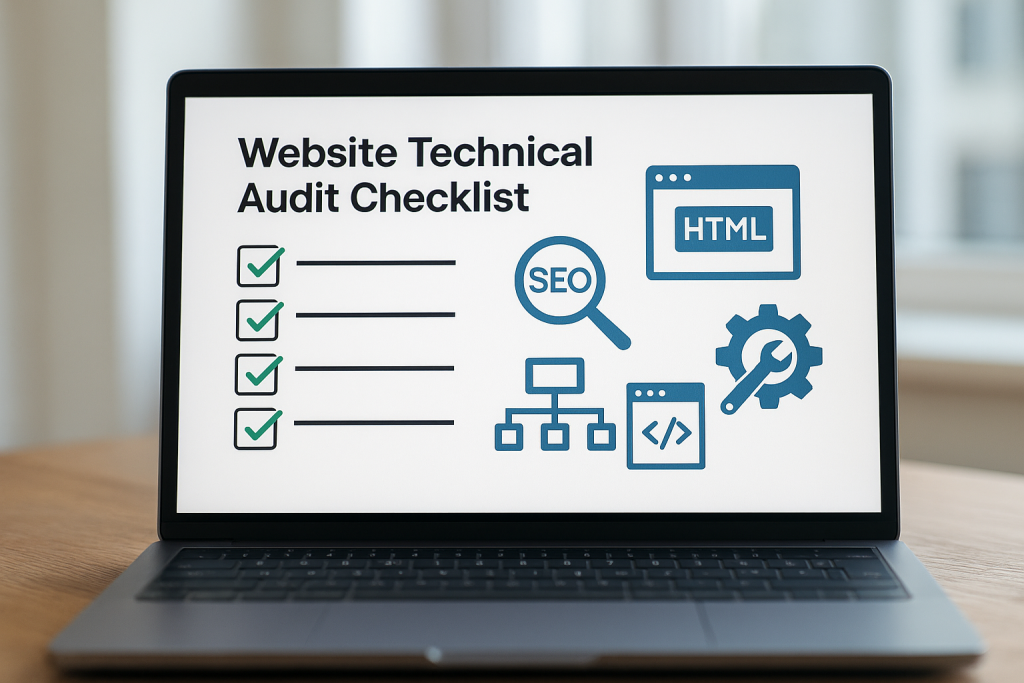
    Laptop showing a website technical audit checklist with SEO and HTML icons.

    Technical SEO refers to optimisations that help search engines crawl, index and understand your website. It covers everything from the way your site is coded and structured to your XML sitemap, robots.txt file, redirects and security. 

    A technical SEO audit typically covers site architecture, URL structure, the way your site is built and coded, redirects, your sitemap and robots.txt file, image delivery and site errors. It’s an in-depth examination of a website’s infrastructure, ensuring it meets search engine guidelines for performance, indexing and ranking. 

    In practice, a website technical audit is like checking the foundation of a building: you make sure the underlying framework supports everything else and doesn’t hide structural issues.

    Why is a Technical Audit Important?

    Your website’s technical health underpins all other SEO work. Digivate compares it to a house foundation: 

    “Ignore it and you reduce the impact of every other SEO improvement.” 

    If Google can’t crawl important pages because of a misconfigured robots file or index them because of a stray noindex tag, then on-page and content work will go to waste. 

    Laptop showing robots.txt and noindex signals with a crawler icon.

    A website technical audit helps uncover such issues and ensures that search engines can access and interpret your content correctly. It also improves user experience because many technical tasks, such as improving page speed and mobile responsiveness, make the site easier for real people to navigate. 

    At Seek Marketing Partners, we often help clients by performing a thorough technical audit before any other SEO work — this lays the groundwork for more advanced optimisation.

    Why You Should Perform a Technical SEO Audit?

    There are several reasons to perform a technical audit regularly:

    • To detect crawling and indexing issues – Without an audit, you may not realise that bots are being blocked by your robots.txt file or that a migration introduced errors. WordStream emphasises that the robots.txt file is the first stop for any crawler and should not accidentally block important sections.
    • To identify duplicate or thin content – Duplicate pages cause search engines to struggle to choose which version to rank. An audit finds duplication and helps you consolidate it.
    • To ensure mobile-friendliness and page speed – Google uses the mobile version of a site for ranking and indexing. Slow pages and poor mobile layouts hurt both rankings and conversions.
    • To stay up to date with algorithm changes – Search engines increasingly focus on user experience and technical signals. An audit allows you to respond proactively to updates.
    • To maintain security and trust – HTTPS, secure forms and a clean server prevent warnings in browsers and help protect your visitors.

    Learn How to Conduct a Technical SEO Site Audit

    There are many ways to carry out a site audit. Below, we outline a typical approach we take when helping clients with technical SEO. You can adjust the order depending on your site’s size and complexity, but the general process covers crawlability, indexability, performance, structure, content and authority.

    1. Crawl your website

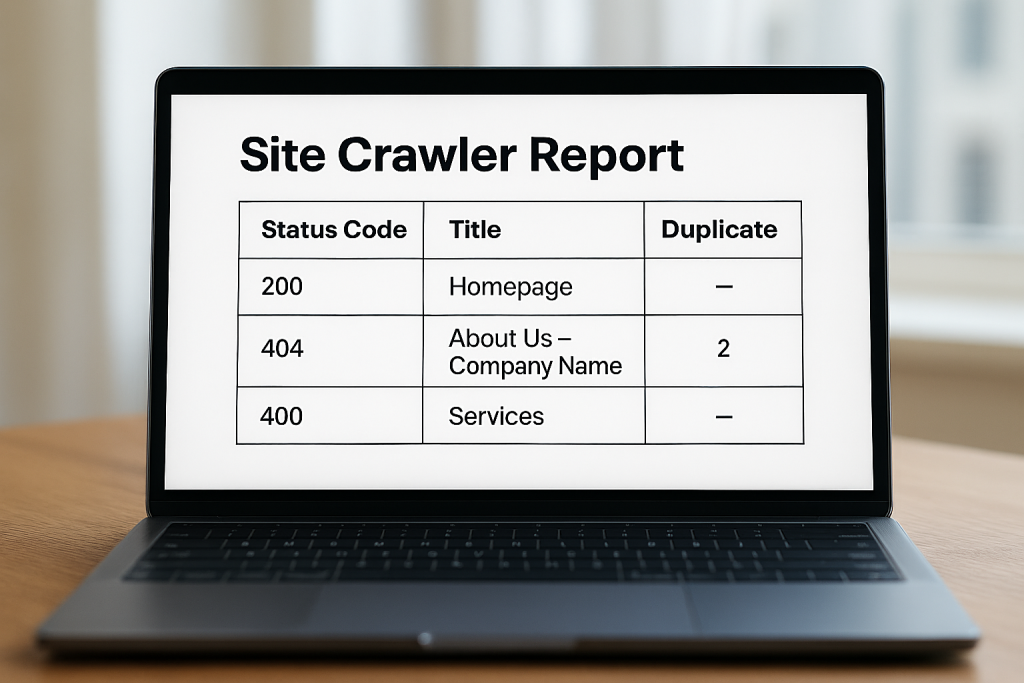
    Laptop showing a site crawler report with status codes, page titles and duplicates.

    A crawl is the starting point of any technical audit. Use technical SEO tools to scan all your URLs and gather data on status codes, canonical tags, meta directives and more. We recommend running a crawl to map out your website’s structure and identify issues. 

    At Seek Marketing Partners, when we crawl a site, we always make note of pages returning errors, redirects, duplicate titles, missing meta tags and other anomalies. Tools like Screaming Frog allow exporting these issues so you can prioritise fixes.

    2. Check crawlability and robots.txt

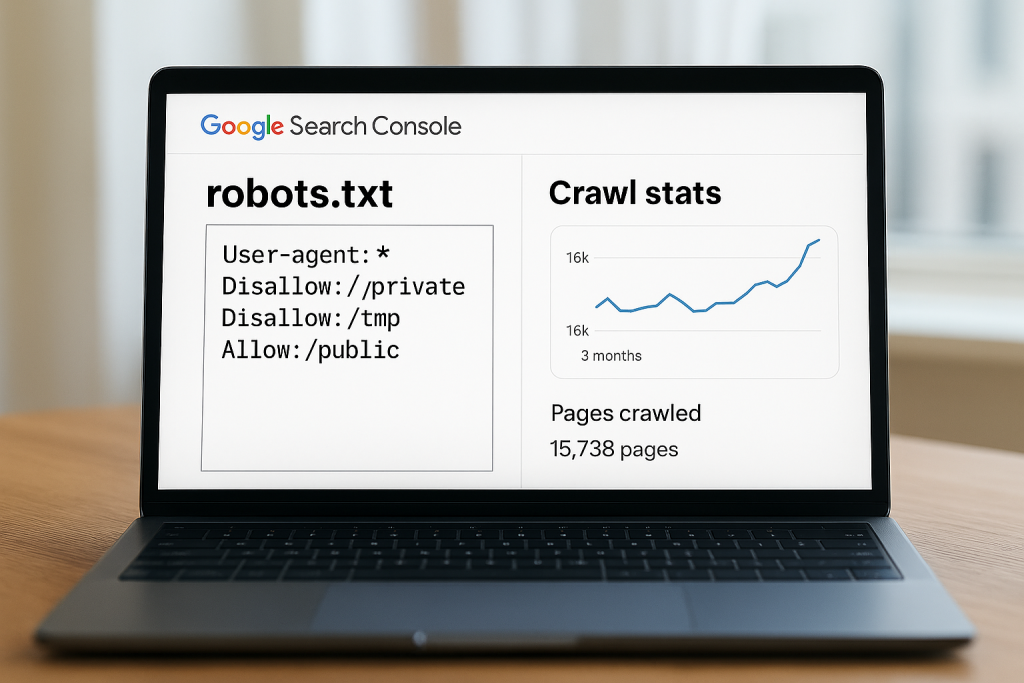
    Search engines read your robots.txt file before crawling. You can test specific URLs with Google’s robots.txt tester to see if they are blocked. 

    Laptop showing Google Search Console robots.txt rules and crawl stats.

    While you’re checking crawlability, review crawl statistics in Google Search Console’s Crawl Stats report. It shows pages crawled per day, kilobytes downloaded and time spent downloading pages. Large fluctuations may indicate broken pages or a blocked section of your site. 

    3. Confirm indexability

    Being crawlable doesn’t guarantee that your pages are indexed. Use the Coverage report in Search Console to check which URLs are valid, excluded, valid with warnings or error states. You can also inspect individual URLs to see if they are indexed and why. 

    As an SEO expert, we suggest you run a crawl with Screaming Frog to assess indexability and the reasons why some URLs are non-indexable. 

    4. Review your XML sitemap

    Your sitemap is a signpost for search engines. It should be a properly formatted XML file that contains only canonical URLs and excludes pages you don’t want indexed. We recommend including new pages when they’re added and resubmitting the sitemap in Search Console. Tools like Yoast or Screaming Frog can generate or validate sitemaps. 

    5. Ensure mobile-friendliness

    Since Google uses mobile-first indexing, your site must work seamlessly on smaller screens. We recommend checking your site with Google’s Mobile-Friendly Test and manually browsing it on different devices. 

    At Seek Marketing Partners, we help clients by ensuring responsive design, legible fonts, and easily tappable buttons. A mobile-friendly site not only improves rankings but also conversions.

    6. Optimise page speed and Core Web Vitals

    Page speed is a ranking factor and a key user-experience metric. WordStream emphasises using Google PageSpeed Insights to assess and improve your site speed. It suggests optimising images, minifying CSS and JavaScript, reducing server requests and enabling caching. 

    Typically, in our technical SEO audits, we analyse Core Web Vitals and recommend improvements like optimising assets, using a content delivery network and cleaning up third-party scripts. Faster pages reduce bounce rates and help search engines crawl more pages in less time.

    7. Check site structure and internal linking

    A clear, logical site structure helps search engines understand the relationships between your pages and ensures link equity flows efficiently. Innermedia points out that a technical audit should examine internal linking, breadcrumb navigation and URL structure. 

    We recommend a shallow hierarchy where important pages are reachable within a few clicks from the homepage. Make sure your URLs are descriptive, consistent and free of unnecessary parameters. Also, avoid orphan pages or pages with no internal links pointing to them, because they are difficult for search engine crawlers to discover.

    8. Address broken links and redirect chains

    Broken links can waste crawl resources and harm user experience. Broken internal links should be fixed to avoid crawl waste and improve navigation.

    • Use your crawl data or tools like Search Console to find pages returning 404 errors. 
    • Update or remove links pointing to these pages, or set up appropriate 301 redirects to relevant content. 
    • Also, check for redirect chains — multiple redirects in a row — and simplify them to a single 301 where possible. This speeds up crawling and improves user experience.

    9. Detect and consolidate duplicate content

    Duplicate content can confuse search engines and dilute ranking signals. WordStream warns that while there isn’t a penalty for duplication, Google may prioritise other versions of similar content instead of yours when it sees multiple copies.

    Laptop showing canonical selection between duplicate pages.

    At Seek Marketing Partners, during our technical audit, we use the crawl report to find pages with identical titles, meta descriptions or content. Implement canonical tags to indicate the preferred version, consolidate similar pages and avoid indexing printer-friendly versions. 

    In some cases, we use 301 redirects to merge pages.

    10. Secure your site with HTTPS and good practices

    Security is part of technical SEO because search engines prefer secure connections. Innermedia’s checklist includes checking the SSL certificate and ensuring forms are secure. 

    Make sure you use HTTPS across the entire site, update certificates before they expire and configure redirects from HTTP to HTTPS. 

    Mixed-content warnings like loading scripts or images over HTTP on an HTTPS page should also be resolved.

    11. Implement structured data and schema

    Structured data helps search engines interpret your content and can lead to rich results like FAQs, review stars or product snippets. Innermedia notes that a technical audit should review structured data and schema markup. 

    You should add relevant schema types and test them with Google’s Rich Results tool to ensure they are error-free. Adding structured data won’t guarantee rich snippets, but it increases your chances and improves the way search engines understand your content.

    12. Analyse backlinks and external signals

    While backlink analysis is often considered part of off-page SEO, a technical audit may surface toxic or low-quality links that need attention. We recommend performing a backlink audit to identify harmful links and maintain a healthy link profile. 

    Laptop showing referring domains and link quality metrics.

    You should look at the quantity and quality of referring domains using tools such as Google Search Console or Ahrefs. In some cases, disavowing clearly harmful links may be necessary to reinforce your authority.

    13. Review log files and crawl stats

    For large sites or complex issues, log file analysis provides insight into how search bots interact with your server. WordStream suggests that analysing server logs can reveal which pages are prioritised, areas of crawl budget waste and server responses. 

    At Seek Marketing Partners, we do this by collecting samples of log data and identifying patterns such as:

    • pages that Googlebot crawls frequently
    • pages never crawled
    • and errors.

    This information informs decisions about internal linking, crawl budget and server optimisation.

    Technical SEO Audit Checklist

    Use this checklist as a quick reference for your audit:

    • Run a crawl using Screaming Frog or a similar tool to collect data on every URL.
    • Verify robots.txt and crawl stats to ensure you aren’t blocking important pages and that crawl rates are consistent.
    • Check indexability via Search Console’s Coverage report and a crawler’s indexability columns.
    • Review and update your XML sitemap, removing ‘noindex’ pages and including canonical URLs.
    • Ensure mobile-friendliness with responsive design and Google’s Mobile-Friendly Test.
    • Improve page speed with PageSpeed Insights, optimising images, caching and server response times.
    • Check site structure and internal links – create a logical hierarchy, fix orphan pages and ensure descriptive URLs.
    • Fix broken links and simplify redirects to conserve crawl budget.
    • Resolve duplicate content using canonical tags and consolidate similar pages.
    • Enable HTTPS and ensure secure forms across your site.
    • Implement structured data where appropriate.
    • Audit your backlink profile and disavow harmful links.
    • Analyse log files and Search Console crawl stats for deeper insights.

    Bottom Line 

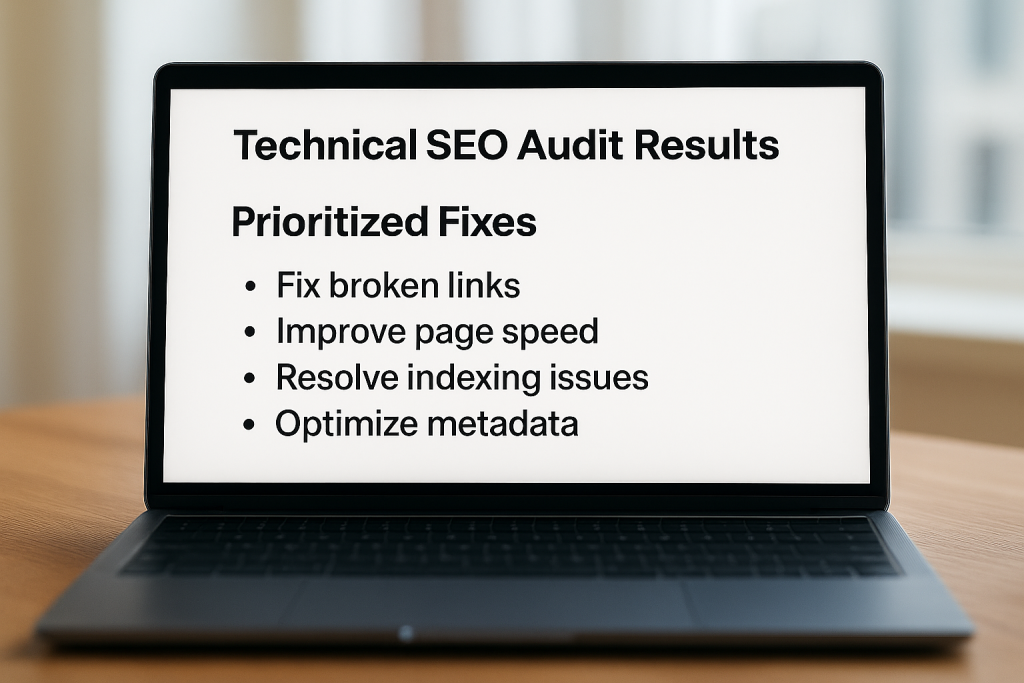
    A technical SEO audit lays the groundwork for all other optimisation work. It ensures search engines can access and interpret your site, that users enjoy fast and secure pages, and that your content has the best chance of ranking. 

    Laptop showing technical SEO audit results with prioritised fixes.

    Our approach at Seek Marketing Partners is to help clients by conducting comprehensive technical audits, prioritising issues and implementing fixes that lead to measurable improvements. 

    We typically recommend beginning with a crawl, then working through crawlability, indexability, performance, structure, content, security and backlinks in a systematic way.

    If your website’s performance has stagnated or you suspect technical barriers are holding you back, we can help. Get in touch with our SEO specialists for a personalised technical audit. We’ll identify issues, suggest clear solutions and work with you to implement them.

    For more insights on technical optimisation, check out the rest of our digital marketing blogs. Let’s make your website technically sound and ready to compete in search.

  • Boost SEO and UX with an Effective Internal Linking Strategy

    Boost SEO and UX with an Effective Internal Linking Strategy

    In search engine optimisation (SEO), mastering an internal linking strategy is a crucial factor in driving both organic traffic and improving your website’s performance. At its core, internal linking involves connecting various pages on your website through hyperlinks, which helps search engines crawl and index your content effectively.

    An effective internal linking strategy is not just about linking pages arbitrarily. It’s about strategically placing links that enhance the user experience and guide both search engines and visitors to relevant content. This guide will explore best practices, how internal linking influences SEO, and the key steps you should follow to craft a successful internal linking plan for your website.

    What Is an Internal Linking Strategy?

    An internal linking strategy is a plan that outlines how you’ll connect the pages within your website. Unlike external links, which direct traffic to other domains, internal links point to other pages within your domain. When executed correctly, internal linking not only boosts your SEO but also helps visitors find related content easily.

    By following a well-structured strategy, you ensure that all the pages on your site are accessible to search engines. Additionally, you can guide users through the content on your site, leading them to relevant pages that keep them engaged longer.

    Why Is Internal Linking Crucial for SEO?

    Internal linking plays a significant role in improving your website’s visibility in search engine results pages (SERPs). Here’s how:

    Improved Crawlability and Indexing

    Search engines use crawlers to index your content, and internal linking and SEO work hand in hand to ensure that your website is fully indexed. When pages are linked internally, crawlers can easily discover and index them, allowing you to rank for a broader range of keywords.

    Distribution of Link Equity

    Internal links distribute link equity (also known as “link juice”) across your website. This means that the authority gained from backlinks pointing to one page can be passed on to other pages within your site, increasing their ability to rank higher.

    Enhanced User Experience

    A good internal linking strategy isn’t just about SEO; it’s also about user experience. By guiding users to related content, internal links encourage them to explore more of your site, increasing the time they spend on your pages and reducing bounce rates.

    Internal Linking Best Practices

    To make the most of your internal linking strategy, here are several best practices you should follow.

    Website icon with an anchor and speech bubble labelled “TEXT”.

    Use Descriptive Anchor Text

    Anchor text is the clickable text in a hyperlink. For SEO purposes, it’s essential to use descriptive anchor text that clearly indicates the content of the linked page. Avoid generic phrases like “click here,” and instead, use keyword-rich anchor text to help both users and search engines understand the destination page’s relevance.

    For example, if you’re linking to a page about SEO audits, use anchor text like “SEO audit services” rather than just “services.” This not only improves internal linking and SEO but also enhances the clarity for your readers.

    Website icon with a document and chain link, with arrows pointing left and right.

    Link to and from Content-Rich Pages

    Pages that are rich in content, such as blog posts or cornerstone articles, should serve as hubs for internal linking. These pages often generate high traffic and can distribute link equity to other important pages on your site. In turn, you should link from these content-heavy pages to other relevant pages within your website to maximise the SEO benefit.

    Website icon showing a home page linked to three smaller pages below.

    Use a Logical Linking Structure

    Your internal linking structure should reflect your site’s hierarchy. The homepage typically has the most authority, and linking from here to other important pages, like category or service pages, helps transfer that authority throughout the site.

    Website icon with crossed anchors in the centre.

    Avoid Over-Optimising Anchor Text

    While it’s important to use descriptive anchor text, over-optimising it can lead to penalties from search engines. Google’s algorithm looks for natural and varied link structures, so avoid excessive use of exact-match keywords in your anchor text. Instead, focus on diversity and relevance.

    Website icon with a document, chain link and refresh arrow.

    Add Internal Links to Older Content

    Over time, older blog posts or pages may accumulate valuable link equity. By regularly updating these posts and adding internal links to newer content, you not only improve their SEO but also ensure they remain relevant. Internal linking is a powerful tool for keeping older content alive and engaging.

    Ready to boost your website’s SEO with effective internal linking? Explore how our expert Search Engine Optimisation services can help improve your rankings and drive more traffic.

    How to Build an Effective Internal Linking Strategy

    Start with a Site Audit

    Before implementing any internal linking, conduct a thorough audit of your website’s existing content. Identify which pages are the most important and which ones could benefit from additional internal links. Tools like Screaming Frog or Google Search Console can help you track your site’s structure and identify linking opportunities.

    Focus on Key Pages

    While every page on your site should be linked to others, focus on boosting the SEO of your key pages. These might include your homepage, service pages, and cornerstone content. Make sure these pages are well-connected with other relevant content to ensure they get the link equity they deserve.

    Prioritise User Experience

    At the end of the day, the best internal linking strategy is one that puts the user experience first. Links should feel natural and enhance the user’s journey through your site. Don’t place links where they don’t add value, and avoid overcrowding your pages with too many links.
    Monitor and Update Your Links

    Your internal linking strategy is not a one-time task. As your site grows and you add more content, you should regularly revisit your internal links to ensure they remain relevant and effective. Use tools like Google Search Console to monitor how your internal links are performing and where you can improve.

    To make sure your strategy is optimised for both search engines and users, it’s essential to integrate strong technical SEO practices. Learn more about improving your website’s technical foundation with our Technical SEO services.

    Common Mistakes to Avoid in Internal Linking

    Too Many Links on a Page

    Although internal linking is important, adding too many links can overwhelm your users and dilute the link equity passed from each one. Keep the number of internal links on each page reasonable and focus on quality over quantity.

    Ignoring Mobile Optimisation

    With the rise of mobile browsing, it’s crucial to ensure that your internal links work seamlessly across all devices. Ensure that your links are easy to click on mobile screens, and the user experience remains fluid.

    Linking to Irrelevant Content

    Internal links should only point to relevant pages. If you link to unrelated content, you risk confusing your users and search engines alike. Always ensure that your internal links serve the user’s needs and improve the content’s context.

    The Role of Internal Linking in Content Strategy


    Your internal linking strategy should work in harmony with your content marketing efforts. As you create more content, think about how each piece fits into your overall SEO and internal linking plan. By planning your content with internal linking in mind, you ensure that each new post contributes to the larger SEO strategy.

    While internal linking best practices should focus on SEO and user experience, don’t forget to guide users to conversion-focused pages. Whether it’s a contact page, service offering, or product page, your internal links should help guide users to take the next step in their journey.

    To truly maximise the power of your internal linking strategy, ensure it’s aligned with your content marketing efforts. If you need expert guidance on crafting content that drives results, explore our comprehensive Content Marketing services.

    Advanced Internal Linking Strategies

    Use “Siloing” for Content Organisation

    One of the most advanced strategies is siloing your content. This involves grouping related pages together and linking them in a way that reflects their relationship to one another. By structuring your content into well-defined topics or silos, you help search engines better understand the context of your content and improve your rankings for topic-specific searches.

    Create Pillar Pages for Major Topics

    A pillar page is a comprehensive, authoritative resource on a broad topic. This page acts as the central hub of related content, with internal links leading to more specific articles on subtopics. This method not only strengthens your internal linking strategy but also helps to establish authority on key subjects.

    Implement Breadcrumb Navigation

    Breadcrumbs are a type of secondary navigation system that shows the user’s path from the homepage to the current page. Not only do breadcrumbs enhance the user experience, but they also create additional internal links that improve SEO by establishing content hierarchy and relevancy.

    Creating a Winning Internal Linking Strategy

    An effective internal linking strategy can significantly boost your website’s SEO performance while enhancing user engagement. By following the best practices outlined in this guide, you can create a robust internal linking system that supports both your SEO goals and user experience.

    Remember, the key to successful internal linking is to make it natural, user-focused, and strategically placed. As your website grows, continue to audit and optimise your links to maintain a strong internal linking structure that supports long-term success.

  • Hreflang: Optimising Your Website for Multilingual SEO

    Hreflang: Optimising Your Website for Multilingual SEO

    If your website targets an international audience, simply translating content isn’t enough. Search engines need to understand which version of your website to show to users in different languages or regions. This is where hreflang comes in. By correctly implementing alternate URLs, you can improve user experience, avoid duplicate content issues, and ensure that your content reaches the right audience in the right language.

    What is Hreflang?

    Introduced by Google in December 2011, hreflang is an HTML attribute that signals to search engines the relationship between different language or regional versions of the same page. Essentially, it tells search engines, “This page has other versions in different languages or regions.”

    A basic implementation looks like this:

    <link rel="alternate" hreflang="es" href="https://example.com/es/" />

    In this example, Google will recognise that a Spanish version of the page exists and can serve it to users in Spain or those with Spanish-language preferences.

    Hreflang can also specify regional variations of the same language. For example, Spanish content for Spain (es-ES) differs slightly from Spanish content for Mexico (es-MX):

    <link rel="alternate" hreflang="es-ES" href="https://example.com/es-es/" />
    <link rel="alternate" hreflang="es-MX" href="https://example.com/es-mx/" />

    Why Hreflang Matters for SEO

    Without hreflang, search engines may treat multiple language versions of your website as duplicate content, which can hurt your rankings. While the canonical tag tells search engines which page is the “main” version, hreflang tags inform them which page is appropriate for a specific language or region.

    Even though language tags don’t directly improve rankings, it ensures the right content is served to the right users, reducing bounce rates and improving engagement – factors that indirectly benefit SEO.

    Struggling to manage multiple markets or regions? Our team helps international websites structure their search strategy properly, eliminate technical conflicts, and make sure every audience lands on the right version of your site. Get expert support to fix international SEO issues at scale.

    How Hreflang Works

    This attribute can be implemented in three main ways:

    1. HTML <head> section: Most common for standard web pages. Each page should include links to all language versions, including itself.

    <link rel=”alternate” href=”https://example.com/” hreflang=”en” />
    <link rel=”alternate” href=”https://example.com/es/” hreflang=”es” />
    <link rel=”alternate” href=”https://example.com/de/” hreflang=”de” />

    2. HTTP headers: Useful for non-HTML files, such as PDFs. The syntax is similar:

    Link: <https://example.com/es/manual.pdf>; rel="alternate"; hreflang="es"

    3. XML sitemaps: Best for large-scale websites with many multilingual pages. Each URL includes all alternate language links, for example:

    <urlset xmlns="http://www.sitemaps.org/schemas/sitemap/0.9"
    xmlns:xhtml="http://www.w3.org/1999/xhtml">
    <url>
    <loc>https://example.com/</loc>
    <xhtml:link rel="alternate" hreflang="en" href="https://example.com/" />
    <xhtml:link rel="alternate" hreflang="es" href="https://example.com/es/" />
    <xhtml:link rel="alternate" hreflang="de" href="https://example.com/de/" />
    </url>
    </urlset>

    A critical point is that alternate URLs must be bidirectional. That is, each language version must reference all other versions, including itself, to ensure search engines understand the full structure of your website.

    If this setup already feels complex, that’s because it is. We help businesses audit, implement, and maintain technically sound international setups that scale properly and don’t fall apart over time. Learn how our technical SEO specialists identify and fix structural issues before they impact performance.

    Using x-default for Unknown Languages

    Sometimes users arrive at your site with a language preference that isn’t available. The x-default hreflang tag lets search engines know which version should be shown as a fallback:

    <link rel="alternate" hreflang="x-default" href="https://example.com/" />

    This ensures visitors don’t land on the wrong language page, improving both user experience and SEO outcomes.

    Common Errors to Avoid

    Implementing geotargeting signals incorrectly can reduce its effectiveness. Here are common mistakes:

    • Missing self-references: Each page must include an hreflang tag pointing to itself.
    • Incorrect ISO codes: Always follow ISO 639-1 for language codes and ISO 3166-1 for regions. For example, use en-gb for the UK, not en-uk.
    • Outdated or broken URLs: Ensure all URLs in the tags actually exist.
    • Conflicts with canonical tags: Avoid using canonical and hreflang together on the same page if it could cause contradictory signals.
    • Ignoring x-default: Failing to set a default page may reduce the reach of your multilingual content.

    These issues rarely appear in isolation. On large or multi-region websites, they usually point to deeper structural problems that need a joined-up SEO approach. Our enterprise SEO team works with complex sites to resolve these risks at scale and keep international visibility stable as your business grows.

    Best Practices for Implementation

    • Use consistent URLs across all language versions to avoid confusion and ensure search engines index the correct pages.
    • Ensure bidirectional linking among all versions – each page should reference every other relevant language version, including itself.
    • Specify a default page using x-default for users whose language or region isn’t explicitly listed.
    • Verify hreflang with reliable tools:
    • For large websites, consider implementing these tags in XML sitemaps to streamline management and reduce errors across hundreds or thousands of pages.
    • Regularly audit your setup, especially after URL or content changes, to prevent broken references and outdated tags.
    • Double-check ISO language and country codes to ensure correct implementation (en-gb for UK English, not en-uk).

    Hreflang Tags and Website Performance

    Proper use of hreflang tags ensures that your website performs optimally for an international audience. Search engines serve the correct language version to users, decreasing bounce rates and improving engagement metrics. This indirectly supports SEO by enhancing the website’s credibility and user satisfaction.

    In addition, correctly implemented alternate URLs reduces the risk of duplicate content issues, which can otherwise dilute your ranking potential. For companies targeting multiple regions, this makes alternate URLs a foundational part of their SEO strategy.

    Optimise Your Multilingual Website Effectively

    Hreflang is essential for websites targeting multiple languages or regions. By signalling to search engines which version of your page is appropriate for each audience, you can improve user experience, avoid duplicate content issues, and enhance the effectiveness of your SEO strategy.

    Whether you implement it in HTML, HTTP headers, or sitemaps, following best practices and avoiding common errors ensures that your international website reaches the right users at the right time. Tools like SISTRIX and Google Search Console simplify this process, making the implementation manageable even for large websites.Investing the effort into properly using hreflang will pay off in long-term visibility, engagement, and international growth.

  • How to Get Rich Snippets for Your Website: A Complete Guide

    How to Get Rich Snippets for Your Website: A Complete Guide

    Digital marketing professionals know that standing out in search results is no longer just about ranking. Rich snippets are enhanced search results that display additional information, like ratings, prices, and images, directly in Google’s Search Engine Results Pages (SERPs). These snippets don’t directly impact rankings, but they significantly improve click-through rates (CTR) and user engagement, giving your website a competitive edge.

    In this guide, we’ll explain what rich snippets are, why they matter for SEO, the different types you can implement, and how to get rich snippets using structured data, particularly JSON-LD. By the end, you’ll understand how to enhance your search listings and drive more qualified traffic to your site.

    What is a Rich Snippet and Why It Matters

    A rich snippet is a search result that goes beyond the standard “blue link” snippet. It can include star ratings, product pricing, author images, event dates, and more. Unlike normal snippets, rich snippets give users more context about your content at a glance, which makes your listing more visually appealing and trustworthy.For example, a recipe with a rich snippet can display cooking time, ingredients, and a photo directly in the SERP. A product page can show availability, price, and reviews without users even visiting the page.

    Why it matters:

    • Improved CTR: Listings with rich snippets can get up to 20–30% higher click-through rates.
    • Enhanced visibility: They stand out visually in crowded SERPs.
    • User trust: By showing accurate details upfront, users perceive your brand as credible.

    While Google doesn’t consider rich results as a direct ranking factor, the increased engagement they drive can influence ranking indirectly over time.

    The Difference Between Snippets, Rich Results, and SERP Features

    Snippet

    The standard search result shows the page title, URL, and a short description. 

    It provides basic information to users but doesn’t visually stand out in search results.

    Rich snippet / Rich result

    This is an enhanced listing that includes extra details like star ratings, images, prices, or FAQs. 

    These added elements make your result more eye-catching and informative, encouraging more users to click through to your site.

    SERP features

    These are special elements like carousels, knowledge panels, or “people also ask” boxes that provide additional context or related information directly in the search results.

    While not all can be controlled, structured data can influence some features and increase your page’s visibility.

    Understanding and optimising for these different result types helps your content attract attention, drive clicks, and improve overall search visibility.

    Ready to make your website stand out in search results? Explore our Technical SEO services to implement structured data, optimise your pages for rich results, and boost your organic visibility.

    Types of Rich Snippets You Can Implement

    There are multiple types of rich results, each serving different purposes and suitable for different kinds of content:

    Product Snippets

    Display product price, availability, and user ratings. Perfect for e-commerce sites to provide instant info to potential buyers.

    Review Snippets

    Showcase star ratings and reviews for products, services, or even courses. These snippets build credibility and trust.

    FAQ Snippets

    Highlight questions and answers directly in the search results, improving the user experience and answering queries without extra clicks.

    Event Snippets

    Show details about concerts, workshops, or conferences, including dates, locations, and ticket availability.

    Organisation Snippets

    Provide company information like name, logo, contact details, and social profiles to enhance brand recognition.

    Recipe Snippets

    Display ingredients, cooking time, ratings, and calorie info for food content.

    Each snippet type is implemented using structured data, and your choice depends on the type of content your page contains.

    Best Practices for Optimising Rich Snippets

    To maximise the effectiveness of rich snippets, follow these best practices:

    • Include accurate pricing, stock status, and high-quality images for products. Each product page should focus on a single item to avoid confusing search engines and users, and detailed, precise information increases the chances of your snippet being displayed. Before uploading product images, use an AI tool to remove object from photo so your visuals are clean, accurate, and more likely to be picked up for product rich results.
    • Encourage genuine customer reviews and ensure they are regularly updated. Using aggregate ratings can provide a quick snapshot of overall satisfaction, building trust with potential buyers and improving click-through rates.
    • Update your FAQs frequently to reflect the questions your audience is actually asking. Keep answers clear and directly relevant, providing helpful information that users can quickly consume without leaving the search results.
    • Include only relevant events and ensure every detail, including date, location, and ticket information, is correct. Accurate event markup helps search engines display your listings prominently and ensures users can take immediate action.
    • Provide complete and correct organisation information, including your logo, official social profiles, and contact details. This helps search engines verify your business and increases brand credibility in search results.

    Consistency, accuracy, and clarity are key across all snippet types. Misleading or outdated information can reduce trust, harm user experience, and even lead to penalties from search engines.

    Want expert help optimising your pages for rich snippets? Check out our On-Page SEO services to boost your visibility, improve CTR, and ensure your structured data is fully compliant.

    What is Structured Data and Its Role in Rich Snippets

    Structured data is a standardised format that tells search engines what your content is about. By implementing structured data, Google can understand your content more effectively and display it as rich snippets.

    There are three main formats for structured data:

    • JSON-LD (JavaScript Object Notation for Linked Data): Google’s recommended format for its simplicity and flexibility.
    • Microdata: An HTML-based format that nests metadata within the content.
    • RDFa (Resource Description Framework in Attributes): Used mainly in academic or semantic web applications.

    JSON-LD is the preferred format for structured data because it can be added to your site without altering the existing HTML structure, making implementation simpler and less disruptive. It is also easier to maintain and update over time, allowing you to make changes quickly without breaking your code. 

    Additionally, JSON-LD supports complex data structures, enabling you to provide detailed information to search engines without complicating your website’s underlying code. For most websites, JSON-LD is the most efficient method for adding structured data.

    How to Get Rich Snippets Using JSON-LD

    Here’s a step-by-step guide to getting rich snippets with JSON-LD:

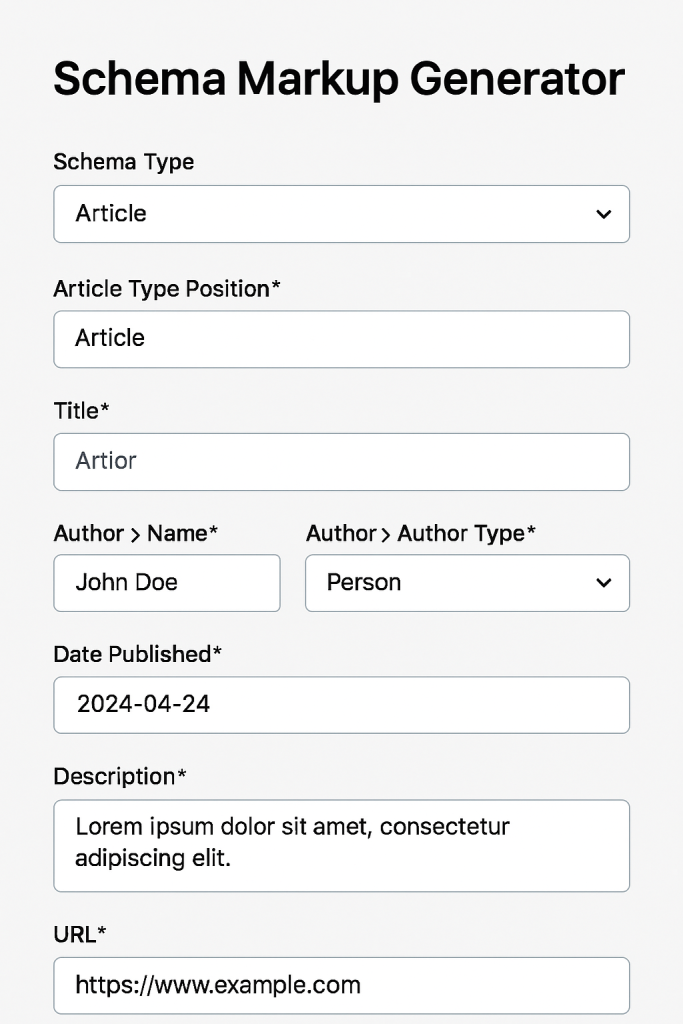
    Schema markup generator form with article fields, author details and URL.

    Step 1: Generate Your Schema Markup

    You can use tools like:

    Choose the schema type matching your content (Product, Review, FAQ, Event, etc.) and fill in the required fields.

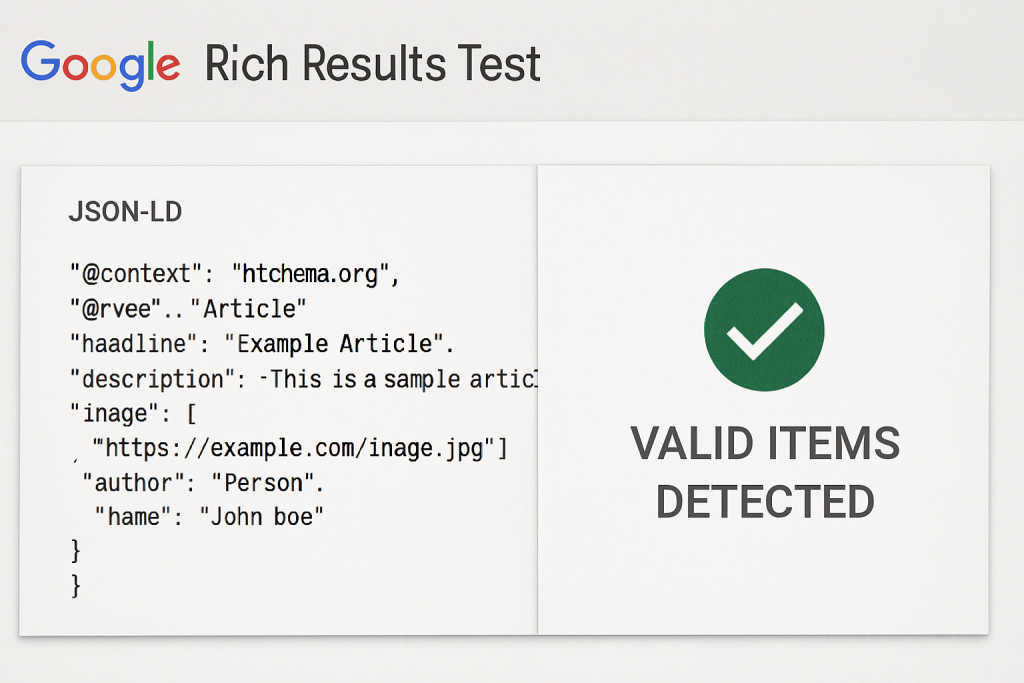
    Google Rich Results Test showing JSON-LD code and valid items detected.

    Step 2: Validate Your Markup

    Before implementing, check your code using:

    Paste your JSON-LD code and confirm that Google detects all items correctly. Valid markup ensures eligibility for rich results.

    Close-up of HTML code with meta tags and schema markup on a dark screen.

    Step 3: Add Code to Your Website

    Ensure that the visible content matches the structured data to prevent errors.

    Add the JSON-LD snippet to the <head> or <body> of your HTML.

    Avoid duplicate or conflicting schemas on the same page.

    Google Search Console performance dashboard showing clicks, impressions, CTR and indexing cards.

    Step 4: Monitor and Maintain Your Snippets

    Even valid code can break over time due to updates or conflicts. Use tools like:

    • Ahrefs Site Audit – to identify structured data issues and prioritise fixes based on traffic potential.
    • Google Search Console – to track “valid items” and fix warnings or errors promptly.

    Regular monitoring ensures your pages remain eligible for rich results and continue driving high CTR.

    Want to make the most of the increased traffic and clicks from your rich results? We can help turn that extra visibility into measurable business results. Explore our Conversion Rate Optimisation services to start boosting conversions today.

    Are Rich Snippets Worth the Effort?

    Definitely! Implementing rich snippets is a practical way to make your search listings more engaging and informative. They:

    • Increase click-through rates and attract more qualified traffic.
    • Enhance brand credibility and trustworthiness.
    • Improve user experience by answering questions before users click.

    Even if they don’t directly boost your rankings, the additional engagement can indirectly improve SEO performance over time.

    Ready to Boost Your Click-Through Rates?

    Don’t let competitors capture attention with visually appealing search results. By implementing structured data and rich results, your website can stand out, attract more traffic, and drive higher conversions.

    Take the next step: Audit your site today, implement the right schema, and start seeing the benefits of rich snippets in your search results.

  • Schema Markup: Boost Your Website’s SEO and Visibility

    Schema Markup: Boost Your Website’s SEO and Visibility

    In today’s crowded digital landscape, having great content is no longer enough. If search engines cannot understand your pages, your content may never reach the right audience. This is where schema markup comes in. By adding structured data to your website, you help search engines interpret your content accurately, making it more likely to appear in enhanced search results.

    But what exactly is schema markup, and how can it benefit your site? In this guide, we’ll break down the fundamentals, explain why it matters, and show you how to implement it effectively.

    What is Schema Markup?

    Schema markup, also known as structured data, is a type of code added to your website that helps search engines understand the meaning behind your content. While humans can easily recognise a recipe, a product listing, or an event, search engines rely on this to identify these elements accurately.

    Think of this as a pair of glasses for search engines – it clarifies your content and ensures nothing gets lost in translation. With the right markup, your pages can appear as rich results in search engines, displaying extra details like ratings, cooking times, event dates, or product prices.For example, a recipe page with schema markup may show not only the title and URL but also star ratings, prep time, and calories right in Google’s search results. This not only improves visibility but also encourages users to click through to your website.

    In short, schema markup transforms your content from something search engines simply index to something they can interpret and showcase more effectively.

    Why Schema Markup Matters for SEO

    Implementing schema markup is more than just a technical exercise — it directly impacts how your content performs in search results. When search engines can clearly understand your content, they are more likely to display it in rich results, which stand out from standard listings.

    Rich results often include images, ratings, prices, event details, or FAQs, making your page more attractive and clickable. This can lead to:

    • Higher click-through rates (CTR): Users are drawn to pages with additional visible information.
    • Better indexing: Search engines can categorise and display your content more accurately.
    • Increased visibility in voice search: Devices like Google Home and Alexa often rely on structured data to pull precise answers.

    While schema markup alone won’t guarantee a #1 ranking, it complements quality content and domain authority, making your pages more competitive in search results. Simply put, structured data helps search engines help your users.

    Ready to boost your site’s SEO performance? Explore professional Search Engine Optimisation services to implement schemas effectively and improve your visibility.

    Types of Schema Markup

    Schema markup comes in many types, each designed to describe different kinds of content. Implementing the right types ensures that search engines can fully understand your pages and display them effectively in rich results. Here’s a more detailed look:

    WebPage

    The WebPage schema tells search engines that a page is a standard webpage and provides basic information about it. This is a foundational markup, often used site-wide, and can be combined with other schemas like BreadcrumbList to clarify page hierarchy.

    Example: Your homepage, an “About Us” page, or a service page can all use WebPage markup to establish their role on the website.

    BreadcrumbList

    BreadcrumbList schema adds a trail of links showing the page’s location within your website’s structure. This helps both users and search engines understand the site hierarchy.

    Example: For an eCommerce site, a product page might show Home > Category > Subcategory > Product in the breadcrumbs. When marked up, these breadcrumbs can appear in Google’s search results.

    Organisation

    The Organisation schema provides structured information about your business, including your name, logo, contact details, and social media profiles. This helps Google display enhanced results like Knowledge Panels.

    Example: Adding Organisation schema ensures your business appears correctly in search results and Google Maps, improving credibility and local visibility.

    Article & BlogPosting

    Article and BlogPosting schema enhance news or blog content by specifying details like the headline, author, date published, and images. They are essential for publishers who want to appear in rich search features.

    Example: A blog post about SEO tips could use BlogPosting markup to display the title, author, publish date, and even featured images in search results.

    Product & Offer

    These schemas are vital for eCommerce. Product schema provides details like product name, description, SKU, and brand. Offer schema adds pricing, availability, and sales info. When combined, they often display as rich product snippets with star ratings, price, and stock status.

    Example: A product page for headphones could show price, availability, and reviews directly in Google search results.

    Review & Rating

    Review schema lets search engines understand user ratings and reviews. Pages with reviews can appear in rich snippets with stars, boosting click-through rates.

    Example: A restaurant page could display star ratings from multiple reviewers in search results, helping it stand out from competitors.

    Event

    Event schema highlights upcoming events such as concerts, workshops, or conferences. It can include date, location, ticket price, and organiser information.

    Example: A concert venue could have structured data for each event, making it more likely to show in event-specific rich results on Google.

    FAQPage & QAPage

    FAQPage schema allows you to mark up a list of questions and answers, making them eligible for rich results with expandable sections. QAPage schema works for community Q&A or forums.

    Example: A product FAQ page could display the top questions directly in Google’s search results, giving users immediate answers.

    LocalBusiness & Place

    For local businesses, LocalBusiness schema is essential. It provides business type, address, phone, opening hours, and geo-coordinates. Place is broader and can describe locations like parks, landmarks, or museums.

    Example: A café can use LocalBusiness markup to appear in Google’s local pack with opening hours and location.

    Creative Works

    This includes Book, Movie, MusicRecording, Recipe, and TVSeries. These schemas are for media content, allowing rich search features like review stars, cooking time, or streaming availability.

    Example: A recipe page with Recipe schema could display prep time, calories, ingredients, and user reviews directly in Google search results.

    By using multiple schema types strategically, you increase the chances of your content appearing in various rich results, enhancing visibility, CTR, and user engagement.

    How to Add Schema Markup

    Adding schema markup to your website doesn’t have to be intimidating. While it involves a bit of code, there are simple ways to implement it and make your pages eligible for rich results.

    1. Choose the Right Schema Type

    Before adding a schema, identify the type that fits your content. For example:

    • Blog posts → BlogPosting
    • Product pages → Product and Offer
    • Local businesses → LocalBusiness
    • FAQs → FAQPage

    Start with the schema that will give the most value in search results for your users.

    2. Use JSON-LD Format

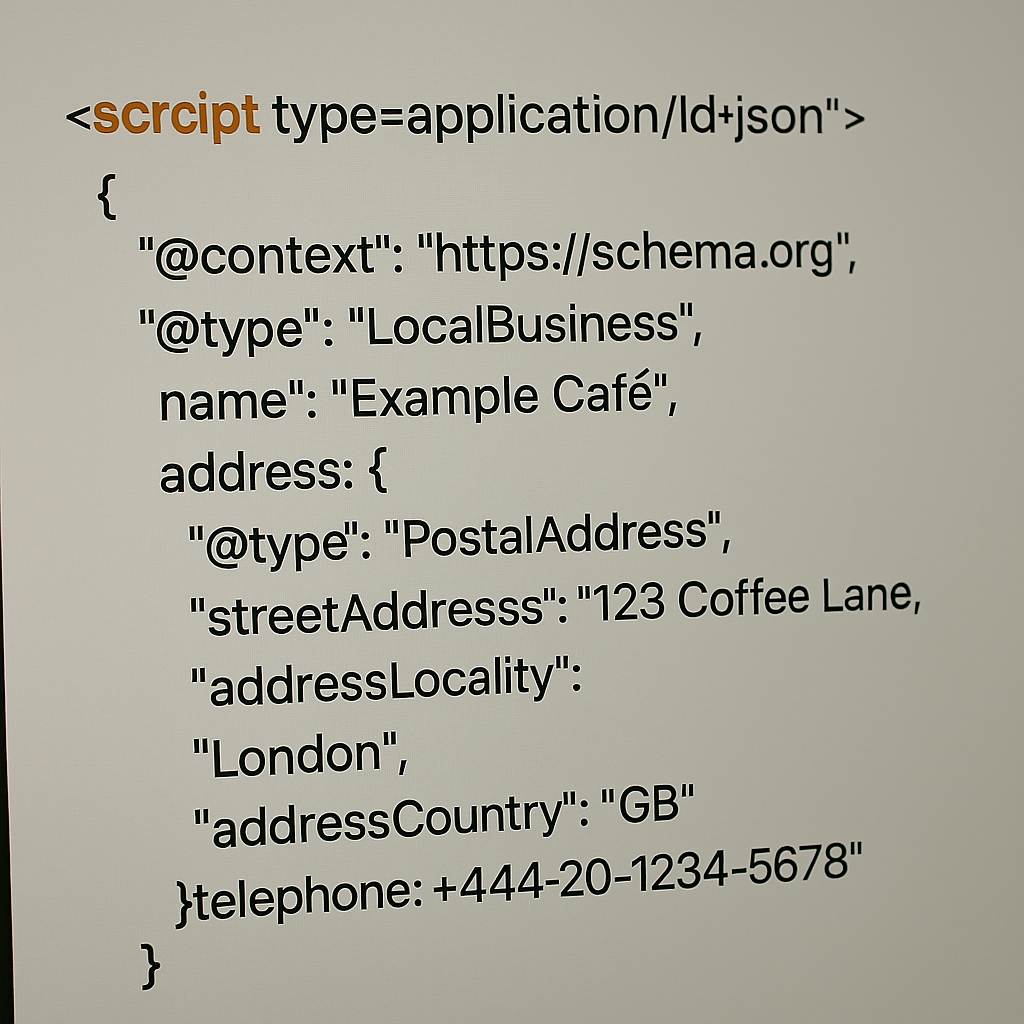
    There are three main ways to implement schema: RDFa, Microdata, and JSON-LD. Google recommends JSON-LD because it is easier to implement, keeps your code clean, and is less prone to errors. JSON-LD is usually added within a <script type=”application/ld+json”> tag in your page’s <head> or <body>.

    Example of simple JSON-LD for a local business:

    Local business schema code displayed on a plain background.

    3. Add Schema Sitewide or Page-by-Page

    • Sitewide: For schemas like WebPage or BreadcrumbList, you can add the markup globally through your CMS, theme settings, or via Google Tag Manager.
    • Page-specific: For schemas like Product, Article, or FAQPage, you’ll need to add the JSON-LD directly to the relevant page. Many CMS platforms allow a custom script field in the page settings for this purpose.

    4. Use Schema Markup Generators

    If you don’t want to write code manually, there are free generators like TechnicalSEO.com Schema Generator or Google’s Structured Data Markup Helper. Input your content details, and they will produce JSON-LD markup ready to add to your site.

    5. Test and Validate

    After implementing schemas, it’s crucial to test it:

    Always fix errors – warnings are optional, but can help improve your markup. Proper validation ensures search engines can read and display your structured data correctly.

    Need help adding schemas to your website? Check out our professional Web Development services to get your pages fully optimised and eligible for rich results.

    How Schema Markup Works

    Now that you know how to add schema markup, let’s explore how it works behind the scenes.

    Communicating with Search Engines

    Schema markup acts as a “translator” between your content and search engines. It provides context to your pages, helping search engines understand the type of content, key elements, and how users might interact with it.

    For example, a recipe page without schema may only show a title, URL, and meta description. With Recipe schema, search engines can pull prep time, ingredients, calories, and ratings to display a rich snippet. This extra clarity can boost visibility and click-through rates.

    Enabling Rich Results

    When search engines read schema markup, they can create rich results: enhanced listings on search pages with images, ratings, breadcrumbs, event dates, and more. Rich results are visually appealing and occupy more space on SERPs, increasing the chance of user clicks.

    Example:

    • Simple search result: Shows title, URL, and meta description.
    • Rich result with schema: Adds star ratings, images, FAQs, or event info.

    Improving Indexing

    Search engines use schema to better categorise and index your content. By explicitly defining page elements, search engines are more confident about the relevance of your pages, which can indirectly support SEO and increase visibility.

    Supporting Voice Search

    Schema markup also helps with voice search on devices like Google Home, Alexa, or Siri. Structured data allows these assistants to extract precise answers from your pages, enabling faster, more accurate responses for queries like “Where is the nearest café?” or “Show me vegan cookie recipes.”

    Want to make your content work harder and reach more users? Explore our expert Content Marketing services to optimise your pages with effective schemas and boost search visibility.

    Where Schema Markup Displays Rich Results

    Schema markup can transform the way your pages appear in search results by enabling rich results. Unlike standard search listings that show only a title, URL, and meta description, rich results can include extra information that makes your page more engaging and clickable.Some of the common areas where schema markup can generate rich results include:

    Recipes

    When you add schema markup to a recipe page, search engines can display cooking time, ingredients, calories, and even user reviews. This makes your recipe immediately more informative to users.

    Events

    Event pages with schema can show dates, times, locations, and ticket availability right in the search result. Users can quickly see if the event suits them without visiting the page first.
    Products and Offers

    Product pages benefit from review stars, pricing, availability, and promotions being displayed directly in search results. This can improve click-through rates and give your page more visibility.

    Articles and Blog Posts

    News articles or blog posts can show featured images, publication dates, and author information. This increases trust and signals freshness, which can improve user engagement.

    Local Businesses

    LocalBusiness schema can enhance Google’s display of your business with contact details, location, and operating hours. This is especially useful for users searching on mobile devices.

    FAQs and Q&A

    Pages with frequently asked questions can display expandable answers directly in search results. This allows users to find the information they need immediately, reducing bounce rates.

    Videos

    Video schema lets search engines show a preview thumbnail, duration, and description. Users are more likely to click when they can see exactly what the video offers.

    Breadcrumbs

    Breadcrumb markup shows a trail of pages in your website hierarchy. It helps search engines understand site structure and improves navigation for users directly in the search results.

    Voice Search and Speakable Content

    With the rise of smart assistants, schema can help content be read aloud via text-to-speech (TTS) using Google’s Speakable markup. This opens opportunities for voice search results.

    Using schema markup across these areas increases your chances of appearing as a rich result in search engines, making your content more visible, trustworthy, and engaging.

    Unlock the Power of Schema Markup

    Schema markup is your secret weapon for helping search engines truly understand your content. By adding structured data, your pages can stand out with rich results, attract more clicks, and improve indexing. Whether it’s products, articles, events, or local business info, the right schema gives search engines the context they need to showcase your content effectively.

    Getting started is easier than it seems. Use JSON-LD, pick the right schema types, validate your markup, and watch your website become more visible and engaging.Don’t wait – add schema markup to your pages today and turn ordinary search results into eye-catching, clickable listings that drive traffic and growth.

  • Mobile Optimisation Guide: Boost User Experience and SEO

    Mobile Optimisation Guide: Boost User Experience and SEO

    What is mobile optimisation? It means designing and delivering a website so that mobile users experience fast load times, clear navigation and search visibility on handheld devices. Recent usage patterns show mobile access dominates many industries, so mobile search optimisation improves user experience, search rankings and conversion rates when executed correctly. 

    This guide explains responsive design fundamentals, page speed tactics that target Core Web Vitals, and how mobile-first indexing changes SEO priorities today. You will also learn practical mobile UX design patterns, advanced visibility tactics such as structured data and local optimisation, and the best tools and KPIs for ongoing monitoring. 

    The Importance of Responsive Website Design for Mobile Optimisation

    Responsive website design is an approach where layouts adapt fluidly across screen sizes using fluid grids, flexible images and CSS media queries. The mechanism uses proportional column systems and responsive images to ensure content parity while preserving visual stability and speed; the result is consistent UX and better crawlability on mobile-first search engines.

    Responsive design reduces duplicate content risk by using the same HTML and CSS across devices while adapting presentation, which supports mobile-first indexing and simplifies maintenance. Developers should treat responsive design as the foundation of mobile optimisation and validate implementations with viewport meta settings and responsive image attributes.

    How Fluid Grids and Flexible Images Enhance Mobile Responsiveness

    Fluid grids allow layout units to scale relative to viewport width, so elements reflow naturally between breakpoints without fixed pixel values. This mechanism reduces layout shifts and avoids overflow on small screens, directly improving visual stability and perceived speed for mobile users. 

    For images, using responsive images (<img srcset> and <picture>) combined with modern formats like WebP or AVIF lets the browser choose the best file for the device, reducing bytes transferred and improving LCP. 

    Implementing responsive images and fluid grids together preserves design intent while cutting load time and preventing layout thrashing during rendering.

    Media Queries Play a Role in Creating Adaptive Mobile Layouts

    Media queries drive conditional styling so layouts and typography change based on viewport characteristics rather than assumed device models. The recommended approach is content-driven breakpoints – define breakpoints where the layout needs to change, not by device names – because this ensures consistent behaviour across new screen sizes. 

    Use concise media query rules for typography scaling, grid reflow and visibility toggles, and avoid overly specific device targeting that becomes brittle as hardware evolves. Thoughtful media queries combined with progressive enhancement ensure accessibility and resilient mobile layouts.

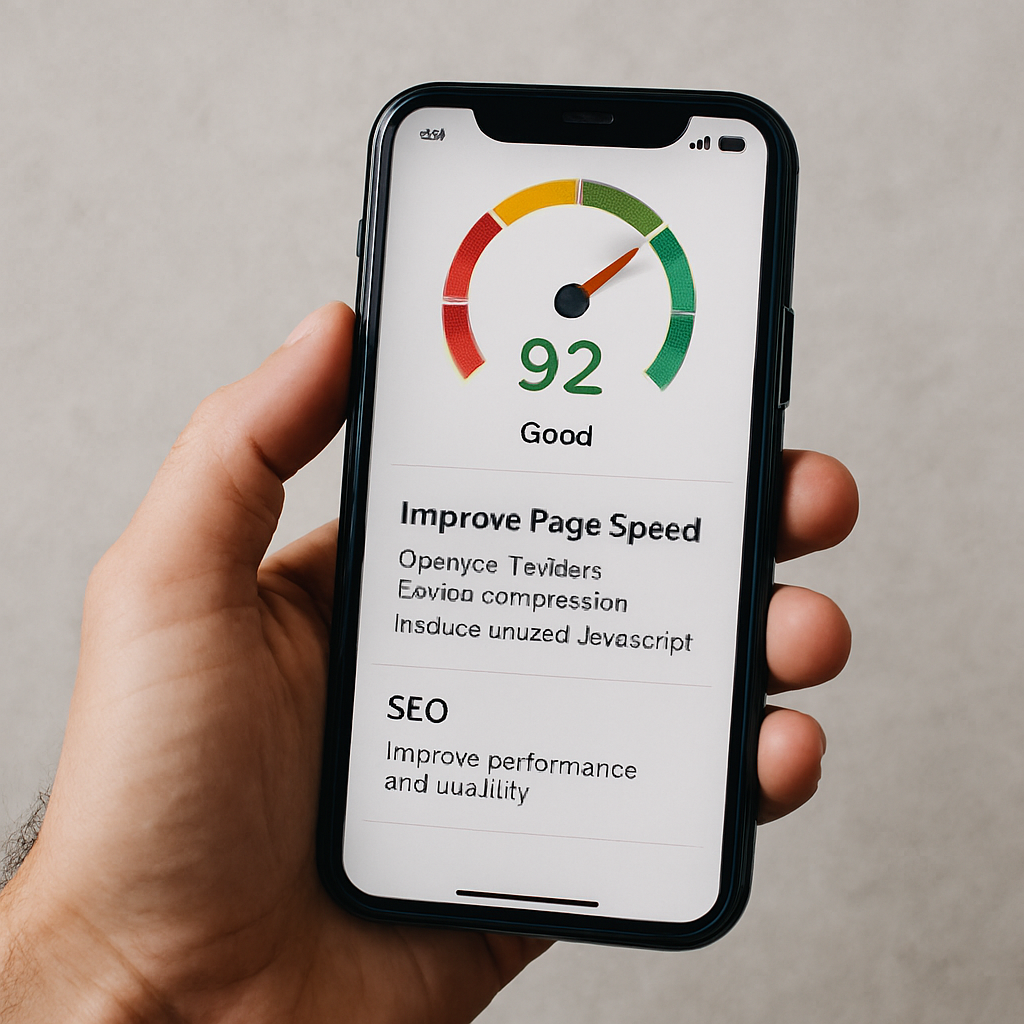
    Smartphone showing a page speed score and SEO improvement notes.

    How to Improve Mobile Page Speed to Boost UX and SEO

    Improving mobile page speed means prioritising assets and reducing critical rendering time so Core Web Vitals meet thresholds on handheld networks. The mechanism focuses on shrinking payloads, reducing render-blocking resources and optimising critical requests so browsers can paint the Largest Contentful Paint quickly and keep interactions smooth. 

    Faster pages increase engagement and support better organic visibility because search engines factor mobile performance into ranking signals. Teams should prioritise fixes by impact and effort, starting with images, caching and third-party script management.

    Common Mobile Optimisation Techniques

    TechniqueWhat It AffectsTypical Improvement
    Image compression & WebP/AVIFLCP and overall bytes20-50% smaller images; reduced LCP by 0.3–1.0s
    Lazy loading non-critical assetsInitial load and bandwidthReduces initial payload; lowers Time to Interactive
    CDN usageTime-to-first-byte (TTFB)20-60% reduction in geographic latency
    Browser caching & preconnectRepeat visits and connection costFaster repeat loads; fewer round trips

    This comparison helps prioritise where to invest effort: image optimisation and CDNs often yield the largest mobile improvements per hour of work, while script deferral and caching compound gains. 

    Begin by auditing and compressing images using responsive formats and delivering appropriate sizes via srcset. Implement caching, preconnect and use a CDN to reduce TTFB and regional latency. Eliminate or defer render-blocking JavaScript and inline critical CSS to speed initial paint. Prioritising in this order quickly improves Core Web Vitals and mobile user experience.

    Core Web Vitals: How They Impact Mobile Page Speed

    Core Web Vitals measure user-centric performance: Largest Contentful Paint (LCP) assesses loading, Interaction to Next Paint (INP) measures responsiveness, and Cumulative Layout Shift (CLS) tracks visual stability. 

    On mobile, LCP should occur within roughly 2.5 seconds, INP should be low and responsive, and CLS should be minimal to avoid disruptive shifts during interaction. These metrics map to concrete causes – oversized images and slow servers for LCP, long-running main-thread tasks for INP, and non-dimensioned images or ads for CLS – and each has targeted remediations.

    Improving Core Web Vitals directly boosts mobile UX and reduces abandonment, which in turn supports improved mobile search visibility.

    Techniques Like Image Compression and Lazy Loading Optimise Mobile Performance

    Image compression, modern formats and lazy loading cut the bytes required for initial render, while preloading critical assets ensures priority delivery for above-the-fold content. 

    Implement responsive images (<img srcset>), serve WebP or AVIF where supported, and lazy-load below-the-fold media to defer non-critical downloads. Use <link rel=”preload”> for hero images and critical fonts, minify CSS/JS and implement HTTP caching with sensible max-age for static assets. 

    A CDN reduces geographic latency, and combined with resource hinting (preconnect, dns-prefetch), reduces round-trip costs, producing measurable reductions in LCP and improved perceived speed.

    Mobile-First Indexing: How It Affects Your SEO Strategy

    Mobile-first indexing means search engines primarily use the mobile version of a page for indexing and ranking, so the mobile experience directly determines search visibility. 

    The mechanism shifts SEO priorities: content parity between mobile and desktop must be maintained, structured data should be present on the mobile pages, and metadata must be identical to avoid ranking discrepancies. For SEO strategy, this requires auditing the mobile site for missing content, lazy-loaded elements that are inaccessible to crawlers, and any differences in internal linking. 

    Ensuring the mobile view contains the full informational content preserves ranking signals and prevents visibility regressions.

    AttributeMobile VersionDesktop VersionRecommended Action
    Visible contentMust matchOften matchesEnsure full content parity on mobile
    Structured dataAdd to mobile HTMLOften presentMirror schema markup on mobile pages
    Metadata (title/description)Include identicallyInclude identicallyKeep metadata consistent across versions
    Internal linksShould be accessibleTypically accessibleAvoid hiding important links behind JS-only controls

    Begin by comparing rendered mobile and desktop HTML for content parity and schema presence. Ensure that critical content is not injected only via client-side JavaScript in a way that search crawlers cannot access. 

    Verify metadata and canonical tags are consistent and test with Search Console-style rendering tools. Following those steps aligns your SEO strategy to the mobile-first indexing model and prevents ranking loss.

    Mobile Optimisation Best Practices

    Mobile SEO Fundamentals

    Mobile keyword research focuses on intent-driven queries and long-tail phrasing, especially those used in voice search. Use analytics and autofill suggestions to map queries to page intent, ensuring concise, scannable answers are visible near the top of pages.

    Meta titles and descriptions should be front-loaded with the primary keyword and clear CTAs, optimised for truncation on mobile SERPs. Use schema where relevant to enhance visibility and support mobile search optimisation, and regularly test variations to improve click-through rates.

    Mobile UX and Touch-Friendly Navigation

    Design for mobile with touch-friendly controls, adequate spacing (approximately 48×48 CSS pixels), and visual feedback for interactions. Simplify navigation with top-level menus, prioritised tasks, and sticky CTAs, while limiting menu depth to reduce friction.

    Optimise forms with autofill, appropriate input types, and reduced fields to make completion quick and easy. These practices enhance usability, reduce errors, and improve engagement on mobile devices.

    Advanced Mobile Optimisation and Local Reach

    Implement structured data such as FAQPage, HowTo, and LocalBusiness schemas to increase eligibility for rich results and PAA answers. 

    Optimise for local “near me” queries with consistent NAP data, mobile-friendly local landing pages, embedded maps, and prominent click-to-call actions. Combining these strategies improves mobile visibility, local search performance, and conversion rates for on-premise interactions.

    Mobile Testing, Monitoring, and KPIs

    Regularly audit mobile performance using PageSpeed Insights, Lighthouse, Google Search Console, and GA4 to track Core Web Vitals, mobile traffic, and conversions.

    Schedule automated lab tests weekly and field monitoring monthly, with alerts for regressions. Establish dashboards that combine user metrics and search visibility signals to ensure ongoing mobile optimisation aligns with business goals.

    Team discussing a mobile optimisation audit on a laptop.

    Partnering with Specialists

    For organisations ready to accelerate performance improvements, Seek Marketing Partners offers a mobile optimisation audit and consultation that applies a data-driven methodology and leverages their combined SEO and Web Design & Development expertise. 

    The audit delivers an actionable roadmap, prioritised by measurable impact, and the agency provides ongoing optimisation support with transparent progress updates and a dedicated account manager to coordinate technical work and reporting.

  • Google Penalty: How to Restore Your Website Rankings

    Google Penalty: How to Restore Your Website Rankings

    A Google penalty can undo months of SEO work almost overnight, reducing your traffic, rankings, and revenue. Whether triggered by a manual action or an algorithmic update, understanding the problem is essential. In this guide, you’ll learn how to recover from a Google penalty, remediate issues, and implement long-term strategies to protect your website. Seek Marketing Partners supports businesses with structured, data-driven solutions that ensure measurable improvements and sustainable recovery.

    Understanding Google Penalties

    A Google penalty occurs when Google identifies behaviour or signals that violate its ranking guidelines, reducing a site’s visibility. Penalties fall into two categories:

    Manual penalties arise from a Google reviewer identifying unnatural links, spam, or other violations. Recovery requires documented remediation and a reconsideration request.Algorithmic penalties are automatic and result from updates like Panda, Penguin, or the Helpful Content Update, targeting low-quality content, poor backlink profiles, or negative user experience signals.

    Identifying the type of Google penalty quickly ensures you apply the correct recovery approach and prevents wasted effort on irrelevant fixes.

    Common Signs Your Website Has a Google Penalty

    You may not always receive a notification from Google. Watch for these warning signs:

    • Traffic drops: You might notice a sharp decline in organic sessions and clicks, often tied to a specific date or event, which signals a possible penalty.
    • Ranking losses: Pages that previously held strong positions in search results may suddenly fall, reducing visibility for important keywords.
    • Indexing issues: Certain pages may be removed from Google’s index or crawled less frequently, indicating potential deindexing caused by a penalty.
    • Manual Action notifications: Google may explicitly flag a violation in Search Console, providing details about the issue that triggered the penalty.
    • Visibility volatility: Rankings can fluctuate noticeably, especially after algorithm updates, showing that your site may be impacted by automated enforcement.

    Recognising these symptoms early is critical when determining how to recover from a Google penalty efficiently.

    Diagnosing a Google Penalty Effectively

    A structured diagnosis saves time and ensures you target the root cause. Start with Google Search Console, checking Manual Actions and Coverage errors. Analyse organic traffic in Google Analytics, identify the exact drop, and cross-reference with known algorithm updates. Review affected pages for patterns in content or backlinks to prioritise remediation.

    Diagnostic Checklist

    • Review any flagged issues in Google Search Console and examine which pages are affected. Understanding the nature and scope of these errors will help guide your next steps effectively.
    • Compare daily or weekly traffic trends to pinpoint when the decline began. This analysis helps distinguish between normal fluctuations and sustained issues that need attention.
    • Match the timing of your traffic drop with public announcements about algorithm updates. Doing so can indicate whether automated changes may have impacted your site’s performance.
    • Look for patterns among pages that lost visibility, such as landing pages, category pages, or blog content. Identifying shared characteristics can reveal underlying problems that require remediation.
    • Analyse which search queries experienced the largest drops in impressions and clicks. This will help prioritise pages or sections that need the most immediate attention.

    For expert guidance on diagnosing and fixing issues, explore our Search Engine Optimisation services to get your site back on track

    Recovering from Manual Google Penalties

    Manual penalties require precise steps for recovery. Here’s how to recover from a Google penalty:

    Review the violation details in Google Search Console to understand the specific issue that triggered the penalty. Knowing exactly what Google flagged allows you to plan corrective actions accurately.Conduct a thorough audit of your backlink profile to identify any unnatural or toxic links. Categorising these links helps determine which ones require removal and which may need disavowal.Contact the owners of sites linking to your pages to request removal of problematic links. Keeping a clear record of these outreach efforts is essential for demonstrating due diligence.Use the Disavow Tool to address any residual toxic links that could not be removed manually. This step ensures that remaining harmful links do not continue to affect your site’s performance.Prepare and submit a comprehensive reconsideration request to Google once all corrective measures are complete. Include detailed evidence of the steps taken to resolve the issues and show your commitment to compliance.

    Common backlink issues include paid or link scheme links, spammy directory links, and low-quality guest post links. 

    Paid or scheme links should be removed where possible and disavowed if not, typically over 2-4 weeks. Spammy directory links require outreach and removal efforts, usually taking 1-3 weeks, while low-quality guest post links should be evaluated and either removed or disavowed within 2-4 weeks. Keeping detailed records of every step demonstrates due diligence and increases the likelihood of successful Google penalty recovery.

    For expert help with backlink audits, removal outreach, and disavowal, explore our Off-Page SEO services to start fixing your site’s manual penalties

    Algorithmic Penalty Recovery

    Algorithmic penalties affect a site broadly and cannot be fixed by addressing a single flagged item. Recovery requires systemic improvements across content, technical SEO, and user experience. 

    Content updates may involve consolidating, rewriting, or removing low-value pages to ensure all material meets quality standards. Technical SEO improvements should focus on enhancing Core Web Vitals, improving crawlability, implementing structured data, and ensuring mobile usability.

    User experience is equally important, with attention to navigation, page speed, and readability to create a site that is easy and satisfying to use. Different algorithm updates often affect specific areas: Panda targets low-quality content, Penguin focuses on toxic backlinks, and the Helpful Content Update prioritises user-focused content. 

    By identifying the most impacted areas, high-traffic or conversion-critical pages can be prioritised first to accelerate recovery and maintain long-term results.

    Improving Content Quality

    High-quality, user-focused content is essential for Google penalty recovery. Conduct a content audit assessing:

    • Clarity of purpose: Ensure every page clearly communicates its goal and the value it provides to the reader.
    • Depth of expertise: Verify that content demonstrates knowledge, authority, and accurate information relevant to the topic.
    • Unique value: Confirm that the page offers insights or solutions not easily found elsewhere online.
    • Alignment with user intent: Check that the content meets the needs and expectations of the target audience.

    Pages scoring low should be consolidated, rewritten, or removed. Focus first on high-impact pages and monitor metrics like impressions, dwell time, and rankings to track recovery.

    For expert guidance on creating high-quality, user-focused content that supports recovery, explore our Content Marketing services.

    Enhancing Technical SEO

    Technical fixes form the foundation of algorithmic recovery and help improve overall site performance. Key areas to address include Core Web Vitals, such as page speed, layout stability, and user interaction metrics, as well as crawlability through proper configuration of robots.txt, sitemaps, and indexation health. 

    Mobile usability should also be optimised to ensure seamless navigation across all devices. Quick wins like image optimisation, lazy loading, CSS containment, and reduced server latency can further enhance performance. Combining these technical improvements with content updates strengthens the site’s overall signals and supports long-term recovery.

    For professional support in addressing technical issues and optimising your site for algorithmic recovery, explore our Technical SEO services.

    Preventing Future Google Penalties

    Ongoing governance and proactive SEO management are essential for maintaining long-term site health and avoiding future penalties. Implementing regular audits, white-hat link building, content quality control, and backlink monitoring ensures your site stays compliant and competitive.

    Key AreaAction
    Regular SEO auditsConduct monthly technical scans and quarterly content reviews to detect potential issues early.
    White-hat link buildingEarn editorial links through high-quality content, guest contributions, and strategic partnerships.
    Content quality controlMaintain clarity, depth, uniqueness, and actionable value across all pages.
    Backlink monitoringTrack spikes, suspicious links, and unusual activity to intervene before problems escalate.
    Monitoring checklistInclude crawl errors, index coverage, organic traffic trends, Core Web Vitals performance, and backlink profile health.

    By consistently following these strategies, teams can detect potential issues early and maintain strong, sustainable SEO performance.

    Seek Marketing Partners’ Approach

    Seek Marketing Partners combines SEO, content marketing, web development, PPC, and analytics into structured services for addressing a Google Penalty, following a clear audit → remediate → monitor framework. 

    We begin by identifying the root cause of the issue, then remove toxic links, rewrite low-quality content, and fix technical problems across the site. Throughout the process, we track metrics, maintain site health, and implement measures to prevent future issues. Recovery is treated as a documented project with checkpoints, evidence collection, and ongoing monitoring, ensuring transparency and confidence at every stage. 

    For organisations seeking expert support, contact us today to start addressing your site’s issues and safeguard its long-term performance.

  • How to Boost Website Traffic: 8 Strategies That Work

    How to Boost Website Traffic: 8 Strategies That Work

    Attracting more visitors to your site starts with understanding how traffic is generated and where the real opportunities lie. Organic search remains one of the most powerful and scalable acquisition channels, while paid ads play a supporting role when used strategically.

    If your website isn’t easy to find, fast to use, and structured properly, you’re leaving visibility and revenue on the table. Below, we break down the practical actions that boost website traffic and consistently drive measurable growth, from auditing performance to improving content, technical SEO, and promotion.

    8 Essential Tactics on How to Improve Website Traffic

    1. Audit Your Current Traffic and Set Goals  

    Before taking action, analyse your baseline performance. Use tools like Google Analytics and Search Console to see how many visitors you have, where they come from and which pages they visit. Review key metrics such as bounce rate, session duration and conversion rates.

    High bounce rates or very short visits can signal issues with content relevance or user experience. Identify underperforming pages and technical issues such as broken links, crawl errors and missing meta tags.

    • Track sources: Determine whether most traffic comes from search, social media or referral sites. This guides you on what to focus on. For example, if search traffic is low, SEO should become the primary area of improvement.
    • Set measurable targets: Based on your audit, define specific, outcome-driven goals. Use dashboards for structured, ongoing monitoring.

    By understanding your starting point, you’ll know which actions will have the greatest impact. If analytics show limited organic visibility, prioritise SEO optimisation. If organic traffic is strong but sales are low, focus on improving conversion performance.

    Around 90% of search clicks go to organic results, which is why improving your organic rankings should be a priority for sustainable traffic growth.

    2. Optimise Technical SEO and Site Performance  

    A technically sound website ranks better and retains visitors. Ensure your site loads quickly, is secure, and displays correctly on all devices. Google’s Core Web Vitals emphasise user experience, meaning page loading speed, interactivity and visual stability should meet recommended performance thresholds.

    Aim for pages that perform well in Google’s PageSpeed Insights and Lighthouse.

    • Speed up your site: Compress and properly size images, use browser caching and minimise code. Faster pages keep users engaged and reduce bounce rates.
    • Mobile-friendly design: With around 60% of global web traffic coming from mobile devices, responsive design is essential. Use a responsive layout so content adapts to phones and tablets. Test on multiple devices and resolve any usability issues.
    • Secure and accessible: Use HTTPS for security. Create and submit an XML sitemap and robots.txt file so search engines can crawl your pages efficiently. Fix broken links and duplicate content that can confuse crawlers. 

    Good technical SEO lays the foundation for growth. Even the best content will struggle to rank if your site is slow, insecure or difficult for search engines to index.

    Want an expert second opinion?


    Seek Marketing Partners can spot the quickest fixes in an SEO audit.

    3. Research Keywords and Optimise On-Page SEO  

    Effective SEO starts with understanding what your audience is actively searching for. Use keyword research tools such as Google Keyword Planner, Ahrefs or Search Atlas to identify high-relevance terms. Aim for a balanced mix of broader phrases and more specific long-tail queries aligned with search intent.

    For example, if targeting “boost website traffic,” also consider related queries such as “how to improve website traffic” or variations focused on gaining more visitors.

    Once you have target keywords:  

    • Incorporate them naturally: Place your primary keyword in the page title (H1), key headings, URL and meta description. Ensure it appears early in the content. Avoid keyword stuffing by prioritising clarity and logical flow. Search engines reward relevance and usability over forced density.
    • Craft clear headings: Use descriptive H2 and H3 subheadings to structure content logically. This improves readability and helps search engines interpret page hierarchy.
    • Optimise images: Use descriptive file names and include relevant alt text. This supports accessibility and improves visibility in image search.
    • Internal linking: Link to relevant pages within your site. This helps distribute authority, supports navigation and signals content relationships to search engines.

    On-page SEO ensures search engines can accurately interpret and rank your pages. When each page is clearly focused on a defined topic, supported by strong structure and unique metadata, your chances of ranking for relevant searches increase significantly.

    4. Create High-Quality, Engaging Content  

    Content drives sustainable traffic growth. Publish useful, targeted content that addresses your audience’s needs – whether that’s in-depth guides, insightful blog posts, videos or infographics. The more value you provide, the more likely visitors are to return and engage.

    For example, businesses that blog regularly can see about 55% more website visitors than those that don’t. Consistently publishing strong content increases visibility and earns backlinks over time, resulting in higher traffic levels and stronger domain authority.

    • Solve problems and answer questions: Think from the reader’s perspective. What questions do customers ask? What solutions do they need? Create content that fully addresses those queries. Evergreen topics (those that remain relevant) can generate steady traffic long term.
    • Rich formatting: Use short paragraphs, bullet lists, tables and images to break up text and illustrate key points. Clear, scannable content improves engagement and retention. Visual elements such as charts or infographics can make complex information easier to digest and share.
      A presentation api can help automate the creation of visually structured content, making it easier to deliver consistent and engaging materials at scale.
    • Multimedia: Incorporate relevant images, charts or short videos. Video content can appear in both YouTube and Google search results, expanding your visibility. If using video, apply basic YouTube SEO principles.
    • Content refresh: Update and republish older posts with improved data, insights or structure. Search engines favour accurate, up-to-date content, and strategic refreshes can help recover lost rankings. In case updating isn’t possible, you can at least rewrite the content in a new way, either manually or using Editpad’s AI rewriter.

    By focusing on quality over quantity, you build authority. A well-structured, valuable guide will consistently outperform multiple thin or unfocused articles.

    5. Build Links and Promote Your Site  

    To increase website traffic, you need both strong content and a deliberate promotion strategy. One of the most effective approaches is link building, which includes earning links from reputable, relevant websites. High-quality backlinks signal authority and trust to search engines.

    • Guest blogging: Contribute articles to credible industry blogs or partner sites. This expands your reach and earns authoritative backlinks. Prioritise relevance and quality over volume.
    • Social sharing: Promote new content across social platforms such as LinkedIn, X (formerly Twitter) or Facebook. Tailor messaging to each channel and use concise copy or visuals to improve engagement.
    • Email newsletters: If you maintain an email list, send regular updates featuring your latest insights, guides or offers. Even when not driving entirely new traffic, email strengthens retention and encourages repeat visits.
    • Influencer and PR outreach: Identify relevant industry voices or media outlets and collaborate through interviews, commentary or co-authored content. A well-placed mention can generate highly targeted referral traffic.
    • Forums and Q&A: Participate in relevant online communities such as Reddit, Quora or LinkedIn groups. Provide thoughtful, value-led responses and reference your content only where genuinely helpful. Authority builds visibility.

    Combining SEO with active promotion expands your reach beyond search alone. If budget allows, targeted paid campaigns, such as Google Ads or paid social, can accelerate visibility for priority content while organic performance builds over time.

    Traffic sources graphic showing SEO, social media, email, referrals and paid ads

    6. Leverage Social Media, Email and Advertising  

    Modern traffic growth goes beyond SEO alone. For many organisations, social media and email are important supporting channels for driving qualified visitors and reinforcing brand visibility.

    • Social media presence: Share strategic snippets of your content on platforms where your audience is most active (e.g. Instagram for visual content, LinkedIn for B2B insights, X for timely updates). Tailor messaging to each platform and use relevant hashtags where appropriate to expand reach.
    • Targeted ads: Promote high-value content or offers through paid campaigns. Platforms such as Facebook, Instagram and LinkedIn allow precise targeting by interests, behaviours and demographics. Even controlled budgets, when deployed strategically, can drive highly relevant traffic.
    • Local SEO and directories: If you operate in specific regions, optimise your Google Business Profile and maintain consistent local listings. Ensure your name, address and phone details are accurate across platforms, and encourage authentic reviews. Local searches such as “(service) near me” often indicate strong purchase intent.
    • Partnerships: Collaborate with complementary businesses through co-marketing initiatives. This could include shared newsletters, joint campaigns or reciprocal content promotion. Strategic partnerships expand reach without relying solely on paid channels.

    Email marketing and social channels support long-term visibility and repeat engagement. The key is consistency and alignment – tailor content to each channel’s format and to your audience’s expectations.

    7. Optimise User Experience and Conversion  

    Driving traffic is only half the equation. The real impact comes from converting visitors into leads or customers. Improve usability and clarity to ensure traffic translates into measurable outcomes.

    • Clear calls to action (CTAs): Every page should guide the next step. Make actions obvious, reduce friction and use direct, outcome-focused language.
    • Simple navigation: Use a logical menu structure and internal linking so visitors can easily find relevant information. A well-organised site architecture reduces confusion and supports deeper engagement. 
    • Trust signals: Display testimonials, case studies or recognised accreditations where appropriate. For e-commerce, product reviews strengthen credibility. Trust directly influences engagement and conversion.
    • Mobile usability: Ensure forms, buttons and interactive elements function seamlessly on mobile devices. Fields should be easy to complete and pages should load quickly. Friction on mobile often leads to immediate drop-off.
    • Test and refine: Use A/B testing to evaluate variations in headlines, layouts or calls to action. Incremental improvements can compound into meaningful conversion gains.

    Ultimately, performance is not just about attracting clicks. It’s about delivering a seamless experience that encourages action. Even strong content underperforms when usability or clarity is compromised.

    8. Monitor Results and Iterate  

    SEO and traffic growth require ongoing evaluation. Regularly review analytics to understand what is driving performance and where improvements are needed. Use Google Analytics and Search Console to track landing pages, high-performing keywords and user behaviour patterns.

    • Measure key metrics: Monitor organic sessions, goal completions, engagement metrics and bounce rate. When a tactic delivers measurable results, scale it. When performance declines, investigate and optimise.
    • SEO tools: Platforms such as Semrush, Ahrefs or Search Atlas can analyse rankings, identify content gaps and monitor backlink profiles. Even tools like Google Looker Studio (formerly Data Studio) or keyword planners can surface performance trends.
    • Stay updated: Search algorithms and SERP features evolve continuously. Follow reputable industry sources and adapt accordingly. If Google introduces new result formats or features, evaluate how your content can compete within them.

    By consistently analysing and refining your approach, performance improves over time. Incremental monthly gains compound, and a well-optimised, high-ranking page can generate traffic for years. Sustainable growth comes from discipline, not short-term spikes.

    SEO reporting dashboard showing traffic trends and keyword performance

    Bottom Line

    These actions provide a clear framework to steadily boost your website’s traffic. By auditing performance, strengthening technical and on-page SEO, creating high-value content and promoting it strategically, you position your site for sustainable growth. Consistent optimisation and refinement will build visibility, authority and long-term results.

    Need a hand boosting your website traffic?

    If you want to boost website traffic the right way (without guesswork), get in touch and tell us what you’re aiming to achieve.

    And if you want more practical tips first, head to our digital marketing blog for more insights on how to get traffic to your website.
  • 7 Proven Tips on How to Improve Click-Through Rate (CTR)

    7 Proven Tips on How to Improve Click-Through Rate (CTR)

    Click-through rate (CTR) measures the percentage of people who click after seeing a search result, advert or other link. It is calculated by dividing clicks by impressions and multiplying the result by 100. A higher CTR means a greater proportion of the people seeing your listing or advert are choosing to visit it.

    Improving CTR can increase the amount of traffic you receive from the impressions you already earn, without necessarily increasing your media spend. Knowing how to improve click-through rate means finding more opportunities to turn existing impressions into visits. 

    In paid search, CTR is one of the performance signals that can influence how efficiently your ads compete for visibility, alongside factors such as relevance and landing-page experience.

    In organic search, SEO CTR is useful for identifying how effectively your existing search visibility is turning into website visits. For Seek Marketing Partners, CTR is one part of understanding how well search visibility and paid campaigns are performing. Here are seven practical ways to improve it across SEO and PPC.

    7 Proven Tips for Improving Click-Through Rate

    Tip 1: Align Content with Search Intent and Keywords

    Start with what the searcher actually wants to find. Search intent is the reason behind a query, whether someone is looking for information, a specific website or product, or is ready to take action. If the page does not match that intent, people have little reason to choose it from the search results. 

    Use the language your audience actually searches for in relevant page elements, including the title and headings. Longer, more specific queries can be particularly useful when they closely match the subject and intent of the page.

    In organic search, a strong CTR can lead to better performance over time. Seek Marketing Partners understands that boosting CTR is a key part of both SEO and PPC success. Below are seven data-driven tips to help you improve your CTR across channels.

    Magnifying glass focusing on letter blocks spelling "DIG" on a yellow background.

    When the wording of your result closely matches what someone is looking for, it gives them a clearer reason to click. For example, a user searching “how to improve click-through rate” is more likely to click on an article whose title exactly contains that phrase. Conduct thorough keyword research to identify the phrases your audience uses. By targeting these intent-rich terms, you’ll attract qualified traffic and naturally raise your SEO CTR.

    Tip 2: Optimise Your Title Tags and Meta Descriptions

    Your title tag and meta description form the “ad copy” of your organic listing. These elements create the first impression in the search results, so make them compelling. Aim for concise titles and meta text that fit typical display widths; character limits vary by device, so prioritise clarity over exact numbers. Include your main keyword and use actionable language.

    SERP snippet guide comparing unoptimised and optimised search listings.

    We recommend making your title specific about what the page offers and why it is relevant to the search. Numbers, dates or additional detail can be useful when they genuinely describe the content. For example, “How to Improve Your Website’s CTR: 5 Proven Methods” is more enticing than a vague title. Likewise, a meta description should be a mini-pitch: highlight benefits and include a clear call to action (CTA) like “Learn how” or “Find out” to prompt clicks. 

    A well-crafted title tag and meta description can make your search listing clearer and more relevant. Meta title optimisation, paired with persuasive description wording, can be a relatively quick opportunity for CTR improvement without changing the on-page content.

    Seek Marketing Partners specialises in crafting attention-grabbing titles and descriptions as part of our SEO services. As our site notes, these elements are “critical for improving click-through rates (CTR) and making your content more scannable”.

    SERP snippet mock-up showing a highlighted title, keyword note and CTA marker.

    In practice, check how your title and snippet appear in the search results before publishing. You can also use Google Search Console to monitor how the page performs once it starts receiving impressions and clicks. Small tweaks here, such as refining the wording or adjusting the length, can help improve CTR.

    Tip 3: Use Structured Data and Rich Snippets

    Structured data or schema markup helps search engines understand your content and can make pages eligible for certain enhanced search results. When these features appear, they can give searchers more information at a glance and may influence whether they click.

    For instance, a product review with star ratings or an FAQ list expands your listing beyond plain text. Adding the appropriate schema markup can make your page eligible for these enhanced features. We advise using schema types like reviews, recipes, and events that fit your content so your page is eligible for these rich snippets.

    Five yellow star shapes on a yellow and blue background.

    Implementing structured data requires a bit of coding or a plugin. For example, you might add JSON-LD for articles or products. Once in place, test it with Google’s Rich Results Test tool. Once implemented, monitor the results to see whether the enhanced search appearance is actually generating more clicks. 

    Tip: If you’re not comfortable doing this yourself, Seek Marketing Partners’ technical SEO team can handle schema markup as part of our services. 

    Tip 4: Include High-Quality Images and Media

    Engaging visuals can significantly improve CTR, especially on social media or email, but also indirectly in search. If your page earns a featured snippet or appears in an image carousel, a compelling image will entice users to click. When a snippet includes an image from your content, it becomes “much more clickable”.

    Laptop screen showing a user's Pinterest photos page with urban and nature photography.

    To leverage this, use relevant, high-quality images or video thumbnails, and always optimise them with descriptive file names and alt text. If you create original visuals, make sure they are relevant to the page, high quality and accurately represent the content.

    If you’re writing a “how-to” blog post, include a relevant featured image. When shared on social media or displayed in an image-based search result, the visual can give people another reason to visit the page. 

    Remember to compress images for fast loading (page speed affects user engagement) and provide context in captions if used. Videos with custom thumbnails, like on YouTube, also boost clickthrough. Altogether, incorporating strong visuals and optimising them is a powerful way to boost your content’s appeal.

    Tip 5: Create Clear, Descriptive URLs and Navigation

    The URL displayed in search results is another clue users see. A short, descriptive URL reassures searchers that your page matches their query. For example, “seekmarketingpartners.com/blog/improve-ctr-tips” is much clearer than a long string of dates and numbers. We recommend including your primary keyword in the URL and keeping it concise to make it more attractive. 

    Google now often shows a breadcrumb-style path in results instead of the full URL. This means your site structure and naming matter: logical categories will appear in green above the title like this “seekmarketingpartners.com > blog > improve-ctr-tips”. Getting your URLs and navigation right is a quieter but reliable form of CTR improvement, since it removes friction before a user even lands on your page.

    Breadcrumb navigation graphic showing home, catalog, category and product paths.

    Think carefully about site structure. Group related pages into folders and name them clearly. Our example shows that a logical URL path helps users understand what your page is about at a glance. In practice:

    • Use short, descriptive URLs with hyphens.
    • Remove unnecessary parameters or session IDs.
    • Keep the URL structure consistent with your site’s hierarchy.

    Additionally, enabling breadcrumb navigation on your site, either via theme or schema, can make your listing look cleaner and provide extra context. All of these steps make your links more trustworthy and clickable to users browsing the SERPs.

    Tip 6: Test Headlines and Content Variations with Data

    Don’t guess what works – test it. A/B testing is key to finding the most clickable headlines and messages. For organic search, use Search Console data to identify pages with strong impressions but relatively low CTR, then review the queries, rankings and search intent behind those impressions. This gives you a more relevant basis for deciding whether the title or snippet needs changing.

    You can similarly A/B test email subject lines or ad copy to refine your messaging. Small tweaks – adding numbers, asking a question, or reordering words – can make a big difference in click rates.

    Headline performance graphic comparing two variants with conversion rate and CTR results.

    Alongside testing, use analytics to spot what’s already working. Google Search Console shows which queries bring users to your pages and their associated SEO CTR. Look for pages with impressions but low CTR – these are opportunities for improvement. Conversely, identify high-CTR winners and analyse what they have in common (good titles, unique snippets, etc.). Once users reach the page, analytics can then help you understand whether those additional clicks are producing useful engagement and conversions.

    Use these insights to refine underperforming titles, descriptions and ad messaging, then measure the effect on clicks and conversions.

    Tip 7: Personalise Content and Target the Right Audience

    The more tailored your content, the more it resonates and the higher your CTR. Personalisation and segmentation mean showing the right message to the right people. For example, in email and paid ads, addressing the user’s needs and context is vital.

    Black and white stock photo of a large audience seated and facing a brightly lit stage.

    Segmentation and relevant messaging are generally more useful than personalisation for its own sake. This could mean grouping your email audience by their interests or previous interactions, then adapting the message or offer to each segment. In ads, use audience targeting like demographics, interests, or remarketing to ensure your copy matches the viewer’s profile.

    We also highlight audience segmentation and retargeting: serve exclusive offers or reminders to users who interacted with your site to nudge them back. Timing matters too – schedule emails or post content when your audience is most active. By sharing content that feels personalised and timely, you boost engagement. 

    For paid campaigns, segmentation can help match ad messaging to different audiences and stages of the buying journey. The important measure is not just whether CTR increases, but whether those clicks lead to better-quality traffic and conversions.

    Personalisation is therefore one part of a wider approach on how to improve click-through rate, alongside the technical and creative changes covered above.

    Seek Help from Experts Who Know How to Improve Click-Through Rate

    Seek Marketing Partners uses search and campaign data to identify opportunities to improve titles, snippets and ad messaging. 

    To put these improvements into practice, get in touch with us and book a consultation. Our team can review your current performance, identify where clicks are being lost and prioritise changes that can improve qualified traffic and conversions.

    Video conference meeting in modern office discussing startup strategy on monitor.

    Start by aligning your content with search intent and making your titles and snippets clear and relevant. From there, use structured data, audience targeting, testing and performance data to identify further opportunities. A higher CTR is useful, but the real measure is whether those clicks bring the right visitors and contribute to conversions.

    Frequently Asked Questions

    Improving click-through rate starts with matching your content and messaging to search intent. Clear titles and meta descriptions, relevant structured data, useful visuals, audience targeting, testing and performance analysis can all help increase the number of people who click.

    Businesses and marketers can benefit from improving CTR across organic search, PPC, email and other digital marketing channels. The focus should be on attracting relevant visitors and improving the performance of the traffic and impressions you already have.

    SMP uses performance data to assess whether CTR improvements are producing useful results. We look at metrics such as click-through rate, conversions, traffic and return on investment to understand whether increased clicks are contributing to wider business goals.